

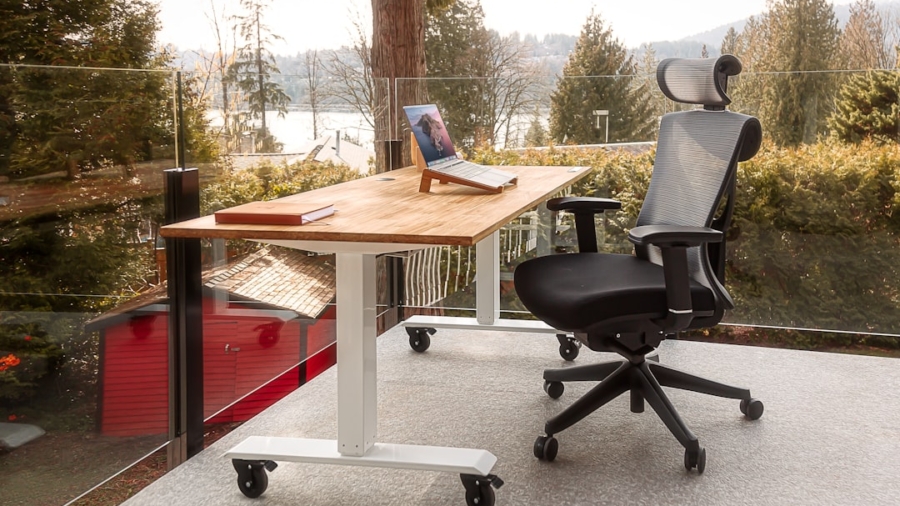
So, you’re looking to make your home office setup a bit more… comfortable? And maybe a little more efficient? You’re probably wondering if those fancy “smart desk interfaces” are really worth it for improving your home office ergonomics. The short answer is: they definitely can be, but it’s not a magic bullet. Think of them as powerful tools that, when used correctly, can significantly enhance how you interact with your workspace, leading to better posture, reduced strain, and an overall more adaptable work environment.
Beyond Just Height Adjustment: What’s a Smart Desk Interface?
We’ve come a long way from clunky manual crank desks. A smart desk interface is essentially the “brain” of your adjustable desk. It’s the control panel, the programmer, and often, the data collector. It’s what allows you to do more than just nudge your desk up or down. These interfaces typically come with digital displays, programmable memory settings, and sometimes even advanced features that go beyond simple height control. Imagine being able to save your preferred sitting and standing heights, get reminders to change positions, and even track how much time you’ve spent in each posture. That’s the realm of the smart desk interface.
The Evolution of the Workspace
Remember when adjustable desks were a niche item for specific professions? Now, with remote work being so prevalent, more and more people are investing in home office equipment designed for long-term comfort and productivity. The evolution has been driven by a greater understanding of ergonomics and the debilitating effects of prolonged static postures.
Key Components of a Smart Interface
What makes an interface “smart”? It’s usually a combination of:
- Digital Display: Tells you the current height and often the position number.
- Programmable Memory Presets: Stores your ideal sitting and standing heights.
- Control Buttons: For manual adjustment and selecting presets.
- Optional Features: We’ll dive into these later, but think reminders, app connectivity, and usage tracking.
In the quest to enhance productivity and comfort in your workspace, upgrading your home office ergonomics with smart desk interfaces can be a game changer. For those interested in the intersection of technology and user experience, a related article on conversational commerce provides valuable insights into how smart interfaces can facilitate better interactions and streamline workflows. You can read more about this innovative approach to enhancing user engagement by visiting this article on conversational commerce.
Making the Switch: Programmable Memory for Postural Variety
This is perhaps the most fundamental ergonomic benefit of a smart desk interface. Our bodies aren’t designed to stay in one position for eight hours straight. The ability to easily switch between sitting and standing, or even partial standing and sitting poses, is crucial for preventing stiffness, fatigue, and the long-term health issues associated with sedentary work. A smart interface makes this switching effortless.
The “Sit-Stand” Revolution
The concept is simple: alternate between sitting and standing throughout your workday. This promotes better blood circulation, engages different muscle groups, and can alleviate back pain and neck strain. Without programmable presets, flicking the ‘up’ and ‘down’ buttons repeatedly to find your “just right” height can be a hassle, leading you to skip the adjustment altogether.
Saving Your Perfect Heights
With programmable memory, you can dial in your ideal sitting height – the one where your elbows are at a 90-degree angle, wrists are neutral, and your feet are flat on the floor. Then, you can find your optimal standing height – where your elbows are again at 90 degrees, and your shoulders are relaxed. Once saved (often with a simple press of a button followed by the memory slot number), you can return to these exact heights with a single touch. This removes the friction and encourages you to actually use the adjustability.
Beyond the Preset: Reminders and Habits
This is where smart interfaces really start to earn their “smart” moniker. Some interfaces go beyond simply letting you save a height; they actively encourage better ergonomic habits.
The Gentle Nudge: Position Change Alerts
One of the most common ergonomic pitfalls is simply forgetting to move. You get engrossed in a task, and suddenly, it’s been three hours since you last adjusted your desk. Many smart interfaces offer built-in reminder systems. These can be simple beeps or visual cues that prompt you to change your position.
You can often customize the frequency of these reminders, so they are helpful without being overly disruptive.
Building New Routines
Our bodies adapt. If you’re used to sitting all day, standing for long periods can feel strange at first. Reminders can help you ease into it. You might start with a 30-minute standing break every couple of hours and gradually increase that frequency as you become more comfortable. These aren’t just about posture; they’re about building healthier work habits that extend beyond just your desk.
Data-Driven Insights (for some interfaces)
Some of the more advanced smart interfaces can track your sit-stand time. They might connect to an app on your phone or computer, showing you a breakdown of how much time you spent sitting versus standing each day or week. This data can be incredibly motivating. Seeing that you’re consistently hitting your standing goals can reinforce good behavior, while identifying days you’ve been too sedentary can serve as a useful prompt to do better.
Integrating with Your Workflow: Connectivity and Customization
The “smart” aspect often extends to how these interfaces interact with your other devices and how much control you have over their settings.
App-Based Control and Integration
The most integrated smart desk interfaces connect to dedicated mobile or desktop applications. This opens up a whole new level of functionality. You can often:
- Program and manage presets remotely: No need to fiddle with buttons on the desk itself.
- Customize reminder settings: Fine-tune intervals, sounds, and even choose between different types of notifications.
- Set activity goals: Some apps allow you to set daily or weekly targets for sitting and standing time.
- Sync with health apps: Some advanced systems can even integrate with broader health and fitness tracking apps, contributing to a more holistic view of your well-being.
Voice Control and Smart Home Compatibility
For the truly tech-savvy, some high-end interfaces might even offer voice control capabilities. Imagine saying, “Hey [virtual assistant], adjust desk to standing height,” and having your desk smoothly rise. This can be particularly useful if your hands are full or if you have mobility challenges. While not as common, the trend is towards greater seamless integration with our connected lives.
Firmware Updates and Future-Proofing
Like any piece of technology, smart desk interfaces can benefit from software updates. Manufacturers may release firmware updates to improve performance, add new features, or fix bugs. Having an interface that supports these updates means your desk can potentially get better over time, rather than becoming obsolete.
As remote work continues to gain popularity, many individuals are seeking ways to enhance their home office setups for better productivity and comfort. A great resource for understanding how to optimize your workspace is the article on top trends in e-commerce business, which discusses innovative tools and technologies that can transform your work environment. By incorporating smart desk interfaces, you can significantly improve your ergonomics, ensuring that your home office not only meets your professional needs but also supports your health and well-being.
Beyond the Desk: Complementary Ergonomic Strategies
While a smart desk interface is a crucial component, it’s important to remember it’s only one piece of the ergonomic puzzle. To truly maximize your comfort and well-being, you need to consider the entire workspace setup.
Monitor Placement: The Golden Rule
Your monitor height is critical. The top of your screen should be at or slightly below eye level. This prevents you from craning your neck up or hunching over. If you’re using a laptop, this is where monitor arms and risers become essential. A smart desk interface can help you find the ideal desk height for sitting and standing, but it won’t magically fix a poorly positioned monitor.
Keyboard and Mouse: Neutral is Key
Your keyboard should be positioned so your wrists are straight and your elbows are at roughly a 90-degree angle when typing. For standing, this means your desk height needs to accommodate this posture comfortably. Similarly, your mouse should be close enough that you don’t have to reach excessively. Consider ergonomic keyboards or mice if you experience wrist pain.
Seating Considerations (Even When Standing!)
Even if you’re aiming for a healthy balance of sitting and standing, the chair you use for your sitting periods matters. Invest in a good ergonomic chair with adjustable lumbar support, armrests, and seat depth. If you’re considering a standing desk, you might also want to think about an anti-fatigue mat to cushion your feet and legs during standing periods.
Lighting and Visual Comfort
Don’t forget about your eyes! Ensure your workspace is well-lit, preferably with natural light if possible. Avoid glare on your screen. This might involve adjusting blinds or using screen filters. Poor lighting can lead to eye strain, headaches, and fatigue, which can negatively impact your posture and concentration.
The Investment: Cost vs. Benefit
Let’s talk about the elephant in the room: cost. Smart desk interfaces, especially those with advanced features, can add a significant chunk to the price of an adjustable desk. It’s important to weigh the benefits against the investment.
Understanding the Price Tiers
You’ll find a range of smart desk interfaces, from basic ones with just a few memory presets and a digital display to high-end systems with app connectivity, advanced tracking, and even wireless charging capabilities. Naturally, the more features you want, the higher the price will be.
Long-Term Health and Productivity Gains
The primary benefit is an investment in your long-term health. Reducing the risk of musculoskeletal issues like back pain, neck strain, and carpal tunnel syndrome can save you a lot of discomfort and potentially costly medical treatments down the line. On the productivity side, feeling more energized and less fatigued can lead to better focus and output.
What to Prioritize for Your Needs
Before you buy, ask yourself:
- Do I really need app connectivity, or are basic presets enough?
- Are reminders important for my work habits?
- Is data tracking a motivator for me, or just a gimmick?
For many, a smart desk interface with a few programmable memory presets and a clear digital display will offer the most significant ergonomic upgrade without breaking the bank. If you’re prone to forgetting to move or are highly motivated by tracking progress, then the more advanced options might be worth considering. Ultimately, the “smartest” interface is the one that you’ll actually use to create a healthier, more comfortable, and more productive workspace for yourself.
FAQs
What is a smart desk interface?
A smart desk interface is a technology that allows users to control and adjust their desk settings, such as height, lighting, and temperature, through a digital interface. This can be done through a smartphone app, voice command, or a control panel on the desk itself.
How can a smart desk interface improve home office ergonomics?
A smart desk interface can improve home office ergonomics by allowing users to easily adjust their desk and chair to the most comfortable and ergonomic positions. This can help reduce the risk of musculoskeletal disorders and improve overall productivity and well-being.
What features should I look for in a smart desk interface?
When choosing a smart desk interface, look for features such as adjustable height settings, customizable presets for different users, integrated lighting and temperature controls, and compatibility with other smart home devices. Some interfaces also offer health tracking and reminders to encourage movement and breaks.
Are smart desk interfaces easy to install and use?
Most smart desk interfaces are designed to be easy to install and use. Many models can be simply placed on top of an existing desk and plugged into a power source. The user interface is typically intuitive and user-friendly, making it easy to adjust settings and customize preferences.
What are the potential benefits of investing in a smart desk interface for a home office?
Investing in a smart desk interface for a home office can lead to improved comfort, productivity, and overall well-being. By promoting better ergonomics and allowing for personalized adjustments, a smart desk interface can help reduce the risk of physical discomfort and fatigue associated with prolonged desk work.
Enjoying our content? Make us a preferred source on Google:
Add us as a Preferred Source on Google