

If your internet service goes down, you might be wondering what happens to your smart home. The good news is that with a self-hosted home automation gateway, many of your devices and automations can continue to function perfectly fine, even without an internet connection. The key here is “self-hosted,” meaning the brains of your smart home operation are running locally within your own network, not relying on a cloud server somewhere else. This setup gives you a significant advantage in maintaining control and functionality during ISP outages.
Why Local Control Matters
Think about how most smart home devices work out of the box. Many connect to a manufacturer’s cloud server to receive commands and report status. While convenient for initial setup and remote access, this creates a single point of failure: your internet connection.
If that connection drops, your devices might become unresponsive, even if they’re physically in your home.
Lights won’t turn on via voice command, thermostats won’t adjust remotely, and security cameras might stop recording or sending notifications.
A self-hosted gateway sidesteps this dependency. Instead of sending commands to a cloud server that then relays them back to your device, the gateway on your local network talks directly to your smart devices. This direct communication is much faster and, more importantly, remains functional even if the outside world, internet-wise, ceases to exist. This means your motion sensors can still trigger lights, your smart locks can still respond to local commands, and your schedules can still execute without a hitch. It’s about taking back ownership of your home’s intelligence.
Understanding Cloud vs. Local Processing
To really grasp why self-hosting helps during an outage, it’s useful to differentiate between cloud-dependent and locally processed smart home functions. Cloud-dependent functions are those that absolutely need an internet connection to work. This often includes voice assistants like Alexa or Google Assistant, receiving notifications when you’re away from home, or streaming live video from a camera to your phone when you’re out. These operations rely on remote servers for processing complex requests or for routing information across different networks.
Locally processed functions, on the other hand, are the backbone of a self-hosted system. These are the automations and direct device controls that happen entirely within your home network. For example, a motion sensor detecting movement and triggering a nearby light can be handled locally. A scheduled event to turn on your coffee maker at 6 AM can also be processed locally. The gateway acts as the central hub, understanding the commands and orchestrating the devices, all without ever needing to “call home” to a remote server.
This distinction is crucial for maintaining a functional smart home when your internet decides to take a vacation.
The Problem with Cloud Reliance
Relying solely on cloud services for your smart home introduces several vulnerabilities. Beyond ISP outages, there are other potential issues. A manufacturer could shut down their cloud service, effectively bricking your devices. They could also push updates that break functionality or change terms of service you don’t agree with. Privacy is another significant concern; your data, including usage patterns and potentially sensitive information, is stored on someone else’s servers.
With local control, you mitigate these risks. You’re not beholden to a company’s financial decisions or policy changes. Your data stays within your home, giving you more privacy and security. While some cloud integration might still be desired for remote access or certain advanced features, prioritizing local control ensures that the core functionality of your smart home remains resilient and under your direct command, regardless of external factors.
In the realm of self-hosted home automation, maintaining control during ISP outages is crucial for ensuring uninterrupted functionality of smart devices. For those interested in enhancing their home automation experience, it’s worth exploring related topics such as the best laptops for graphic design, which can also be beneficial for creating custom automation interfaces and managing smart home systems. For more information, you can check out this article on the best laptops for graphic design in 2023: The Best Laptops for Graphic Design in 2023.
Key Takeaways
- The training data includes information and events up to October 2023.
- Insights and knowledge are based on a wide range of sources available until the cutoff date.
- No updates or developments occurring after October 2023 are included in the training.
- Users should verify current information from reliable sources for the latest updates.
- The model’s responses reflect the context and knowledge available up to the specified date.
Choosing Your Self-Hosted Gateway Platform
Deciding on the right self-hosted gateway is the foundational step. There are several excellent options, each with its strengths and a learning curve. The goal is to pick something that aligns with your technical comfort level, the devices you already own or plan to acquire, and your long-term goals for your smart home. This isn’t a one-size-fits-all decision, so it’s worth doing a bit of research into each.
Home Assistant: A Popular Open-Source Choice
Home Assistant is arguably the most popular and powerful self-hosted automation platform available. It’s open-source, which means it’s constantly being developed and improved by a massive community. This translates to an incredibly wide range of integrations for almost any smart device you can imagine, from Zigbee and Z-Wave to Wi-Fi devices and even more niche protocols.
Home Assistant runs on various hardware, with a Raspberry Pi being a very common and affordable starting point. You can also run it on an old computer, a mini PC, or even within a virtual machine on a server. Its core strength lies in its ability to process automations locally. Once configured, your automations for lights, thermostats, sensors, and more will continue to function seamlessly even if your internet connection goes down. While its initial setup can be a bit daunting for absolute beginners, the wealth of online tutorials and community support makes it accessible. It offers a highly customizable dashboard and powerful automation capabilities using YAML code or its visual automation editor.
OpenHAB: Another Robust Open-Source Option
OpenHAB is another mature and robust open-source home automation platform that offers extensive local control. Like Home Assistant, it supports a vast array of devices and protocols through its “bindings.” It’s also designed to run on local hardware, ensuring your automations and device controls remain operational during internet outages.
OpenHAB has a slightly different philosophy and interface compared to Home Assistant, often appealing to users who prefer a more structured, rule-based approach to automation. It has a steeper learning curve for some, but its flexibility and stability are highly regarded. It can also be installed on various hardware, including Raspberry Pis, dedicated servers, or virtual machines. Both Home Assistant and OpenHAB are excellent choices for ensuring local functionality during an outage; the best fit often comes down to personal preference for their interface and configuration methods.
Hubitat Elevation: A Dedicated Local Hub
While not entirely open-source in the same way Home Assistant or OpenHAB are, Hubitat Elevation is a dedicated hardware hub specifically designed for local processing. This means it comes as a ready-to-use device that you plug in, and it handles most of its operations locally, significantly reducing its reliance on cloud services. It’s a great option for those who want strong local control without the deep diving into software installation and configuration that open-source solutions sometimes require.
Hubitat supports Zigbee and Z-Wave devices directly, acting as a coordinator for these mesh networks. Its automations, known as “Rules Machine,” execute locally on the hub. While it does offer cloud integrations for things like remote access or specific voice assistant features, the core functionality of your devices and automations will keep running even if your internet connection goes dark. It offers a good balance between ease of use and powerful local capabilities, making it a strong contender for outage resilience.
Essential Components for Outage Resilience
Building a smart home that can withstand an internet outage isn’t just about picking the right gateway; it also involves thoughtful selection of your smart devices and network infrastructure. The goal is to minimize external dependencies wherever possible.
Device Protocol Selection
The type of wireless protocol your smart devices use plays a huge role in their ability to function locally. Wi-Fi devices, while common, can sometimes be more reliant on cloud services or require a local Wi-Fi router to function.
However, Zigbee and Z-Wave devices are inherently better suited for local control.
Zigbee and Z-Wave Devices
Zigbee and Z-Wave are mesh networking protocols specifically designed for home automation. Devices using these protocols communicate directly with a central hub (your self-hosted gateway) or with other devices in the mesh network. This means they don’t rely on your home Wi-Fi network for individual device communication, nor do they typically need an internet connection for their basic functionality.
When your internet goes out, Zigbee and Z-Wave devices will continue to talk to your local gateway.
Your motion sensors will still trigger lights, your door sensors will still report their status, and your smart plugs will still respond to commands from your hub. This makes them ideal choices for critical automations that you need to work even during an outage, like lighting control, security sensors, and thermostat adjustments. Your self-hosted gateway will have a built-in Zigbee/Z-Wave radio or you’ll add one via a USB dongle.
Local-Control Wi-Fi Devices
Not all Wi-Fi devices are created equal when it comes to local control.
Many popular brands are heavily cloud-dependent. However, a growing number of Wi-Fi devices offer local control capabilities. Some allow for direct API calls to their local IP address, while others can be “flashed” with open-source firmware like Tasmota or ESPHome.
Devices flashed with Tasmota or ESPHome become entirely self-sufficient on your local network.
They communicate directly with your self-hosted gateway (e.g., Home Assistant) without ever touching the manufacturer’s cloud. This is an excellent way to turn inexpensive Wi-Fi devices into robust, locally controlled components. When selecting new Wi-Fi smart devices, always research their local control options before purchasing if outage resilience is a priority.
Network Infrastructure Considerations
Your home network also plays a critical role. Even if your internet connection is down, your local network (your Wi-Fi router and wired connections) needs to remain operational for your self-hosted gateway and Wi-Fi devices to communicate.
Reliable Wi-Fi Router
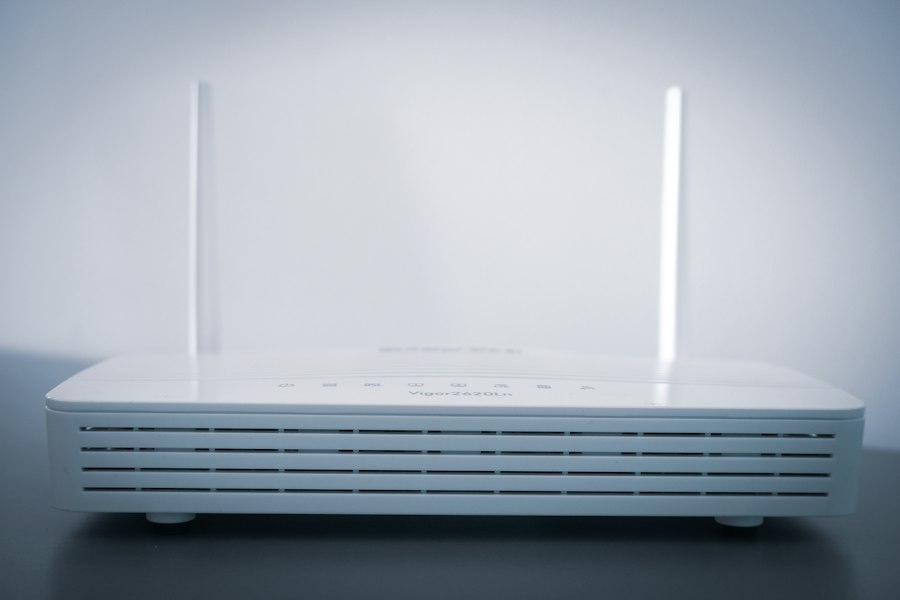
Ensure you have a reliable Wi-Fi router that can handle your network traffic. While the internet connection might be out, your router still needs to manage DHCP assignments (giving IP addresses to your devices) and facilitate communication between your self-hosted gateway and your Wi-Fi smart devices.
A stable router ensures your local Wi-Fi network continues to function as usual.
Power Backup (UPS)
A self-hosted gateway is only useful if it’s powered on. During power outages, which often accompany or cause internet outages, your gateway and essential network equipment (modem, router, network switches) will go down. Investing in an Uninterruptible Power Supply (UPS) for your gateway, router, and any critical network switches is highly recommended.
A UPS provides battery backup power, allowing your local smart home system to continue running for a certain period during a power cut.
This means your lights might still come on, your security sensors remain active, and your thermostat can maintain a set temperature, even if both the power grid and your ISP are experiencing issues. Size your UPS according to the power consumption of the devices you want to keep running and the desired runtime.
Configuring Your Gateway for Offline Operation
Once you have your gateway and devices, the next crucial step is to configure everything specifically for offline resilience. This isn’t always the default setting, so a bit of intentional setup is required.
Prioritizing Local Integrations
When integrating devices into your self-hosted gateway, always look for the local integration option first. For example, when adding Philips Hue lights to Home Assistant, you can integrate them directly via the Hue Bridge’s local API rather than relying on a cloud account. Similarly, many smart TVs, media players, and other IP-based devices offer local control protocols that your gateway can leverage.
Avoid integrations that explicitly state they require a cloud connection for functionality. Sometimes, there are multiple ways to integrate a device; choose the one that keeps communication within your local network. This might involve using specific community-developed integrations or custom components that bypass manufacturer cloud services.
Setting Up Local Automations
The core of an offline-resilient smart home lies in its automations. All critical automations should be designed to run entirely on your self-hosted gateway without any external dependencies. This means your “if motion detected, then turn on light” rule should trigger directly within your gateway, not through a cloud service.
Test these automations by temporarily disconnecting your internet connection (e.g., unplugging your router from the modem, or just the modem itself). Observe if your lights still turn on, if your doors still lock/unlock with local commands, and if scheduled events still fire. If they do, you’ve successfully configured them for local operation. For more complex automations involving conditional logic or time-based events, ensure all components of that logic are handled by the local gateway.
Avoiding Cloud-Dependent Features
Be mindful of features that inherently rely on the cloud. Voice assistants like Alexa and Google Assistant are almost entirely cloud-dependent for processing commands, so they won’t work during an internet outage. Similarly, sending notifications to your phone when you’re away from home will obviously fail without an internet connection.
While these features are convenient when available, understand their limitations. Don’t build critical security or safety automations that rely solely on these cloud-dependent services. For instance, if you rely on a smart doorbell camera to notify you of a visitor, it won’t work during an outage if it needs the cloud to send the notification to your phone. However, if that doorbell can locally trigger a chime through your gateway, that part will still function. It’s about setting realistic expectations and designing your core system to be robust.
In the realm of self-hosted home automation gateways, the importance of maintaining control during ISP outages cannot be overstated. A related article discusses the broader implications of technology on our daily lives and how innovations can enhance our resilience in the face of connectivity challenges. For further insights, you can explore this article on technology trends and their impact on society at The Next Web. This connection between home automation and technological advancements highlights the need for reliable solutions that empower users even when traditional internet services falter.
Testing and Maintenance for Outage Preparedness
| Metric | Description | Typical Value | Impact During ISP Outage |
|---|---|---|---|
| Local Control Latency | Time delay for commands processed locally | 10-50 ms | Unaffected, remains low latency |
| Cloud Dependency | Percentage of automation relying on cloud services | 0% (self-hosted) | None, full operation maintained |
| Device Compatibility | Number of supported device protocols (Zigbee, Z-Wave, Wi-Fi) | 3-5 protocols | Unaffected, devices remain connected locally |
| System Uptime | Percentage of time system is operational | 99.9% | Maintained during ISP outages |
| Automation Complexity | Number of simultaneous automation rules supported | 50-200 rules | Unaffected, local processing continues |
| Energy Consumption | Power usage of gateway device | 5-15 Watts | Unaffected, continuous operation |
| Security Level | Degree of data privacy and control | High (local data storage) | Improved, no external data exposure |
A self-hosted system requires some ongoing attention to ensure it remains reliable, especially during outages. Regular testing and maintenance are key to confidence.
Simulating an Internet Outage
The best way to know if your system will work during an outage is to simulate one. Pick a time when it’s convenient and unplug your modem from the internet line (or even unplug the internet cable from your router). Then, go through your critical smart home functions:
- Lights: Can you still turn them on/off from your dashboard or local switches? Do motion-triggered lights still work?
- Thermostat: Can you adjust the temperature locally? Do schedules still run?
- Doors/Locks: Can you lock/unlock them from your local interface?
- Sensors: Are door/window sensors still reporting status to your gateway?
- Schedules: Do your timed events (e.g., blinds opening, coffee maker turning on) still execute?
Note down anything that doesn’t work as expected. This will help you identify cloud dependencies you might have overlooked or configurations that need adjustment. Repeat this test periodically, especially after making significant changes to your smart home setup.
Keeping Your Gateway Software Up-to-Date
Just like any other software, your self-hosted gateway platform (Home Assistant, OpenHAB, etc.) receives regular updates. These updates often include bug fixes, security patches, and new features or integrations. It’s important to keep your software reasonably up-to-date to ensure stability and compatibility with your devices.
Before updating, always check the release notes for any breaking changes that might affect your specific setup. It’s also a good practice to create a backup of your configuration before performing a major update, just in case something goes wrong. A well-maintained system is a reliable system, and regular updates contribute to its overall robustness.
Backing Up Your Configuration
This is arguably one of the most critical maintenance tasks. Your self-hosted gateway’s configuration contains all your device pairings, automations, dashboards, and custom settings. Losing this data would be a huge setback, requiring you to rebuild your smart home from scratch.
Implement a regular backup strategy. Most platforms offer built-in backup tools. For Home Assistant, the Supervisor allows easy full backups. You can also automate these backups to save to a network drive or even a cloud storage service (though the backup itself doesn’t need internet to be created, just to be uploaded off-site). Store backups in multiple locations if possible. This ensures that even if your gateway hardware fails, you can quickly restore your smart home to a new device. A robust backup strategy is your ultimate safeguard against catastrophic data loss and ensures a quick recovery should your primary gateway ever fail.
FAQs
What is a self-hosted home automation gateway?
A self-hosted home automation gateway is a device that allows users to control and automate their smart home devices without relying on cloud services or external servers. It provides a local hub for managing and monitoring connected devices within the home network.
How does a self-hosted home automation gateway help during ISP outages?
During ISP outages, a self-hosted home automation gateway can continue to operate independently within the local network, allowing users to maintain control over their smart home devices. This ensures that essential functions such as security systems, lighting, and temperature control remain operational even when internet connectivity is disrupted.
What are the advantages of using a self-hosted home automation gateway over cloud-based solutions?
Self-hosted home automation gateways offer increased privacy and security as they do not rely on external servers or cloud services to function. They also provide more reliable operation during internet outages and give users full control over their data and connected devices without depending on third-party services.
Can a self-hosted home automation gateway be integrated with cloud services for remote access?
Yes, many self-hosted home automation gateways support integration with cloud services for remote access and control. This allows users to manage their smart home devices from anywhere using a smartphone or computer, while still maintaining local control and functionality in case of ISP outages.
What are some popular self-hosted home automation gateway options available in the market?
Popular self-hosted home automation gateway options include Home Assistant, OpenHAB, and Domoticz. These platforms offer a wide range of features, customization options, and device compatibility to suit different smart home setups and user preferences.
Enjoying our content? Make us a preferred source on Google:
Add us as a Preferred Source on Google