

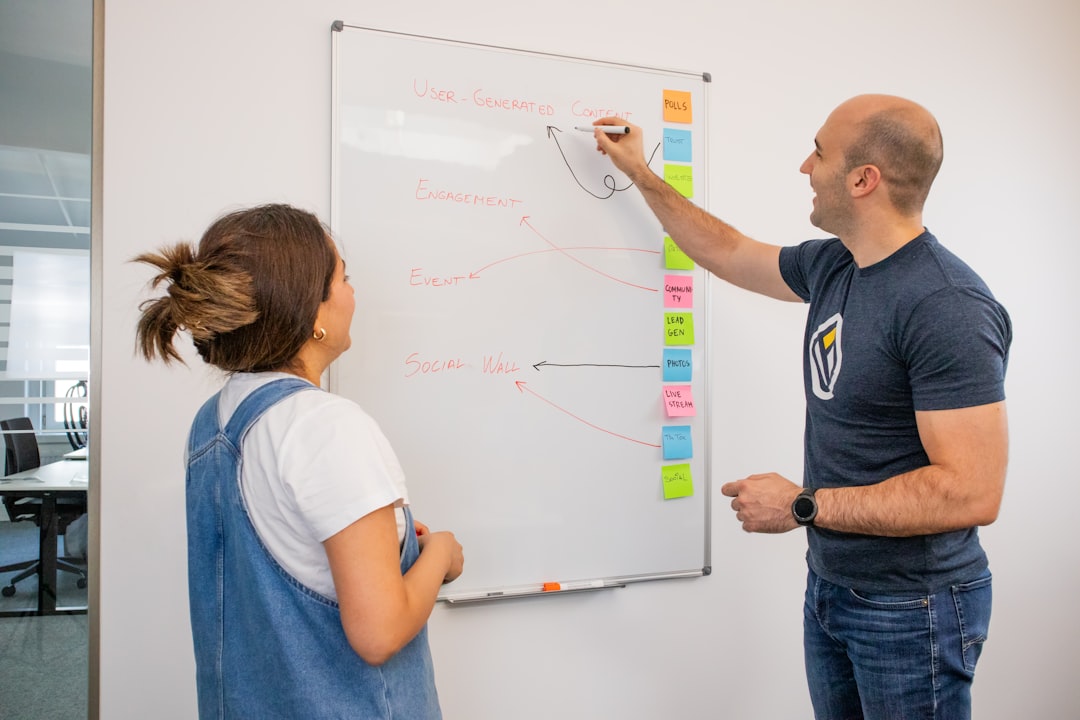
Project-Based Learning (PBL) management tools are software applications designed to support and streamline the implementation of project-based learning in educational settings. These tools aim to facilitate various aspects of the PBL process, from project ideation and planning to student collaboration, progress tracking, assessment, and reflection. They serve as digital environments where educators can orchestrate complex projects and students can navigate their learning journeys with structure and guidance.
Project-based learning, by its nature, is a dynamic and multifaceted pedagogical approach. It moves away from traditional, discrete lesson delivery towards extended inquiries where students acquire knowledge and skills by working for an extended period to investigate and respond to an authentic, engaging, and complex question, problem, or challenge. This often involves a degree of autonomy for students, requiring them to manage their time, resources, and contributions effectively.
The Complexities of Project-Based Learning
A project rarely unfolds in a linear fashion. It is more akin to tending a garden; seeds are planted, but growth is subject to various factors, requiring constant attention, adaptation, and occasional weeding. Without a structured framework, managing multiple student groups on diverse projects can become a significant challenge for educators. Traditional tools like spreadsheets, paper organizers, or generic document-sharing platforms often fall short in addressing the specific demands of collaborative, inquiry-driven learning.
Bridging the Gap: From Traditional to Digital Management
The advent of these specialized PBL management tools seeks to bridge this gap. They provide a consolidated platform that addresses the administrative, organizational, and collaborative needs inherent in PBL. Instead of juggling multiple applications or using inefficient manual methods, educators and students can access a single, integrated system. This not only improves efficiency but also enhances the overall PBL experience by providing clarity and accessibility.
Project-Based Learning Management Tools are essential for educators looking to enhance student engagement and collaboration through hands-on projects. For those interested in exploring technology that can streamline educational processes, a related article discusses the best software options for cloning hard drives, which can be beneficial for managing digital resources in a learning environment. You can read more about it here: Best Software to Clone HDD to SSD.
Key Features and Functionalities
PBL management tools encompass a range of features designed to support the entire project lifecycle. These functionalities aim to provide both educators and students with the necessary infrastructure to manage and participate effectively in project-based learning activities.
Project Planning and Structuring
At the core of any project is a well-defined plan. These tools assist educators in outlining project scope, defining learning objectives, setting timelines, and breaking down larger tasks into manageable steps.
Defining Project Goals and Deliverables
Educators can articulate the desired learning outcomes and the tangible or observable results that students are expected to produce. This phase is crucial for setting clear expectations and guiding student efforts.
Task Breakdown and Assignment
Tools allow for the creation of detailed task lists, which can be assigned to individual students or groups. This promotes accountability and helps students understand their specific responsibilities within the larger project.
Timeline Management and Milestones
Visual timelines, Gantt charts, or similar scheduling features allow educators to set deadlines for individual tasks and project milestones. This helps both students and teachers monitor progress and identify potential bottlenecks.
Collaboration and Communication Channels
Effective collaboration is a cornerstone of PBL. These tools integrate features that facilitate seamless communication and interaction among students and between students and educators.
Group Formation and Management
The tools often include functionalities for creating and organizing student groups, defining group roles, and managing group membership throughout the project.
Real-time Communication Features
Integrated chat, discussion forums, or messaging systems enable students to communicate with their peers and educators in real-time, fostering a dynamic collaborative environment.
Document Sharing and Version Control
Centralized repositories for project documents, multimedia assets, and other resources are essential. Many tools offer robust document sharing capabilities, sometimes with version control to track changes and prevent data loss.
Progress Monitoring and Assessment
Tracking student progress and providing timely feedback are critical for guiding learning. PBL management tools offer mechanisms for both educators to monitor and students to self-assess their development.
Individual and Group Progress Tracking
Educators can view the status of individual tasks, group activities, and overall project progress through dashboards or progress reports. This provides a clear overview of where each student and group stands.
Rubric-Based and Formative Assessment Tools
Many platforms integrate assessment tools, allowing educators to create and apply rubrics for evaluating student work. This can include peer assessment features, self-reflection prompts, and tools for providing qualitative feedback.
Digital Portfolios and Showcase of Work
Some tools enable students to build digital portfolios that showcase their project artifacts, reflections, and achievements, providing a comprehensive record of their learning journey.
Resource Management and Integration
PBL often requires students to access and utilize a variety of resources. These tools can act as a central hub for managing and accessing these materials.
Centralized Repository for Project Materials
Educators can upload and organize relevant documents, links, videos, and other learning materials, making them easily accessible to students.
Integration with External Tools
Many platforms offer integrations with other educational tools like learning management systems (LMS), cloud storage services (e.g., Google Drive, Dropbox), or content creation applications, allowing for a seamless workflow.
Benefits of Utilizing PBL Management Tools

The implementation of dedicated PBL management tools can yield significant advantages for both educators and students, transforming the learning experience.
Enhanced Organization and Efficiency
For educators, these tools act as a central nervous system for managing multiple projects and student groups. This reduces administrative burden, freeing up time for more impactful teaching and individualized support. The structured approach inherent in the tools helps prevent projects from becoming chaotic, akin to a conductor leading an orchestra, ensuring each instrument plays its part in harmony.
Improved Student Engagement and Ownership
By providing students with clear pathways, collaborative spaces, and opportunities for self-direction, these tools can foster a greater sense of ownership over their learning. When students see their contributions clearly, track their progress visibly, and can readily communicate with their peers, their engagement levels tend to rise. The tools empower them to be active participants rather than passive recipients of information.
Fostering Collaboration and Communication Skills
The integrated communication and collaboration features are vital for developing essential 21st-century skills. Students learn to negotiate, share ideas, resolve conflicts virtually, and work collectively towards a common goal. The digital environment provides a low-stakes arena for practicing these interpersonal skills.
Streamlined Assessment and Feedback Processes
The structured assessment capabilities allow educators to provide more consistent and timely feedback. Rubric-based assessments offer transparency in grading, and digital feedback mechanisms ensure that students receive constructive criticism that can guide their next steps. This avoids the common problem of feedback being delivered too late to be actionable.
Increased Transparency and Accountability
Both students and educators benefit from the transparency offered by these tools. Students can see what is expected of them, where they stand in relation to project goals, and how their contributions fit into the larger picture. Educators gain a clear oversight of all project activities, enabling them to identify students who might be struggling or groups that are excelling. This visibility promotes accountability at all levels.
Types of PBL Management Tools
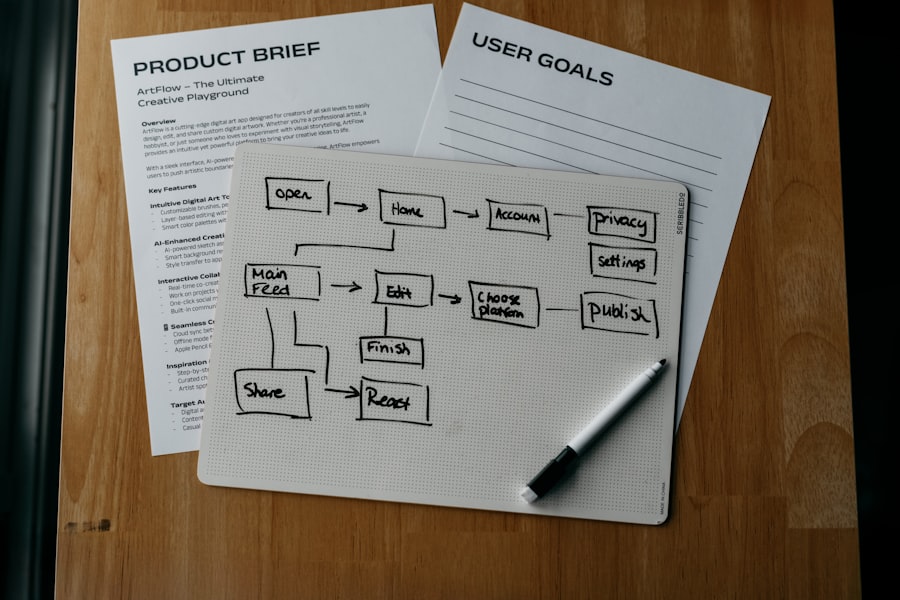
The landscape of PBL management tools is diverse, with various platforms offering different strengths and catering to different needs. Understanding these distinctions can help educators select the most appropriate tool for their context.
All-in-One PBL Platforms
These are comprehensive solutions designed specifically for project-based learning. They typically offer a broad spectrum of features, covering project planning, collaboration, assessment, and progress tracking within a single integrated environment.
Integrated Project Workflows
These platforms are built with the PBL workflow in mind, guiding users through project setup, execution, and completion. They are often designed to be intuitive for both teachers and students, minimizing the learning curve.
Unique Features for PBL
Some platforms may include features like project idea banks, inquiry question generators, or reflection prompts specifically tailored to PBL methodologies.
Examples and Market Offerings
Platforms like “Project Pals,” “Xổ số,” or “Eduflow” often fall into this category, each with its own approach to managing PBL.
Enhanced Learning Management Systems (LMS) with PBL Modules
Many established LMS platforms have incorporated modules or extensions that specifically support PBL. While not exclusively PBL tools, they offer integrated functionalities that can be leveraged for project-based learning initiatives.
Extending Existing Infrastructure
For institutions already invested in an LMS, these modules offer a way to enhance its capabilities for PBL without introducing entirely new systems. This can simplify adoption and reduce training requirements.
Seamless Integration with Other Courses
This approach allows for PBL to be seamlessly integrated with other subject matter and curriculum delivered through the LMS.
Specific LMS Examples
Platforms like Moodle, Canvas, or Blackboard may offer plugins or built-in features that cater to PBL.
Collaboration and Project Management Tools Adapted for Education
General-purpose project management software, such as Trello, Asana, or Monday.com, can be adapted for PBL. While they might lack some education-specific features, their flexibility and robust task management capabilities can be powerful assets.
Adaptability and Customization
Educators can configure these tools to suit their specific project needs, creating custom workflows and boards that represent their PBL structure.
Familiarity and Accessibility
For educators or students already familiar with these tools from other contexts, adoption can be very rapid.
Limitations in Educational Focus
However, these tools may require more manual setup to align with educational objectives and may not always have built-in assessment or reporting features tailored for student learning.
Tools Focused on Specific Aspects of PBL
| Tool Name | Key Features | Collaboration Support | Assessment Options | Integration Capabilities | User Rating (out of 5) |
|---|---|---|---|---|---|
| Trello | Kanban boards, task assignments, deadlines | Real-time collaboration, comments, file sharing | Checklist completion, progress tracking | Google Drive, Slack, Dropbox | 4.3 |
| Asana | Task management, timelines, project templates | Team messaging, task comments, file attachments | Milestone tracking, custom fields for grading | Microsoft Teams, Google Workspace, Zoom | 4.5 |
| Basecamp | To-do lists, message boards, schedules | Group chat, real-time collaboration | Progress reports, task completion status | Google Calendar, Zapier | 4.0 |
| Monday.com | Custom workflows, dashboards, automation | Team collaboration, file sharing, updates | Time tracking, performance metrics | Slack, Google Drive, Microsoft Teams | 4.4 |
| ClickUp | Task management, docs, goals, time tracking | Comments, real-time chat, collaborative docs | Custom statuses, grading templates | Google Calendar, Zoom, Slack | 4.6 |
Some tools concentrate on particular areas of PBL, such as formative assessment, digital portfolios, or collaborative document creation. These can be used as standalone solutions or integrated with other platforms.
Digital Portfolio Builders
Tools like Seesaw or Bulb allow students to curate their project work and reflections, creating a narrative of their learning.
Collaborative Whiteboarding and Brainstorming Tools
Platforms like Miro or Mural facilitate visual brainstorming and collaborative ideation, which are crucial during the early stages of project development.
Project-Based Learning Management Tools have become essential in modern education, facilitating collaboration and engagement among students. For those interested in enhancing their understanding of technology in education, a related article explores the features of the Samsung Galaxy Chromebook 2, which can serve as a valuable resource for educators looking to integrate effective tools into their teaching practices. You can read more about it in this insightful piece on the Samsung Galaxy Chromebook 2.
Implementation Considerations and Best Practices
Adopting PBL management tools requires careful planning and strategic implementation to maximize their effectiveness. Simply introducing software without pedagogical consideration is unlikely to yield the desired results.
Aligning Tools with Pedagogical Goals
The primary consideration should always be how the tool supports the underlying pedagogical principles of PBL. The technology should serve the learning, not dictate it. Educators must clearly define their PBL objectives before selecting a tool.
Needs Assessment
Before selecting a tool, conduct a thorough needs assessment to identify specific challenges and requirements. This involves surveying educators and students about their current pain points in managing projects.
Feature Prioritization
Identify the features that are most critical for achieving the defined pedagogical goals. It is not about finding a tool with the most features, but rather the right features for the specific PBL approach.
Training and Professional Development
Effective use of these tools hinges on adequate training and ongoing professional development for educators. A tool, no matter how well-designed, will remain underutilized if users are not comfortable or proficient with its functionality.
Educator Training
Provide comprehensive training sessions that cover the tool’s features, pedagogical applications, and best practices for managing PBL with the chosen software.
Student Onboarding
Ensure students receive clear instructions and support on how to use the tool effectively for collaboration, task management, and communication.
Integration with Existing School Systems
Consider how the new PBL management tool will integrate with existing school infrastructure, such as Learning Management Systems (LMS), student information systems (SIS), and authentication services. Seamless integration can reduce administrative overhead and improve user experience.
Single Sign-On (SSO)
Implementing SSO can streamline user access and reduce the burden of managing multiple usernames and passwords.
Data Synchronization
Ensure that data can be synchronized between the PBL tool and other relevant systems if necessary, for example, for grade reporting.
Iterative Adoption and Feedback Loops
It is often beneficial to adopt new tools iteratively, starting with a pilot program and gathering feedback before a full-scale rollout. This allows for adjustments and refinements based on real-world usage.
Pilot Programs
Begin with a small group of educators and students to test the tool and gather feedback on its usability, effectiveness, and any unforeseen challenges.
Continuous Improvement
Establish mechanisms for ongoing feedback and make iterative improvements to the implementation strategy and tool configuration based on user input.
Project-Based Learning Management Tools are essential for educators looking to enhance student engagement and collaboration. A related article discusses the best tablets for kids in 2023, which can serve as valuable resources for students involved in project-based learning. These devices not only facilitate research and communication but also enable creative expression through various applications. To explore the top options available, you can read more in this insightful piece on the best tablets for kids in 2023.
Challenges and Future Directions
While PBL management tools offer substantial benefits, their adoption and evolution are not without challenges. Looking ahead, these tools are poised to become even more sophisticated and integrated into the educational landscape.
Overcoming Adoption Barriers
Technical Infrastructure and Access
Ensuring equitable access to technology and reliable internet connectivity for all students is a fundamental prerequisite. Disparities in access can exacerbate existing educational inequalities.
Teacher Buy-in and Resistance to Change
Some educators may be hesitant to adopt new technologies or new pedagogical approaches. Addressing these concerns through clear communication, demonstration of benefits, and strong support is crucial.
Cost and Budgetary Constraints
The cost of licensing and implementing specialized PBL management tools can be a significant factor for educational institutions with limited budgets.
Data Privacy and Security Concerns
As with any digital tool handling student data, robust privacy and security measures are paramount. Institutions must ensure compliance with relevant regulations and protect sensitive information.
The Evolving Landscape of AI in Education
The integration of Artificial Intelligence (AI) is likely to be a significant driver of future developments in PBL management tools. AI could offer personalized learning pathways, intelligent feedback mechanisms, and automated administrative support, acting as a virtual teaching assistant.
Personalized Learning Paths
AI could analyze student progress and learning styles to suggest customized project activities or resources, adapting the learning journey to individual needs.
Intelligent Feedback and Assessment
AI-powered tools might be able to provide more nuanced and immediate feedback on student work, identifying areas for improvement with greater precision.
Automation of Administrative Tasks
AI could automate routine tasks like scheduling, resource allocation, and initial progress reporting, freeing up educators’ time.
Enhanced Interoperability and Integration
Future tools will likely focus on greater interoperability, allowing for seamless integration with a wider range of educational platforms and resources. This will create a more connected and efficient digital learning ecosystem.
The ongoing development of PBL management tools reflects a growing understanding of the power of project-based learning. As technology continues to advance, these tools will undoubtedly play an increasingly vital role in shaping how students learn and how educators facilitate that learning.
FAQs
What are project-based learning management tools?
Project-based learning management tools are software applications designed to facilitate the planning, execution, and assessment of project-based learning activities. They help educators organize projects, track student progress, and manage resources effectively.
How do project-based learning management tools benefit educators?
These tools streamline the management of complex projects by providing features such as task assignment, deadline tracking, collaboration platforms, and assessment modules. This allows educators to monitor student engagement and performance more efficiently.
Can students collaborate using project-based learning management tools?
Yes, most project-based learning management tools include collaboration features such as shared workspaces, communication channels, and file sharing, enabling students to work together seamlessly on projects.
Are project-based learning management tools suitable for all education levels?
Yes, these tools can be adapted for various education levels, from elementary schools to higher education institutions, by customizing project complexity and management features to suit the learners’ needs.
Do project-based learning management tools integrate with other educational technologies?
Many project-based learning management tools offer integration capabilities with other educational platforms such as Learning Management Systems (LMS), digital gradebooks, and communication apps to provide a cohesive learning experience.