

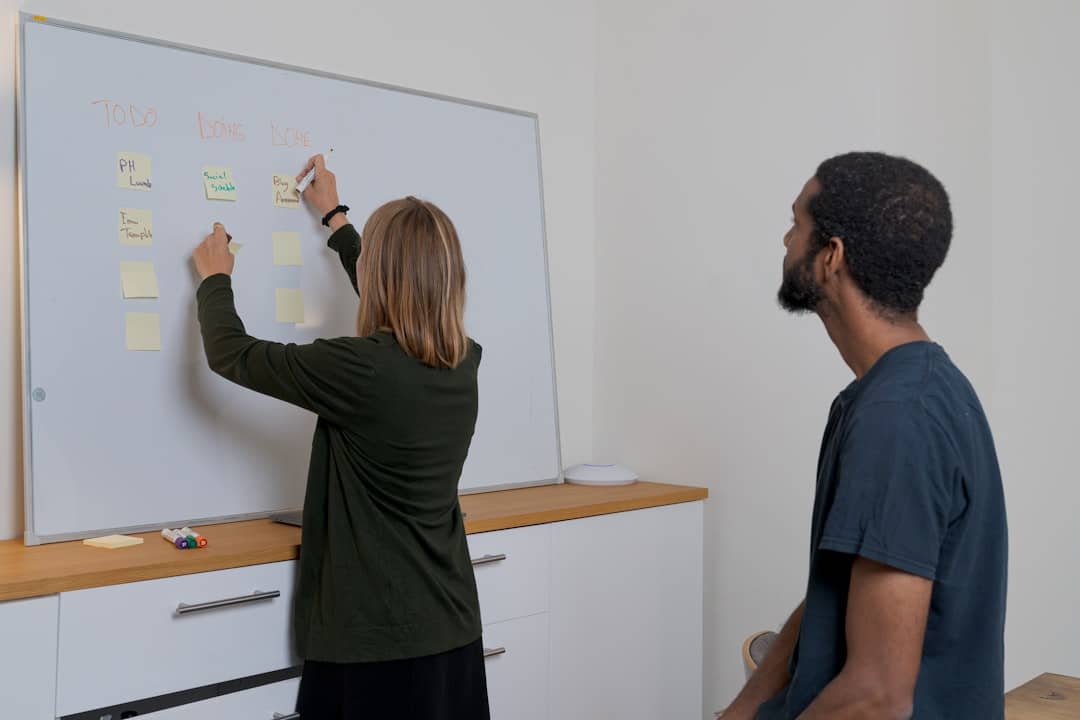
Digital whiteboards have emerged as a transformative tool in both educational and professional settings, facilitating collaboration and enhancing communication. Unlike traditional whiteboards, which are limited to physical spaces and require markers, digital whiteboards leverage technology to provide a versatile platform for sharing ideas, visualizing concepts, and engaging in interactive discussions. These tools can be accessed from various devices, including computers, tablets, and smartphones, making them particularly useful in an increasingly remote and hybrid work environment.
The rise of digital whiteboards can be attributed to the growing need for effective collaboration tools that accommodate diverse working styles and geographical locations. As organizations and educational institutions adapt to new ways of working, digital whiteboards offer a solution that combines the familiarity of traditional brainstorming methods with the advantages of digital technology. This article explores the various aspects of digital whiteboards, including their setup for remote collaboration, their role in brainstorming sessions, and best practices for maximizing their effectiveness.
For those looking to enhance their remote collaboration experience with digital whiteboards, it’s also important to consider the devices that can best support this technology. A related article that provides insights on selecting the right tablet for everyday use can be found here: What is the Best Tablet to Buy for Everyday Use?. This resource can help you choose a suitable tablet that complements your digital whiteboarding tools, ensuring a seamless collaborative experience.
Key Takeaways
- Digital whiteboards enhance remote collaboration by providing interactive, real-time visual tools.
- Setting up involves choosing compatible software and ensuring seamless connectivity for all participants.
- They facilitate brainstorming by allowing multiple users to contribute ideas simultaneously and visually.
- Integration with video conferencing tools streamlines communication and collaboration during meetings.
- Effective use includes organized content management and following best practices to maximize team productivity.
Setting Up a Digital Whiteboard for Remote Collaboration
Setting up a digital whiteboard for remote collaboration involves several key steps that ensure all participants can engage effectively. First, selecting the right platform is crucial. Numerous options are available, each with unique features tailored to different needs. Popular choices include Miro, Microsoft Whiteboard, and Jamboard, among others. When choosing a platform, consider factors such as user interface, integration capabilities with other tools, and the specific features that will best support your team’s workflow.
Once a platform is selected, the next step is to create an inviting and organized workspace. This can involve setting up templates for common tasks or projects, which can streamline the collaborative process. Additionally, it is important to establish clear guidelines for usage to ensure that all participants understand how to interact with the digital whiteboard effectively. This may include instructions on how to add content, use drawing tools, or navigate the interface. By taking these initial steps, teams can create a productive environment that fosters collaboration and creativity.
Using Digital Whiteboards for Brainstorming and Idea Generation

Digital whiteboards serve as an effective medium for brainstorming and idea generation, allowing teams to visualize their thoughts in real time. The interactive nature of these platforms encourages participation from all members, regardless of their location. Users can contribute ideas through text, drawings, or images, creating a dynamic space where concepts can evolve organically. This flexibility is particularly beneficial during brainstorming sessions, as it allows for a free flow of ideas without the constraints of traditional methods.
Moreover, many digital whiteboards come equipped with features that enhance the brainstorming process. For instance, users can employ sticky notes to jot down ideas quickly or utilize voting tools to prioritize suggestions. These functionalities not only streamline the ideation process but also help in managing group dynamics by ensuring that every voice is heard. As a result, teams can generate a wider array of ideas and solutions, ultimately leading to more innovative outcomes.
Collaborative Editing and Annotation on Digital Whiteboards

One of the standout features of digital whiteboards is their capacity for collaborative editing and annotation. This functionality allows multiple users to work on the same document or project simultaneously, making it easier to refine ideas and develop content collectively. Participants can add comments, highlight sections, or make direct edits in real time, fostering a sense of teamwork that is often challenging to achieve in traditional settings.
The ability to annotate directly on the board also enhances clarity and understanding among team members. For example, when discussing complex concepts or visual data, users can draw connections or highlight specific areas that require attention. This visual feedback can significantly improve communication and ensure that everyone is aligned on project goals.
Furthermore, many platforms offer version control features that allow users to track changes over time, providing a clear record of the collaborative process.
In exploring effective tools for remote collaboration, you might find it beneficial to read about the best free software for home remodeling, which can enhance project management and team communication. This article provides insights into various digital solutions that can complement the use of digital whiteboards. For more information, check out this resource that highlights essential software options for your next project.
Integrating Digital Whiteboards with Video Conferencing Tools
| Metric | Description | Example/Value | Benefit |
|---|---|---|---|
| Real-time Collaboration | Number of users who can simultaneously edit the whiteboard | Up to 50 users | Enhances teamwork and instant feedback |
| Integration with Other Tools | Compatibility with project management and communication apps | Slack, Microsoft Teams, Google Drive | Streamlines workflow and centralizes resources |
| Template Availability | Pre-built templates for brainstorming, planning, and retrospectives | 20+ templates | Saves time and standardizes processes |
| Accessibility | Device and platform support for remote users | Web, iOS, Android, Windows, Mac | Ensures all team members can participate |
| Annotation Tools | Variety of drawing, writing, and highlighting options | Pen, highlighter, shapes, sticky notes | Improves clarity and engagement |
| Version History | Ability to track changes and revert to previous versions | Available in most platforms | Prevents data loss and supports accountability |
| Export Options | Formats available for saving and sharing whiteboard content | PDF, PNG, SVG | Facilitates documentation and offline review |
| Latency | Delay in updates during real-time collaboration | Typically under 200ms | Maintains smooth interaction and reduces frustration |
To maximize the effectiveness of digital whiteboards in remote collaboration, integrating them with video conferencing tools is essential. This integration allows teams to discuss ideas while simultaneously interacting with the digital whiteboard, creating a seamless experience that enhances engagement. Popular video conferencing platforms like Zoom and Microsoft Teams often provide built-in options for sharing digital whiteboards or allow users to share their screens easily.
When integrated effectively, these tools can create a cohesive environment where participants feel connected despite physical distances. For instance, during a video call, team members can refer to specific sections of the digital whiteboard while discussing their thoughts verbally. This simultaneous interaction helps maintain focus and encourages active participation from all attendees. Additionally, recording these sessions can provide valuable resources for future reference or for those who were unable to attend.
Organizing and Managing Content on Digital Whiteboards
Effective organization and management of content on digital whiteboards are critical for maintaining clarity and ensuring that collaborative efforts are productive.
As teams contribute ideas and materials over time, it is essential to implement strategies that keep the workspace tidy and navigable.
One approach is to categorize content based on themes or project phases, allowing users to locate relevant information quickly.
Another important aspect of content management is establishing a clear hierarchy within the digital whiteboard. This can involve using different colors or shapes to differentiate between types of content—such as ideas, tasks, or feedback—and employing consistent labeling practices. By doing so, teams can create an intuitive layout that enhances usability and minimizes confusion. Regularly reviewing and updating the content on the board also helps keep it relevant and ensures that outdated information does not clutter the workspace.
Best Practices for Effective Remote Collaboration with Digital Whiteboards
To achieve successful remote collaboration using digital whiteboards, several best practices should be considered. First and foremost is fostering an inclusive environment where all participants feel comfortable contributing their ideas. Encouraging open dialogue and actively soliciting input from quieter team members can help ensure diverse perspectives are represented.
Additionally, setting clear objectives for each session can enhance focus and productivity. Before starting a brainstorming or planning meeting, outline specific goals and desired outcomes to guide discussions effectively. This clarity helps participants stay on track and ensures that time is used efficiently.
Another best practice involves leveraging the features of digital whiteboards fully. Familiarizing team members with available tools—such as drawing functions, sticky notes, or templates—can enhance engagement and creativity during sessions. Providing training or resources on how to use these features effectively can empower users to take full advantage of the platform’s capabilities.
Finally, it is essential to follow up after collaborative sessions by summarizing key points and action items discussed on the digital whiteboard. This practice reinforces accountability and ensures that everyone is aligned on next steps moving forward.
Conclusion and Future Trends in Digital Whiteboard Technology
Digital whiteboards have become integral tools for remote collaboration across various sectors. Their ability to facilitate real-time interaction and idea sharing has transformed how teams work together, particularly in an increasingly digital landscape. As technology continues to evolve, we can expect further advancements in digital whiteboard capabilities.
Future trends may include enhanced artificial intelligence integration that offers personalized suggestions during brainstorming sessions or improved analytics features that track user engagement and productivity levels. Additionally, as virtual reality (VR) technology develops, we may see immersive digital whiteboard experiences that allow users to collaborate in virtual environments more intuitively.
In conclusion, digital whiteboards represent a significant advancement in collaborative technology. By understanding their functionalities and implementing best practices for use, teams can harness their full potential to drive innovation and productivity in remote work settings. As these tools continue to evolve, they will likely play an even more prominent role in shaping the future of collaboration across various fields.
FAQs
What is a digital whiteboard?
A digital whiteboard is an interactive, online tool that allows users to write, draw, and collaborate in real-time on a virtual canvas. It is commonly used for brainstorming, planning, and sharing ideas during remote meetings.
How can digital whiteboards improve remote collaboration?
Digital whiteboards enhance remote collaboration by enabling team members to contribute simultaneously, visualize ideas clearly, and organize information efficiently regardless of their physical location. They support real-time interaction, which helps maintain engagement and streamline communication.
What features should I look for in a digital whiteboard for remote teams?
Key features to consider include real-time collaboration capabilities, easy-to-use drawing and annotation tools, integration with other productivity apps, the ability to save and share boards, and support for multiple users simultaneously.
Are digital whiteboards compatible with different devices?
Yes, most digital whiteboards are designed to be compatible with various devices, including desktops, laptops, tablets, and smartphones, allowing users to access and contribute from anywhere with an internet connection.
Can digital whiteboards be used for purposes other than meetings?
Absolutely. Digital whiteboards are versatile and can be used for project planning, brainstorming sessions, training, education, design thinking, and even tracking progress on tasks or goals within remote teams.