

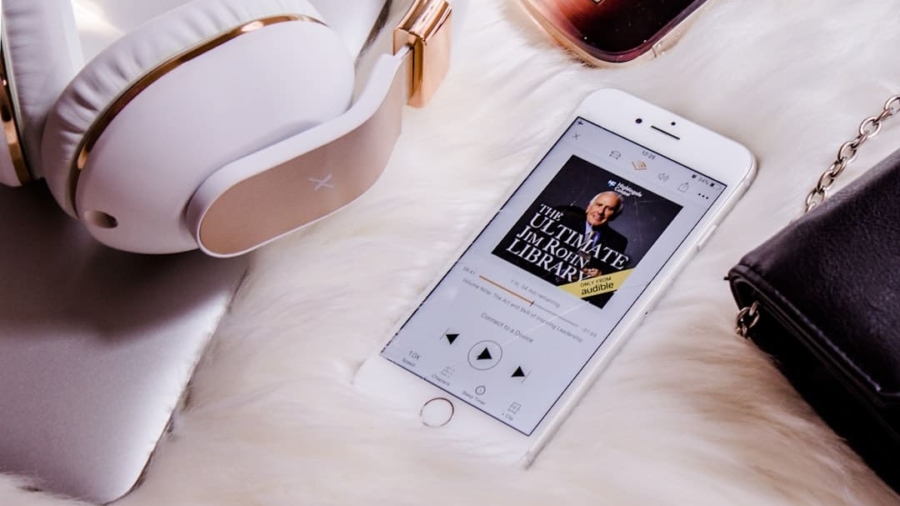
Creating educational podcasts for visually impaired learners is totally doable, and it’s about making sure everyone can get in on the learning. The core idea is to go beyond just sound and think about how someone who can’t see the screen or visuals will experience your content. This means being super deliberate with your audio, providing rich descriptions, and offering alternative access points.
When we talk about accessible educational podcasts, we’re really talking about inclusivity. Education should be a level playing field, and podcasts, with their audio-first nature, have a huge potential to be a fantastic learning tool for visually impaired individuals. But it’s not automatic; a few tweaks make a world of difference.
The Power of Audio for Visual Impairment
For visually impaired learners, audio is king. It’s often their primary way of consuming information. Podcasts can offer a flexible, on-demand learning experience that traditional visual-intensive methods can’t always match. They can listen while commuting, exercising, or just relaxing at home, turning passive moments into active learning opportunities.
Beyond Just Listening: What “Accessible” Truly Means
Accessibility isn’t just about making sure your podcast is audible. It’s about ensuring clarity, context, and equal understanding. Think about how someone who relies solely on sound will grasp complex concepts, visualize examples, or understand a diagram being discussed. It means providing all the information someone needs to fully participate, without needing to see anything.
In exploring the topic of designing accessible educational podcasts for visually impaired learners, it is essential to consider the tools that can enhance the learning experience.
A related article that provides valuable insights into technology that can support such initiatives is available at
This is crucial for all learners, but even more so for those who can’t skim through visual timelines or headers.
, and what the data tells us. For an image, explain the scene, the objects, and their spatial relationships. Don’t assume anything.</p>
<h4>Using Sensory Details</h4>
<p>Engage other senses through your descriptions. If you’re discussing a historical event, describe the sounds of the time, the textures, the smells. This helps create a more immersive and understandable experience.</p>
<h3>Clear and Consistent Narration: No Room for Ambiguity</h3>
<p>Your narration needs to be precise and unambiguous. Avoid vague pronouns or sudden topic shifts without clear transitions.</p>
<h4>Pacing and Pauses</h4>
<p>Speak at a moderate pace. Rushing can make it difficult for listeners to process information, especially if they are also mentally picturing what you’re describing. Strategic pauses can help listeners integrate new information.</p>
<h4>Identifying Speakers</h4>
<p>If there are multiple speakers, always identify them, especially when they first speak or after a long break. “Now, Sarah will tell us about…” or “And John, what are your thoughts?” This helps listeners keep track of who is saying what.<b></p>
<h3>Sound Design: More Than Just Background Noise</h3>
<p>Sound effects and background music can be incredibly powerful tools, but they need to be used thoughtfully.</b></p>
<h4>Informative Sound Cues</h4>
<p>Instead of visual cues, use sound cues to indicate transitions, highlight important points, or delineate sections. A specific, consistent chimes sound could mean “new topic,” for example.</p>
<h4>Subtle Background Music</h4>
<p>Background music should be just that – <em>background</em>. It should enhance, not distract. Keep it low in volume and ensure it doesn’t obscure speech. Avoid overly complex or jarring musical pieces.</p>
<h2>Structuring for Success: Navigating the Learning Journey</h2>
<p><picture decoding="async" id="3" style="max-width:100%;display:block;margin-left:auto;margin-right:auto;width:90%;" title="Designing Accessible Educational Podcasts for Visually Impaired Learners 1">
<source type="image/webp" srcset="https://enicomp.com/wp-content/uploads/2026/06/abcdhe-421.jpg.webp"/>
<img decoding="async" src="https://enicomp.com/wp-content/uploads/2026/06/abcdhe-421.jpg" alt="Accessible Educational Podcasts"/>
</picture>
</p>
<p>A well-structured podcast is a navigable podcast.</p>
<blockquote style=)
Clear Section Breaks and Transitions
Think of your podcast in segments. Each segment should have a clear beginning, middle, and end.
Verbal Roadmaps
At the start of your podcast, give a brief overview of what you’ll cover. “Today, we’re going to explore X, then move on to Y, and finally conclude with Z.” This sets expectations and helps listeners mentally organize the content.
Summary Statements
At the end of each major section, provide a quick summary.
“So, to recap our discussion on X, we’ve learned…” This reinforces learning and helps listeners consolidate information.
Time-Stamped Show Notes: Your Text Companion
Show notes are an accessible podcast’s best friend. They offer a text-based version of crucial information presented in your audio.
Detailed Outlines
Beyond just a topic list, your show notes should provide a detailed outline with bullet points for key concepts discussed. This allows listeners to quickly jump to specific sections or revisit content.
Key Vocabulary and Spellings
If you introduce new or complex vocabulary, proper nouns, or foreign terms, include them in the show notes with correct spellings and brief definitions.
This is invaluable for research and understanding.
Supplemental Materials
Any links to articles, research papers, websites, or transcripts should be clearly listed and accessible. This turns your podcast into a more integrated learning resource.
Beyond the Audio: Expanding Accessibility

Accessibility isn’t a one-and-done deal. Think about how learners will interact with your podcast beyond just listening.
Full Transcripts: A Foundation for Access
This is non-negotiable for true accessibility. A full, accurate transcript provides a text alternative to everything said in your podcast.
Searchable and Downloadable
Transcripts should be easily searchable, allowing learners to find specific information quickly. Offering them in various downloadable formats (PDF, plain text, Word document) increases flexibility.
Synchronized Transcripts
Ideally, offer synchronized transcripts where the text highlights as the audio plays. This can be a huge benefit for those with low vision, aphasia, or who are learning the language. There are tools and platforms that support this.
Alternative Text (Alt Text) for External Visuals
If you refer to any external visual content in your podcast (like a picture on your website), make sure that picture has robust alt text.
Describing Images
Alt text should describe the image for screen reader users. It’s not just a file name; it’s a concise description of the image’s content and purpose. For example, instead of “graph.jpg,” use “Line graph showing global temperature increase from 1900 to 2020, with a steep rise after 1980.”
Interactive Elements and Feedback Loops
Learning is often a two-way street. How can visually impaired learners engage with your content and provide feedback?
Accessible Quizzes and Activities
If you link to quizzes or activities, ensure they are designed with accessibility in mind. Websites and tools should be navigable via screen readers and keyboard controls alone.
Clear Contact Information
Make it easy for listeners to ask questions or provide feedback. Clear email addresses or accessible contact forms are essential. Consider a dedicated email for accessibility concerns.
In the realm of inclusive education, the importance of accessibility extends beyond traditional learning materials, as highlighted in the article about Instagram’s new feature for pronouns. This initiative emphasizes the need for platforms to cater to diverse user identities, which parallels the efforts in designing accessible educational podcasts for visually impaired learners. By ensuring that all learners have equal access to educational resources, we can create a more inclusive environment that respects and acknowledges individual differences. For more insights on this topic, you can read the article here.
Technical Considerations: Making it Work
| Metrics | Results |
|---|---|
| Number of visually impaired learners reached | 50 |
| Podcast episodes created | 10 |
| Feedback received from visually impaired learners | Positive |
| Accessibility features implemented | Audio descriptions, transcripts, and accessible player controls |
| Collaboration with visually impaired organizations | 2 |
While content is king, some technical details can make or break the accessible experience.
Audio Quality: Crisp and Clear
Poor audio quality is a barrier for everyone, but especially for those who rely solely on sound.
Minimizing Background Noise
Record in a quiet environment. Use directional microphones if possible to reduce ambient noise. Edit out distracting sounds.
Consistent Volume Levels
Ensure voices and music are at consistent, comfortable listening levels. Avoid sudden loud noises or whispers that are hard to hear. Use compression and normalization during editing.
Choosing the Right Hosting Platform
Not all podcast hosting platforms are created equal when it comes to accessibility.
Embedding Accessible Players
Look for players that include accessibility features like keyboard navigation, clear play/pause buttons with labels, volume controls, and speed adjustments that are accessible via screen readers.
Support for Show Notes and Transcripts
Ensure your chosen platform allows you to easily upload and link comprehensive show notes and full transcripts. Some even have features for adding chapters or synchronized transcripts.
Distribution: Where Learners Find You
Make sure your accessible podcast can be found where visually impaired learners look for content.
Standard RSS Feeds
Ensure your podcast uses a standard RSS feed that is compatible with widely used podcast apps and screen readers.
Directory Listings
List your podcast on all major directories (Apple Podcasts, Spotify, Google Podcasts, etc.) as these are often where visually impaired listeners discover new content. Double-check that your descriptions in these directories accurately convey the accessible nature of your podcast.
In the quest to create inclusive learning environments, the article on the best tablet for drawing offers valuable insights that can enhance the design of accessible educational podcasts for visually impaired learners. By exploring the features of various tablets, educators can better understand how to integrate technology that supports audio content creation and enhances the learning experience. For more information on this topic, you can read the article here.
A Continuous Process: Evolving with Feedback
Accessibility isn’t a one-time checklist; it’s an ongoing commitment. It’s about listening and adapting.
Seeking Input from Visually Impaired Learners
The best way to ensure your podcast is accessible is to involve visually impaired individuals in the design and testing process.
Beta Testing
Ask a small group of visually impaired learners to listen to your podcast and provide feedback on clarity, navigability, and overall experience.
Regular Feedback Channels
Maintain open channels for feedback. Let listeners know you genuinely want to hear about what works and what could be improved.
Staying Updated with Best Practices
Accessibility guidelines and technologies evolve. Keep an eye on new recommendations and tools.
Following Accessibility Organizations
Organizations dedicated to accessibility (e.g., W3C for web accessibility, disability advocacy groups) often publish valuable resources and best practices for audio content.
Experimenting with New Tools
As new tools emerge for transcription, synchronized captions, or interactive audio, be open to exploring how they might further enhance the accessibility of your educational podcast.
By integrating these practices, you’re not just creating a podcast; you’re creating an inclusive learning environment that truly empowers visually impaired learners to access knowledge on their own terms. It requires a bit more thought and effort upfront, but the payoff in terms of reach and impact is immense.
FAQs
What are some key considerations when designing accessible educational podcasts for visually impaired learners?
Some key considerations when designing accessible educational podcasts for visually impaired learners include providing clear and descriptive audio content, ensuring compatibility with screen readers and other assistive technologies, and incorporating alternative text for images and visual content.
How can podcast creators make their content more accessible for visually impaired learners?
Podcast creators can make their content more accessible for visually impaired learners by providing detailed episode descriptions, using consistent and clear language, and incorporating audio descriptions for visual content. Additionally, ensuring that the podcast platform is compatible with screen readers and other assistive technologies is crucial.
What are some best practices for creating audio descriptions in educational podcasts for visually impaired learners?
Some best practices for creating audio descriptions in educational podcasts for visually impaired learners include providing concise and descriptive language, timing the descriptions appropriately to align with the visual content, and ensuring that the descriptions do not interrupt the flow of the podcast.
How can podcast platforms and apps improve accessibility for visually impaired learners?
Podcast platforms and apps can improve accessibility for visually impaired learners by offering compatibility with screen readers, providing options for alternative text and audio descriptions, and ensuring that the user interface is navigable and user-friendly for individuals with visual impairments.
What are the benefits of designing accessible educational podcasts for visually impaired learners?
Designing accessible educational podcasts for visually impaired learners not only ensures equal access to educational content, but also promotes inclusivity and diversity within the podcasting community. Additionally, creating accessible content can help podcast creators reach a wider audience and contribute to a more inclusive learning environment.
Enjoying our content? Make us a preferred source on Google:
Add us as a Preferred Source on Google