

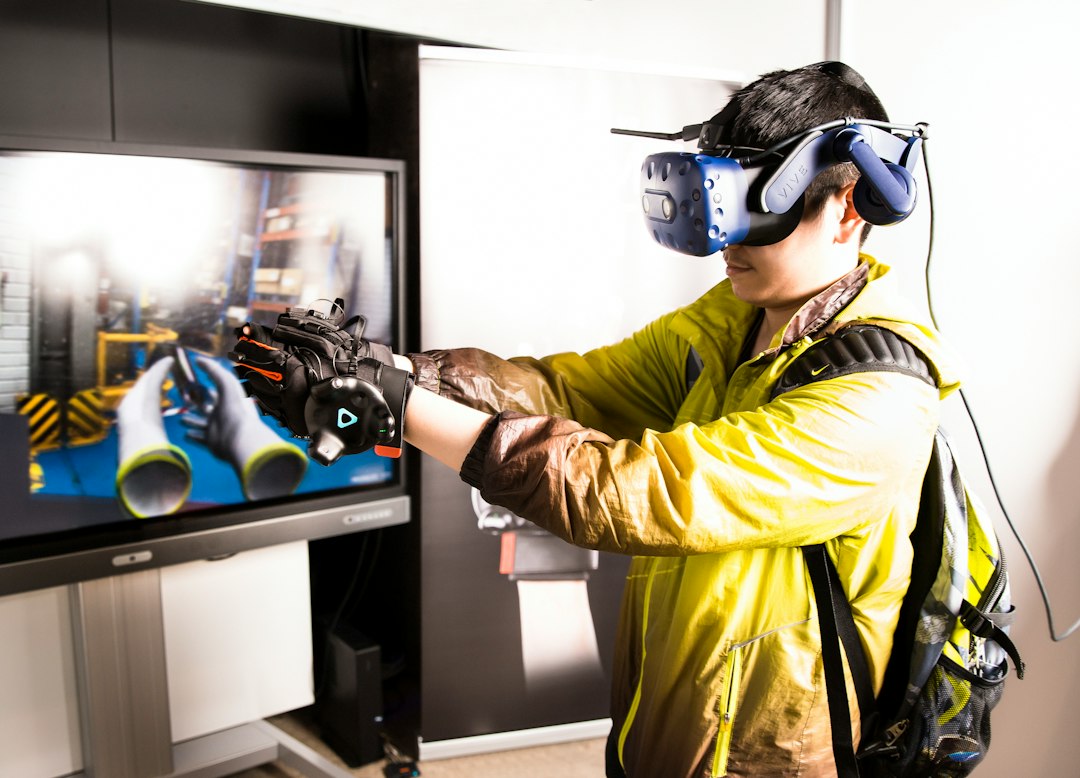
Automating quality assurance (QA) and test automation pipelines for multi-user VR environments is definitely possible, and increasingly necessary, to deliver stable and engaging experiences. It involves a strategic blend of traditional software testing principles adapted for the unique complexities of virtual reality, particularly when multiple users are interacting. Think about it: you’re not just testing software, you’re testing an experience that unfolds in real-time across potentially disparate hardware, network conditions, and human interactions. This article will dive into the practical aspects of setting up and running these crucial pipelines.
The Unique Challenges of Multi-User VR Testing
Testing multi-user VR isn’t like testing a typical web application or even a single-player game. The very nature of a shared virtual space introduces a host of complexities that demand a tailored approach to QA and automation. Understanding these challenges is the first step toward building effective solutions.
The Interconnectedness of User Experiences
In a multi-user VR environment, every user’s action can influence the experience of others. A bug experienced by one user might manifest as a disconnect or unexpected behavior for another. This means you can’t isolate testing to individual clients; you need to validate the system’s behavior as a whole, considering how different clients and the server interact. For instance, if user A picks up an item, user B must see that item picked up in real-time, and user C must not be able to pick up the same item simultaneously.
This state synchronization across all participants is paramount and incredibly difficult to test exhaustively manually.
Hardware and Performance Variability
VR environments are notoriously demanding on hardware. You’re dealing with different headsets (Quest, Vive, Pico, Vision Pro, etc.), various PC configurations (CPU, GPU, RAM), and mobile chipsets. A smooth 90fps experience on a high-end gaming PC might drop to an unplayable 30fps on an older headset or a lower-spec machine. Multi-user scenarios exacerbate this, as the rendering and networking load increases with each additional participant. Automating QA needs to account for this wide spectrum of performance envelopes. This often means running tests on a matrix of different hardware profiles, or at least simulating them effectively.
Network Latency and Bandwidth Fluctuations
Network conditions are a major wild card in multi-user VR. Lag can break immersion, desynchronize experiences, and lead to frustrating glitches. Testing must simulate various network scenarios: high latency, packet loss, bandwidth throttling, and even temporary disconnections. How does the application gracefully handle a user suddenly dropping out and rejoining? Does it maintain state effectively for remaining users? These are critical questions that automation pipelines need to answer. The perception of “smoothness” in VR is highly sensitive to network consistency.
Spatial and Positional Accuracy
In VR, users navigate and interact in a 3D space. The accuracy of their avatar’s position, orientation, and interactions with virtual objects is fundamental. Issues like “jitter,” incorrect collision detection, or avatars appearing in wrong locations are immersion-breaking. Testing for spatial accuracy requires specialized tools and metrics, often involving comparing reported positions from game engines with expected positions. Ensuring that all users perceive the same spatial relationships and object states is a non-trivial challenge.
Human-Computer and Human-Human Interaction Complexity
The core of multi-user VR is interaction, both with the environment and with other users. Gestures, voice commands, object manipulation, and even social cues can be part of the experience. Automating the testing of these highly interactive and often nuanced elements is extremely complex. While direct human input is difficult to fully automate, the system’s response to these inputs can be. For example, if a user points at an object, does the object highlight correctly for all users? If a user speaks, is their voice transmitted and heard accurately by others in proximity?
In the realm of technology, the importance of quality assurance and test automation is increasingly evident, particularly in the context of multi-user VR environments. A related article that explores innovative applications in the tech industry can be found at g. , Unity Test Framework, Unreal Engine’s Automation System) are often necessary. A central test runner will initiate test scenarios, inject commands into each client, and collect their outputs. This is where the “multi-user” aspect becomes critical – tests aren’t just running in parallel; they are running cooperatively to simulate interaction. Clear, actionable reports are vital. The pipeline should aggregate test results from all clients, categorize failures, and provide insights into performance bottlenecks, desynchronization issues, and functional regressions. Dashboards visualizing test trends, performance metrics (frame rate, network latency), and error logs are invaluable. Tools like Grafana, Kibana, or custom web interfaces can present this data effectively. Integrating with project management tools (Jira, Asana) to automatically create bug tickets for failures further streamlines the QA process. Modern game engines like Unity and Unreal Engine provide foundational automation capabilities that can be extended for multi-user VR testing. UTF allows developers to write unit, integration, and play mode tests directly within the Unity editor. For multi-user VR, you can extend UTF by: Unreal Engine has a robust Automation System that supports automated testing. With the pipeline architecture in place, the next step is to define specific strategies for what and how to automate. This involves moving beyond basic unit tests to address the unique interaction patterns of VR. This is perhaps the most critical area. It focuses on ensuring that all users perceive and interact with the virtual world consistently. Automating checks to ensure that the state of objects, avatars, and the environment is correctly replicated across all connected clients. For example, if User A picks up a sword, User B and User C must see User A holding the sword, and the sword itself should no longer be available for pickup by User B or C. Automated tests can assert these state changes at various network ticks. Tools might involve injecting mock inputs and then querying the state of the game world from multiple client perspectives, comparing them against an expected synchronized state. Verifying that interactions initiated by one user have the correct visual, audio, and logical impact on all other users. If User A throws a ball, does it move correctly for everyone? If User B presses a button, does the door open for User A? This often involves recording input sequences from one “master” client and then verifying the observed outcome on “follower” clients. Testing that collision detection and physics simulations are consistent across all clients. This is particularly challenging as physics engines can be non-deterministic. Automated tests can spawn objects, apply forces, and then compare their positions and velocities across clients at specific time intervals, looking for significant discrepancies. Multi-user VR performance is critical. Dropped frames or high latency ruin immersion. Automating the capture of frame rate (FPS) and frame time consistency (jitter) across multiple client configurations. This needs to be done under various load conditions (e.g., 2, 4, 8, 16 users). Tools like Unity’s Profiler or Unreal’s Stat system can be instrumented to collect this data programmatically. External tools can then analyze these metrics for unacceptable dips or spikes. Using network emulation tools (e.g., NetEm, Traffic Control, WANem) within the test environment to simulate different network conditions (high ping, packet loss, limited bandwidth). Automated tests then run functional scenarios under these emulated conditions to identify thresholds where the experience degrades. Does the application compensate gracefully, or does it desynchronize or crash? Simulating a large number of concurrent users (beyond what’s typically feasible with physical hardware) to test server capacity and client-side performance under extreme load. This often involves headless clients that don’t render anything but still send/receive network traffic and update their game state. This identifies bottlenecks in networking code, server logic, and database interactions. These tests validate the entire system, from client to server and back, mimicking real-world usage as much as possible. Ensuring that the VR application correctly interacts with any backend services (user authentication, persistence, matchmaking, leaderboards). Automated tests can directly hit these APIs or simulate client-side calls, verifying responses and data integrity. This can leverage standard web testing frameworks like Postman or custom scripts. While full automation of all VR hardware is difficult, tests can verify that the application correctly detects and initializes common VR headsets and controllers. For example, ensuring that the correct input mappings are loaded for an Oculus Quest 3 versus a Valve Index. This might involve mocking device responses or running tests on a select set of reference hardware. Creating automated test scenarios that mimic typical user journeys and interactions within the multi-user environment. For example, “User A joins a room, User B joins the same room, they pick up an object together, User A leaves, User C joins.” These are higher-level tests that combine multiple functional checks into a cohesive narrative. Even with a solid plan, implementing automated QA for multi-user VR presents distinct technical challenges. Addressing these proactively is key to success. The biggest hurdle is coordinating actions and observations across multiple, independent test clients. A central orchestrator can send commands to each client based on a shared timeline or in response to events from other clients. For example, “Client 1 moves to X, then once Client 1 reports reaching X, Client 2 performs action Y.” This requires a robust communication channel between the orchestrator and the test clients. For some tests, especially physics and state replication, achieving determinism is crucial. This means ensuring that given the same inputs, the simulation always produces the same output. While challenging with floating-point math and network variations, efforts like fixed timesteps and precise input injection can help achieve a higher degree of determinism for comparison. Extracting meaningful data from a 3D environment for automated assertion is complex. Test scripts need the ability to programmatically query the state of the 3D scene from each client’s perspective: object positions, rotations, colors, active states, and collision information. Game engine APIs are essential here. While full visual testing in VR is prohibitively complex, specific visual elements can be tested. For example, asserting that a UI element is visible and in the correct relative position, or that a specific effect is playing. This might involve taking screenshots or video from a fixed viewpoint within the virtual world and comparing them to a baseline, although this is more susceptible to false positives. Integrating with the game engine’s performance counters (CPU usage, GPU usage, draw calls, memory allocation, network traffic) directly into the test reporting. This allows for automated flagging of performance regressions based on predefined thresholds. Human interaction is inherently non-deterministic. Automated tests need strategies to cope with this. Instead of rigid input sequences, tests can use parameterized input data with slight variations to simulate more natural, albeit still controlled, user behavior. For example, instead of always clicking at Assertions in multi-user VR often can’t be perfectly exact. Instead of asserting For complex interactions, scripting behaviors rather than precise input sequences can be more robust. Instead of “move forward for 2 seconds,” the script might be “move towards target until close enough, then activate.” This allows the test to adapt slightly to minor network or physics variations. In the realm of enhancing user experiences in multi-user VR environments, the importance of automating quality assurance and test automation pipelines cannot be overstated. For those interested in further exploring how technology can streamline creative processes, a related article on music production software offers valuable insights into the tools that can elevate artistic endeavors. You can read more about it in this comprehensive guide on best music production software, which highlights various applications that can complement the innovative approaches in VR development.Reporting and Analytics
Leveraging Game Engine Automation Frameworks
Unity Test Framework (UTF)
Unreal Engine Automation System
Test Automation Strategies for Multi-User VR
 and distribution to testing environments. Tools like Jenkins, GitLab CI/CD, or GitHub Actions are essential here. The pipeline should automatically trigger a new build whenever code changes are pushed to the main branch, or on a scheduled basis. For VR, this often includes packaging for specific SDKs (OpenXR, SteamVR, Oculus SDK) and potentially sideloading onto physical devices.</p>
<h4>Test Environment Provisioning</h4>
<p>Setting up a multi-user VR test environment is more complex than spinning up a few virtual machines. You need multiple “clients” capable of running the VR application simultaneously, often requiring dedicated hardware or specialized virtualized environments that can handle GPU passthrough or stream VR content. Cloud-based solutions that offer GPU-accelerated instances (AWS G4/G5, Azure NVv4, Google Cloud A2) are becoming viable for this, allowing for scalable test farms. The pipeline should automate the creation, configuration, and teardown of these test environments. This could involve Docker containers for non-VR components (like backend servers) and custom scripts for VR client setup.</p>
<h4>Test Execution Orchestration</h4>
<p>Once environments are ready, the pipeline needs to orchestrate the execution of tests across multiple clients. This involves coordinating when each client starts, what actions it performs, and how it reports its results. Custom test harnesses built on top of game engine testing frameworks (e.</p>
<blockquote style= "Automating Quality Assurance and Test Automation Pipelines for Multi-User VR Environments 2")
Functional Synchronization Testing
State Replication Verification
Interaction Consistency Tests
Collision and Physics Synchronization
Performance and Load Testing
Framerate and Jitter Monitoring
Network Latency and Bandwidth Emulation
Stress Testing with Virtual Users
Integration and End-to-End Testing
API and Backend Service Validation
Headset and Input Device Compatibility
Scenario-Based Testing
Overcoming Specific Automation Hurdles
Synchronizing Distributed Test Clients
Event-Driven Orchestration
Deterministic Simulation
Data Collection and Analysis in 3D Space
Programmatic Scene Queries
Visual Regression Testing (Limited Scope)
Performance Metric Integration
Handling Non-Deterministic Interactions
Test Data Generation with Variance
(100, 100), randomly select coordinates within a small radius.Fuzzy Logic and Tolerance Thresholds
position == (5,5,5), you might assert distance(position, (5,5,5)) < epsilon. This applies to timings, physics interactions, and even visual states. Defining appropriate tolerance thresholds is critical to avoid brittle tests.Behavioral Scripting
Future Outlook and Emerging Technologies
Metric
Description
Typical Value / Range
Importance
Test Coverage
Percentage of VR environment features and interactions covered by automated tests
70% – 95%
High
Test Execution Time
Average time taken to run the full suite of automated tests
15 – 45 minutes
Medium
Bug Detection Rate
Number of bugs found per 100 test runs
5 – 20 bugs
High
False Positive Rate
Percentage of test failures that are not actual defects
2% – 10%
Medium
Concurrent User Simulation
Maximum number of users simulated simultaneously in automated tests
10 – 50 users
High
Latency Testing Accuracy
Precision in measuring network and interaction latency in ms
±1 – 5 ms
High
Integration Frequency
Number of automated pipeline integrations per day
5 – 20 builds
Medium
Test Script Maintenance Effort
Hours per week spent updating and maintaining test scripts
5 – 15 hours
Medium
Environment Setup Time
Time required to provision and configure test environments
30 minutes – 2 hours
Medium
Automation ROI
Reduction in manual testing effort due to automation (%)
60% – 85%
High
The field of multi-user VR is evolving rapidly, and so too will the approaches to automated QA. Keeping an eye on emerging technologies is crucial for staying ahead.
AI and Machine Learning in Testing
AI and ML are already making inroads in traditional software testing, and their application to VR is a logical next step.
Anomaly Detection for Performance
ML models can analyze vast amounts of performance data collected during automated tests, identifying subtle patterns or deviations that indicate regressions or potential bottlenecks that might be missed by static thresholds. This is especially useful in complex, high-dimensional data sets typical of VR.
Intelligent Test Case Generation
AI could assist in generating more effective test scenarios, particularly for exploring edge cases in multi-user interactions. By analyzing previous test failures and code changes, an AI could suggest or even generate new test scenarios that target high-risk areas.
Predictive Desynchronization Detection
ML models could be trained to predict potential desynchronization issues based on network conditions, client hardware, and in-game events, allowing for proactive intervention or targeted testing before these issues manifest for real users.
Cloud-Native VR Testing Environments
The move towards cloud-based infrastructure for rendering and streaming VR experiences (e.g., cloud gaming, remote rendering) opens up new possibilities for test environments.
Scalable GPU-Accelerated Cloud Instances
As cloud providers continue to offer more powerful GPU instances, it becomes increasingly feasible to spin up large farms of virtual VR clients in the cloud for parallel testing, reducing the need for extensive on-premise hardware.
Edge Computing for Latency Testing
Leveraging edge computing infrastructure allows for testing multi-user VR applications from various geographic locations, accurately simulating the network latency experienced by a diverse user base. This is crucial for applications targeting a global audience.
“Digital Twin” Testbeds
Imagine a “digital twin” of a physical VR arcade or enterprise deployment environment, fully simulated in the cloud, allowing for testing specific hardware configurations and network layouts at scale without physical constraints.
Automating quality assurance and test automation pipelines for multi-user VR environments is an ongoing journey. It demands a blend of creativity, technical expertise, and a deep understanding of the unique challenges VR presents. By systematically addressing synchronization, performance, and interaction complexities with well-architected pipelines and smart testing strategies, developers can deliver robust, high-quality, and truly immersive multi-user VR experiences. The investment in robust automation today pays dividends in stability, user satisfaction, and faster iteration cycles for years to come.
FAQs
What is test automation in the context of multi-user VR environments?
Test automation in multi-user VR environments refers to the use of software tools and scripts to automatically execute tests on virtual reality applications that support multiple users. This process helps ensure that the application functions correctly under various conditions, including user interactions, performance, and compatibility across different devices.
Why is quality assurance important for multi-user VR applications?
Quality assurance is crucial for multi-user VR applications because these environments often involve complex interactions between users and the virtual world. Ensuring that the application is free of bugs and performs well is essential for providing a seamless and immersive experience. Poor quality can lead to user frustration, decreased engagement, and potential safety issues.
What are the benefits of automating quality assurance processes?
Automating quality assurance processes offers several benefits, including increased efficiency, consistency in testing, and faster feedback cycles. Automation allows for repetitive tasks to be executed quickly and accurately, freeing up QA teams to focus on more complex testing scenarios and improving overall productivity.
What tools are commonly used for test automation in VR environments?
Common tools for test automation in VR environments include Unity Test Framework, Appium, Selenium, and custom scripts developed using programming languages like Python or C#. These tools help simulate user interactions, validate performance metrics, and ensure that the VR application behaves as expected across different scenarios.
How can teams ensure effective collaboration during the testing of multi-user VR applications?
Effective collaboration during the testing of multi-user VR applications can be achieved by implementing version control systems, using collaborative project management tools, and establishing clear communication channels among team members. Regular meetings and updates can also help ensure that all stakeholders are aligned on testing goals and progress.
Enjoying our content? Make us a preferred source on Google:
Add us as a Preferred Source on Google