

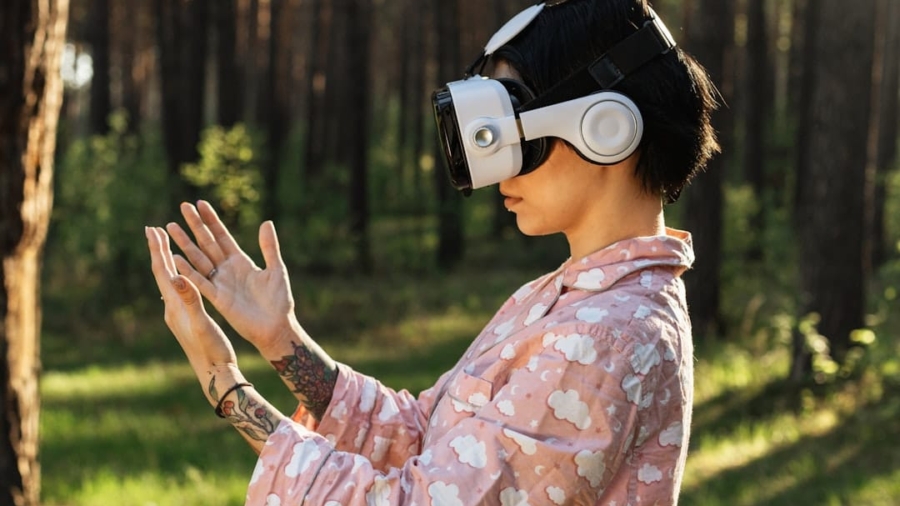
Navigating the world when you’re visually impaired often means relying on a familiar cane or a guide dog. But what if technology could offer another layer of assistance, a more intuitive way to “feel” your surroundings? That’s where wearable haptic guides come in. These innovative devices use vibrations and other tactile sensations to paint a picture of the environment, helping users avoid obstacles, locate points of interest, and generally move with greater confidence.
How Do These Devices Work?
At their core, wearable haptic guides use a combination of sensors and actuators to communicate information. Think of it like your phone buzzing when you get a notification, but much more sophisticated. These systems process data from the environment and translate it into distinct physical sensations.
The Sensor Network
The magic starts with the sensors. These are the “eyes” of the haptic guide, gathering information about what’s around the user.
Cameras: Seeing in Pixels
Many haptic guides incorporate cameras, similar to those in your smartphone. These cameras capture visual data of the surroundings. The software then analyzes these images for specific features like edges of obstacles (walls, furniture), changes in elevation (steps, curbs), and even signs or text. The key isn’t necessarily to “see” in the same way a sighted person does, but to identify patterns and objects crucial for navigation.
LiDAR: Precision Distance Measurement
LiDAR (Light Detection and Ranging) is another powerful sensor. It works by emitting laser pulses and measuring how long it takes for them to bounce back from objects. This provides incredibly accurate distance measurements, allowing the device to precisely map out the form and proximity of obstacles. This is particularly useful for detecting the exact location and depth of objects, preventing collisions.
Ultrasonic Sensors: Echo-Location on Demand
Similar to how bats “see” with sound, ultrasonic sensors emit sound waves and listen for their echoes. By analyzing the returning echoes, the device can detect the presence and distance of objects. These are often used as a supplementary sensor for detecting closer or more diffuse obstacles that might be harder for cameras or LiDAR to pick up.
Inertial Measurement Units (IMUs): Tracking Movement
IMUs, commonly found in smartphones and smartwatches, are crucial for understanding the user’s own movement. They contain accelerometers and gyroscopes that track changes in speed, direction, and orientation. This allows the haptic guide to maintain context, knowing where the user is relative to their last known position and how they are moving.
The Haptic Actuators: Feeling the World
Once the sensors have gathered information, it needs to be communicated to the user in a way they can understand. This is where haptic actuators come in – the “touch” component of the system.
Vibration Motors: The Core Language
Small, precise vibration motors are the most common type of actuator. They can be arranged in arrays across different parts of the wearable device. Different patterns, intensities, and locations of vibrations are used to represent distinct information. For instance, a vibration on the left might indicate an obstacle on the left, while a stronger vibration could mean it’s closer.
Electrotactile Stimulation: A Nuanced Approach
Some advanced systems employ electrotactile stimulation. This involves applying tiny electrical impulses to the skin, creating sensations that can range from tingling to pressure. This method can offer a more nuanced range of tactile feedback than simple vibrations, allowing for more complex information to be conveyed.
Miniature Speakers: Auditory Cues
While not strictly haptic, some devices also incorporate small speakers for auditory cues. These can be used for specific alerts or to provide directional prompts, complementing the tactile feedback.
Wearable haptic guides for the visually impaired represent a significant advancement in assistive technology, enabling users to navigate their environments with greater independence and confidence. A related article that explores the broader impact of wearable technology on connectivity and daily life is available at this link. This article discusses how smartwatches are enhancing connectivity, which can complement the functionality of haptic devices by providing users with real-time information and communication capabilities.
Where Do You Wear Them?
The “wearable” aspect is key to these devices. They’re designed to be integrated into everyday clothing or worn as accessories, making them unobtrusive and always available.
Vest-Like Devices: Comprehensive Coverage
Many haptic guides come in the form of vests or jackets. These are often ideal because they offer a large surface area to embed numerous sensors and haptic actuators. This allows for a more comprehensive “field of vision” and a richer tactile feedback experience, covering the torso and potentially the arms.
Integrated into Clothing: Seamless Assistance
The ultimate goal for many developers is to seamlessly integrate haptic feedback directly into everyday clothing. Imagine a shirt or trousers with embedded vibration motors and sensors that you can wear just like any other garment. This approach prioritizes comfort and discretion, making the technology feel like a natural extension of the wearer.
Wristbands and Armbands: Focused Feedback
More targeted wearable solutions include wristbands or armbands. These are typically simpler and more focused, often providing feedback about obstacles directly in front of or to the sides of the user. They can be less obtrusive than full vests and are often a good starting point for individuals exploring haptic assistance.
Gloves: Dexterity and Fine Motor Control
For specific applications, haptic gloves are being developed. These are particularly interesting for tasks that require fine motor control or interaction with detailed objects, allowing users to “feel” more granular details of their environment, like the texture of a surface or the shape of an object they are reaching for.
Recent advancements in technology have led to innovative solutions for enhancing the lives of individuals with disabilities, particularly through devices like wearable haptic guides designed for the visually impaired.
These devices provide tactile feedback to help users navigate their surroundings more effectively.
For those interested in exploring how technology can unlock potential and improve accessibility, a related article discusses the capabilities of the Samsung Galaxy Book2 Pro and its role in empowering users through advanced features. You can read more about it here.
Head-Worn Devices: An Extended Sense
Some designs are head-worn, similar to glasses or a headset. These can be advantageous because they position sensors at a higher vantage point, offering a better view of approaching obstacles or overhead hazards. The haptic feedback might be delivered to the forehead, temples, or even the neck.
What Kind of Information Can They Provide?
These devices aren’t just about avoiding bumps; they aim to provide a richer understanding of the user’s surroundings.
Obstacle Detection and Avoidance: The Primary Goal
The most fundamental function is reliably detecting and signaling obstacles. This includes:
Identifying Boundaries: Walls, Doors, and Edges
The system can identify solid barriers like walls, doors, and furniture, and provide directional vibrations to guide the user around them. A continuous vibration might indicate a solid wall directly ahead, while intermittent pulses could signal a doorway.
Recognizing Changes in Elevation: Steps and Curbs
Detecting changes in ground level, such as steps going up or down, or curbs, is crucial for safe mobility. The haptic guide can alert the user to these shifts, preventing trips and falls. A distinct vibration pattern might signal an impending step down.
Warning of Overhead Hazards: Low Ceilings and Branches
Certain systems can also detect hazards at head height, like low-hanging branches, signs, or doorways that are too low. Vibrations on the upper part of the wearable device can warn the user to duck or step back.
Navigation and Wayfinding: Finding Your Way
Beyond immediate obstacle avoidance, these devices can assist with broader navigation.
Guiding Towards Specific Locations: Points of Interest
Some advanced haptic guides can be programmed with maps and specific points of interest (POIs). The device can then guide the user towards a bus stop, a shop entrance, or a friend’s house using a series of directional cues.
Following Routes: Turn-by-Turn Haptic Directions
Similar to GPS navigation on a smartphone, haptic guides can offer turn-by-turn directions through vibrations. A vibration on the right side might indicate an upcoming right turn, while a stronger or more frequent pulse could signify the need to stop.
Orientation and Spatial Awareness: Knowing Where You Are
They can also help users maintain a sense of orientation. Subtle vibrations might indicate north, or the device could provide feedback on the user’s current position within a known space. This builds a more robust mental map of the environment.
Environmental Awareness: More Than Just Obstacles
The potential extends beyond just physical barriers.
Recognizing Text and Symbols: Reading Signs
With the integration of OCR (Optical Character Recognition) technology, these devices can sometimes read basic text from signs or labels. This capability could be conveyed through synthesized speech or a sequence of vibrations that represent letters or words.
Identifying Common Objects: Chairs, Tables, and People
Some systems are trained to recognize common objects. This allows the device to inform the user that there is a chair to their left, or a table in front of them, enriching their understanding of the immediate environment.
Detecting Moving Objects: Approaching Vehicles or Pedestrians
The ability to detect moving objects, like approaching vehicles or other pedestrians, is another vital safety feature. The haptic guide can provide a dynamic alert, perhaps a pulsing vibration that increases in intensity as the object gets closer.
What Are the Challenges and Future Directions?
Despite the promise, bringing these devices to their full potential involves overcoming several hurdles.
Accuracy and Reliability: Essential for Trust
For any navigation aid to be truly useful, it needs to be consistently accurate and reliable.
Sensor Fusion: Combining Strengths for Better Data
Combining data from multiple sensor types (sensor fusion) is crucial. If one sensor is having trouble (e.g., a camera in bright sunlight), another can compensate, leading to more robust environmental perception.
Algorithmic Sophistication: Making Sense of Data
The software algorithms that interpret sensor data are paramount. They need to be intelligent enough to distinguish between important navigation cues and irrelevant details, and to do so in real-time. Improving these algorithms is an ongoing area of research.
False Positives and Negatives: The Annoyance Factor
One of the biggest challenges is minimizing false positives (alerting to something that isn’t there) and false negatives (failing to detect something that is). Too many false alerts can be distracting and erode user trust, while missed detections can be dangerous.
User Experience and Ergonomics: Making Them Practical
Even the most advanced technology is useless if it’s uncomfortable or difficult to use.
Customization and Personalization: Tailoring the Experience
Not everyone experiences touch the same way, and different users will have different needs. Being able to customize vibration intensity, patterns, and types of feedback is essential for a personalized and effective experience.
Intuitive Interfaces: Easy to Learn and Use
The way information is communicated needs to be intuitive and easy to learn. Users shouldn’t have to undergo extensive training to benefit from the device. Simple, memorable tactile “languages” are key.
Battery Life: Keeping the Device Powered
Wearable devices are often limited by their battery capacity. Ensuring sufficient battery life for a full day’s use is a significant engineering challenge, especially with power-hungry sensors and processors.
Cost and Accessibility: Reaching More People
For these devices to have a real impact, they need to be affordable and accessible to the widest possible range of visually impaired individuals.
Manufacturing Scale: Bringing Down Production Costs
As with any technology, increasing production volume can help drive down manufacturing costs.
Research and Development Investment: Fueling Innovation
Continued investment in research and development is vital for pushing the boundaries of what’s possible and for finding more cost-effective solutions.
Integration with Existing Technologies: Leveraging What’s Available
Exploring ways to integrate haptic guidance with existing accessible technologies, such as smartphones, could also reduce the overall cost and complexity for users.
The Future Promise: Enhancing Independence
The ongoing development of wearable haptic guides holds immense promise for enhancing the independence and quality of life for visually impaired individuals. As these technologies mature, we can anticipate a future where navigating the world feels more intuitive, safer, and less limiting. The goal is to move beyond basic obstacle avoidance to a more holistic sensory augmentation, allowing individuals to explore and interact with their environment with greater confidence and freedom. It’s about giving people more tools to build their own understanding of the world, one tactile sensation at a time.
FAQs
What are wearable haptic guides for the visually impaired?
Wearable haptic guides are devices designed to assist visually impaired individuals in navigating their surroundings. These devices use haptic feedback, such as vibrations or tactile sensations, to provide users with information about their environment.
How do wearable haptic guides work?
Wearable haptic guides typically use sensors to detect obstacles or landmarks in the user’s path. When an obstacle is detected, the device provides haptic feedback to alert the user. Some devices may also use GPS or other location-based technologies to provide navigation assistance.
What are the benefits of wearable haptic guides for the visually impaired?
Wearable haptic guides can help visually impaired individuals navigate independently and safely in various environments. They can provide real-time feedback about obstacles, directions, and points of interest, enhancing the user’s mobility and confidence.
Are there any limitations to wearable haptic guides for the visually impaired?
While wearable haptic guides can be beneficial, they may have limitations in certain environments, such as crowded or noisy spaces. Additionally, users may require training to effectively use and interpret the haptic feedback provided by the devices.
What are some examples of wearable haptic guides for the visually impaired?
Examples of wearable haptic guides include smart canes with haptic feedback, wearable devices that use vibrations to indicate directions, and navigation apps that provide haptic cues through a smartphone or other wearable device.
Enjoying our content? Make us a preferred source on Google:
Add us as a Preferred Source on Google