

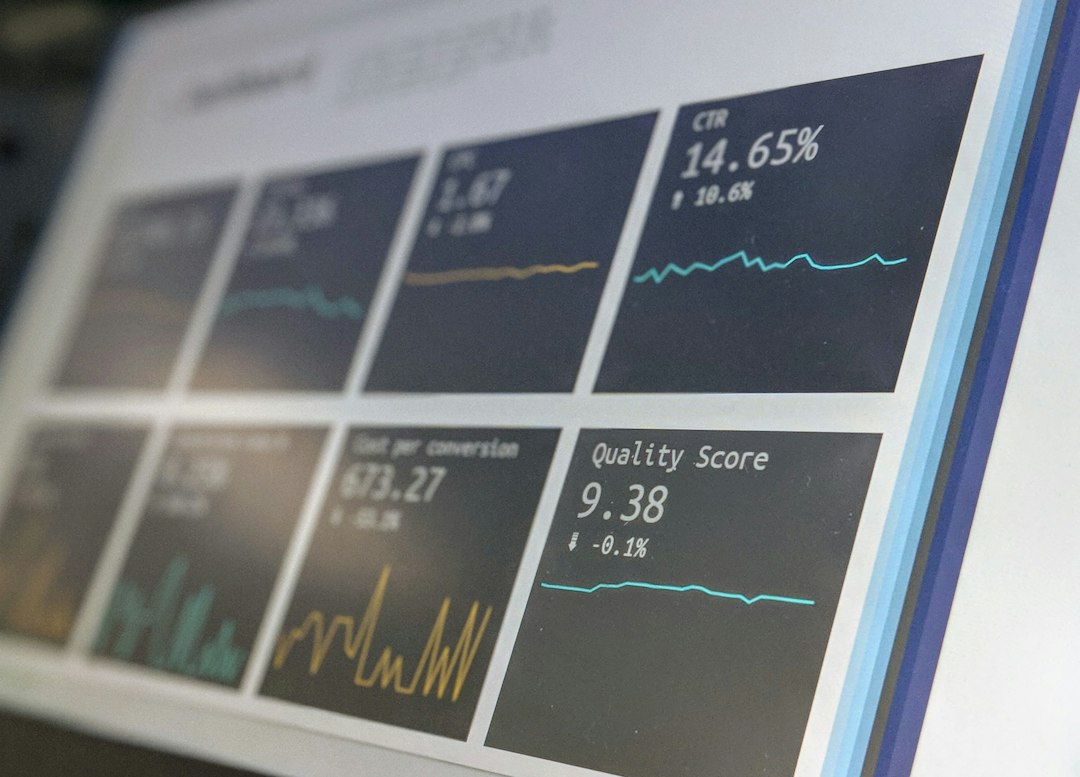
Synthetic monitoring is your early warning system for web applications and APIs, essentially acting as a proactive digital detective that spots problems before your actual users ever do. Instead of waiting for customers to report issues, synthetic monitoring simulates user interactions, regularly checking your application’s performance and availability from various locations around the globe. This lets you catch slowdowns, broken features, or complete outages before they turn into widespread customer frustration and costly support tickets. It’s about being one step ahead, ensuring a smooth experience for everyone who relies on your services.
What is Synthetic Monitoring and Why It Matters
Let’s break down what synthetic monitoring really is. At its core, it’s about automated tests that mimic real user behavior on your website, application, or API. Think of it like a robot customer that regularly tries to log in, search for a product, add it to a cart, or complete a checkout process.
These “robots” perform these actions from various geographical locations and different device types, constantly reporting back on the performance and availability they experience.
The “why it matters” part is critical. Without synthetic monitoring, you’re often reactive. You find out about problems when your users complain, or worse, when they simply leave your site out of frustration. This reactive approach is damaging to your brand, customer loyalty, and ultimately, your bottom line. Synthetic monitoring shifts you to a proactive stance, allowing you to identify performance bottlenecks, functional breakages, or service disruptions often hours or even days before a human user might encounter them. This gives your operations team precious time to investigate and resolve issues without impacting your actual customer base, protecting your reputation and ensuring a consistent, positive user experience.
Types of Synthetic Monitoring
Not all synthetic monitoring is the same. There are a few key flavors, each designed for specific needs. Understanding these differences helps you build a comprehensive strategy.
Uptime Monitoring (Ping/Port Checks)
This is the most basic form, essentially a “are you alive?” check. Uptime monitoring simply pings your server or checks a specific port to ensure your service is responding. It’s quick, easy to set up, and tells you if your application is fundamentally accessible. While crucial for basic availability, it won’t tell you if a specific feature is broken or if the login process is slow. It’s a foundational layer, ensuring your application isn’t completely offline.
Web Performance Monitoring (Page Load/Browser Checks)
This type goes a step further by simulating a full page load in a real browser environment. It measures metrics like full page load time, time to first byte, and the performance of individual assets (images, scripts, CSS). This gives you a much richer understanding of the end-user experience, showing you exactly how long it takes for a page to become interactive and fully rendered. It’s invaluable for identifying slow third-party scripts, large images, or inefficient front-end code that impacts user experience.
Transaction Monitoring (User Journey)
Transaction monitoring is perhaps the most powerful type for proactive incident detection. It simulates multi-step user journeys, like logging in, searching for an item, adding it to a cart, and checking out. Each step in the transaction is measured for performance and availability. If any step fails or becomes unusually slow, you’re alerted immediately. This directly reflects critical business processes and helps you catch issues that might only manifest several steps into a user’s interaction with your application, long before they hit the “report a problem” button.
API Monitoring
For applications heavily reliant on APIs, or for direct API services, API monitoring is essential. This involves making direct calls to your APIs (REST, SOAP, GraphQL, etc.) to ensure they are responding correctly, returning the expected data, and meeting performance SLAs. Since many modern applications are a composition of various microservices and third-party APIs, ensuring the health of these underlying services is paramount for the overall application’s stability. It helps you catch issues with specific API endpoints or integrations before they cause failures in your user-facing application.
In the realm of ensuring optimal user experience, synthetic monitoring strategies play a crucial role in proactive incident detection before any end-user impact occurs. For those interested in enhancing their understanding of technology and performance, a related article discussing the best laptops for gaming can provide insights into the hardware that supports effective monitoring tools. You can read more about it here: Best Laptops for Gaming. This resource may help in selecting the right equipment to implement robust synthetic monitoring solutions.
Key Takeaways
- The training data includes information and events up to October 2023.
- Insights and knowledge are based on a wide range of sources available until the cutoff date.
- No updates or developments occurring after October 2023 are included in the training.
- Users should verify current information from reliable sources for the latest updates.
- The model’s responses reflect the context and knowledge available up to the specified date.
Crafting Your Synthetic Monitoring Strategy
Building an effective synthetic monitoring strategy isn’t just about turning on a tool; it’s about thoughtful planning and execution. It requires understanding your application, your users, and your business goals.
Identify Critical User Journeys
Before you set up a single monitor, sit down and identify the absolute most critical paths users take through your application. What are the actions that, if broken or slow, would have the biggest impact on your business? For an e-commerce site, this might be “add to cart” and “checkout.” For a SaaS product, it could be “login,” “create new project,” or “save changes.” These are the transactions you absolutely must monitor proactively. Don’t try to monitor every single click; focus on the core user flows that generate value.
Select Strategic Monitoring Locations
Where are your users located? Where are your servers? Your synthetic monitors should be distributed geographically to reflect your user base and the locations of your infrastructure. If most of your users are in Europe, but your servers are in the US, you’ll want monitors in both regions (and others) to get a realistic view of performance from different vantage points. Monitoring from various locations helps you detect regional performance issues, network latency problems, or CDN misconfigurations that might only affect a subset of your users.
Determine Appropriate Monitoring Frequency
How often should your synthetic checks run? For critical transactions, you might want checks every 1 to 5 minutes.
For less critical but still important paths, maybe every 10 to 15 minutes.
The key is to find a balance between catching issues quickly and not overwhelming your system or your monitoring budget. Remember, the goal is proactive detection, so waiting too long between checks defeats the purpose.
Set Realistic Baselines and Alerts
Simply collecting data isn’t enough; you need to know when something is wrong. Establish performance baselines for your critical transactions. What’s a normal page load time? What’s an acceptable API response time? Once you have these baselines, set up intelligent alerts. Don’t just alert on every single spike; use thresholds that indicate a genuine problem. For example, alert if average page load time exceeds 3 seconds for 3 consecutive checks, or if a transaction fails more than once in a 5-minute window. Context is key here; an API call taking 500ms might be perfectly fine, but a critical login step taking 5 seconds is a definite red flag.
Integrating Synthetic Monitoring with Your Toolset
Synthetic monitoring shouldn’t live in a silo. To be truly effective, it needs to be integrated into your existing operational workflows and tools. This ensures that alerts reach the right people, and data contributes to a holistic view of your application’s health.
Alerting and Incident Management
The most obvious integration is with your incident management platform (e.g., PagerDuty, Opsgenie, VictorOps).
When a synthetic monitor detects an issue, it should trigger an alert in your incident management system, notifying the appropriate on-call team. The alert should be rich with context: which monitor failed, from where, what was the error, and any relevant performance metrics. This allows teams to quickly understand the problem and begin troubleshooting.
Dashboards and Reporting
Integrate synthetic monitoring data into your central operational dashboards (e.g., Grafana, Splunk, custom dashboards).
This provides a consolidated view of your application’s health, combining synthetic data with real user monitoring (RUM), infrastructure metrics, and logs. Seeing synthetic performance trends alongside other metrics can help you correlate issues and identify root causes faster. Regular reporting on synthetic monitoring data can also highlight long-term performance degradation or improvements.
CI/CD Pipeline Integration
This is a powerful, yet often overlooked, integration point.
Consider running synthetic tests as part of your Continuous Integration/Continuous Deployment (CI/CD) pipeline, particularly in staging or pre-production environments. This allows you to catch performance regressions or functional breakages introduced by new code deployments before they even make it to production. A failed synthetic test can automatically block a deployment, acting as a crucial quality gate.
Best Practices for Maximizing Synthetic Monitoring Value
Getting the most out of synthetic monitoring involves more than just setting it up and forgetting it. It requires ongoing attention, refinement, and a commitment to action.
Regularly Review and Refine Monitors
Your application isn’t static, and neither should your synthetic monitors be. As you add new features, update user flows, or deprecate old ones, your monitors need to evolve. Regularly review your critical user journeys and update your synthetic tests to reflect these changes. Remove outdated monitors that no longer serve a purpose, and add new ones for critical new functionalities. An outdated monitor provides false confidence or generates irrelevant alerts.
Correlate with Real User Monitoring (RUM)
Synthetic monitoring tells you what’s supposed to happen and how it performs in a controlled environment. Real User Monitoring (RUM) tells you what actual users are experiencing. Combining these two provides a powerful 360-degree view. If your synthetic checks are green but RUM shows users are struggling, you know there’s a problem that synthetic can’t detect (e.g., browser-specific issues, device-specific problems, or issues affecting a minority of users). Conversely, if synthetic detects a problem, RUM can help you quantify its impact on actual users.
Leverage Waterfall Charts and Screenshots
Many synthetic monitoring tools provide detailed waterfall charts for page load and transaction steps, showing you the exact timing of every resource loaded. They also often provide screenshots or videos of the simulated user journey. These visual aids are incredibly valuable for troubleshooting. A screenshot showing a blank page or an error message immediately tells you where to look, while a waterfall chart can pinpoint slow scripts or large assets.
Treat Synthetic Alerts as High Priority
The whole point of synthetic monitoring is proactive detection. When a synthetic monitor alerts, treat it with the same urgency as a customer-reported issue, because that’s what it’s preventing. Don’t let alerts linger. Investigate promptly to maintain the integrity of your application and the trust in your monitoring system. If alerts are consistently ignored, your team will quickly lose confidence in the system.
Document Your Monitoring Strategy
Keep a clear record of your monitoring strategy. Which monitors are critical? What are their expected baselines? Who is responsible for maintaining them? What’s the escalation path for different types of alerts? Documenting this helps onboard new team members, ensures consistency, and provides a reference during incidents or when reviewing your monitoring approach. This living document ensures your strategy remains clear and actionable.
In the realm of proactive incident detection, synthetic monitoring strategies play a crucial role in ensuring that end-user experiences remain uninterrupted. A related article discusses the benefits of utilizing software tools for effective monitoring and conversion processes, which can enhance overall system performance. For those interested in exploring how software can streamline operations, this article on software conversion tools provides valuable insights that complement the strategies for incident detection. By integrating these tools, organizations can better anticipate issues before they impact users, ultimately leading to improved service reliability.
Common Pitfalls to Avoid
| Strategy | Description | Key Metrics | Benefits | Challenges |
|---|---|---|---|---|
| Scripted Transaction Monitoring | Simulates user transactions to verify application workflows. | Response time, success rate, error rate | Detects functional issues early, ensures critical paths work | Requires maintenance with app changes, limited coverage |
| API Synthetic Monitoring | Monitors backend APIs independently of UI. | API latency, availability, error codes | Identifies backend issues before UI impact, faster detection | May miss UI-related problems, requires API knowledge |
| Multi-Location Monitoring | Runs synthetic tests from multiple geographic locations. | Regional response times, availability, network latency | Detects regional outages and performance degradation | Higher cost, complexity in managing locations |
| Frequency & Interval Optimization | Adjusts test frequency to balance detection speed and cost. | Test interval, detection time, resource usage | Faster incident detection, cost-effective monitoring | Too frequent tests increase cost, too sparse delay detection |
| Real User Behavior Simulation | Uses realistic user scenarios and data for testing. | Transaction completion rate, error patterns, timing | Improves accuracy of detection, mimics real user impact | Complex to create and maintain realistic scripts |
| Alert Threshold Tuning | Sets thresholds to minimize false positives and negatives. | Alert frequency, false positive rate, mean time to detect | Improves alert relevance, reduces alert fatigue | Requires ongoing tuning and analysis |
Even with the best intentions, it’s easy to stumble when implementing synthetic monitoring. Being aware of these common traps can help you navigate around them.
Too Many Alerts / Alert Fatigue
This is a classic trap. If your synthetic monitors are too sensitive, or your thresholds are set too low, you’ll be inundated with alerts. When every minor fluctuation triggers an alert, teams quickly become desensitized, and genuinely critical alerts get lost in the noise. The result is alert fatigue, where people stop paying attention, defeating the purpose of proactive monitoring. Focus on actionable alerts that indicate a real problem affecting user experience or business processes.
Monitoring Non-Critical Paths
While comprehensive coverage sounds good on paper, monitoring every single page and interaction can be overkill. It consumes resources (both tool-wise and human attention) without providing proportional value. Focus your efforts on the truly critical paths that directly impact your users and your business. Prioritization is key; don’t try to boil the ocean.
Over-Reliance on Uptime Checks Alone
As mentioned earlier, uptime checks are foundational but insufficient. Relying solely on a simple ping check means you might miss critical functional failures, slow performance, or broken user journeys, as long as your server is technically “up.” Your application could be serving a blank page or returning errors for every transaction, but an uptime monitor would still report it as healthy. Supplement uptime with browser and transaction monitoring for a complete picture.
Stale Monitors
As applications evolve, old features might be removed, or user flows might change significantly. If your synthetic monitors aren’t updated to reflect these changes, they become “stale.” Stale monitors can either alert on issues that no longer exist (generating false positives) or, worse, completely miss new critical issues because they’re not looking in the right place. Regular review and refinement are crucial to keep your monitors relevant and effective.
Lack of Integration with Other Tools
A synthetic monitoring tool operating in isolation loses much of its power. If alerts don’t flow into your incident management system, if data isn’t visible in your central dashboards, or if tests aren’t part of your CI/CD, you’re missing opportunities for faster resolution and better insights. Data silos hinder proactive detection and rapid response. Ensure your synthetic monitoring strategy is an integral part of your wider observability and operations ecosystem.
By implementing a well-thought-out synthetic monitoring strategy and avoiding these common pitfalls, you can build a robust early warning system that protects your end-users from impact, safeguards your business, and fosters a truly proactive operational culture. It’s an investment that pays dividends in user satisfaction and reduced incident costs.
FAQs
What is synthetic monitoring?
Synthetic monitoring is a proactive testing method that simulates user interactions with applications or websites to monitor performance and availability. By using automated scripts to mimic user behavior, organizations can identify potential issues before they affect real users.
How does synthetic monitoring help in incident detection?
Synthetic monitoring helps in incident detection by continuously running tests that check the functionality and performance of applications. This allows teams to detect anomalies, such as slow response times or errors, before they impact end-users, enabling quicker resolution of potential incidents.
What are the key benefits of implementing synthetic monitoring strategies?
The key benefits of implementing synthetic monitoring strategies include early detection of performance issues, improved user experience, reduced downtime, and the ability to test applications under various conditions. It also provides valuable insights into application performance trends over time.
How can synthetic monitoring be integrated with existing monitoring tools?
Synthetic monitoring can be integrated with existing monitoring tools by using APIs or plugins that allow data sharing between systems. This integration enables a comprehensive view of application performance, combining real-user monitoring data with synthetic tests for enhanced incident detection and response.
What types of applications can benefit from synthetic monitoring?
Almost any web-based application can benefit from synthetic monitoring, including e-commerce sites, SaaS applications, and mobile apps. It is particularly useful for applications with high user traffic or critical business functions, where performance and availability are essential for user satisfaction and operational success.
Enjoying our content? Make us a preferred source on Google:
Add us as a Preferred Source on Google