

Integrating real-time IoT sensor telemetry into collaborative 3D workspaces is essentially about taking live data from physical sensors out in the world and visualizing it instantly within a shared, interactive 3D digital environment. Think of it as bringing your factory floor, construction site, or smart building to life inside a digital twin that multiple people can explore and interact with, all while seeing exactly what’s happening right now. This isn’t just a fancy visualization; it’s a powerful tool for monitoring, analysis, decision-making, and proactive problem-solving, moving beyond static dashboards to truly immersive and contextual understanding.
Why Bother with Live Sensor Data in 3D?
You might be asking, “Why go through all this effort when I already have dashboards?” And that’s a fair question. The core benefit here is context and collaboration, especially for complex systems. When you see a temperature reading in a spreadsheet, it’s just a number. When you see that same temperature reading as a heatmap on a specific pump within a 3D model of your entire processing plant, you immediately understand where the problem is, what it’s connected to, and how it might affect surrounding components.
Understanding Contextual Awareness
Contextual awareness is the big differentiator. Imagine a sensor reporting high vibration. In a traditional dashboard, you get an alert. In a 3D workspace, that alert is tied directly to the specific motor in the model, allowing you to see its precise location, access maintenance records, and even overlay its operational history, all within a spatial framework. This dramatically reduces the time spent correlating disparate information. You’re not just looking at data; you’re looking through data into your physical environment.
Enhancing Collaborative Problem Solving
When multiple stakeholders – engineers, maintenance crews, managers, even remote experts – can simultaneously view and interact with the same live 3D model, problem-solving accelerates. They can point to specific assets, discuss anomalies in real-time, and collectively devise solutions with a shared understanding of the operational reality. This goes far beyond screen sharing; it’s about shared spatial cognition, where everyone is literally on the same page, or rather, in the same virtual space.
Enabling Proactive Maintenance and Operations
With live telemetry feeding into a 3D model, you can identify patterns, predict failures, and understand operational efficiencies much more intuitively. A rising temperature trend on a bearing visualized directly on the asset in 3D makes it easier to schedule preventative maintenance before a catastrophic failure. This shifts the paradigm from reactive fixes to proactive management, saving time, money, and potential downtime.
In exploring the advancements in collaborative technologies, a related article discusses the latest trends in digital content creation and consumption, which can significantly impact how IoT sensor telemetry is integrated into 3D workspaces. This article highlights the growing importance of real-time data visualization and interactive experiences in enhancing user collaboration. For more insights on this topic, you can read the article here: Top Trends on YouTube 2023.
Key Takeaways
- The training data includes information and events up to October 2023.
- Insights and knowledge are based on a wide range of sources available until the cutoff date.
- No updates or developments occurring after October 2023 are included in the training.
- Users should verify current information from reliable sources for the latest updates.
- The model’s responses reflect the context and knowledge available up to the specified date.
Core Components for Integration
Getting this all to work isn’t magic, but it does require a few key pieces to fit together. Think of it like building a Lego set, where each piece plays a crucial role in the final structure.
IoT Sensors and Edge Devices
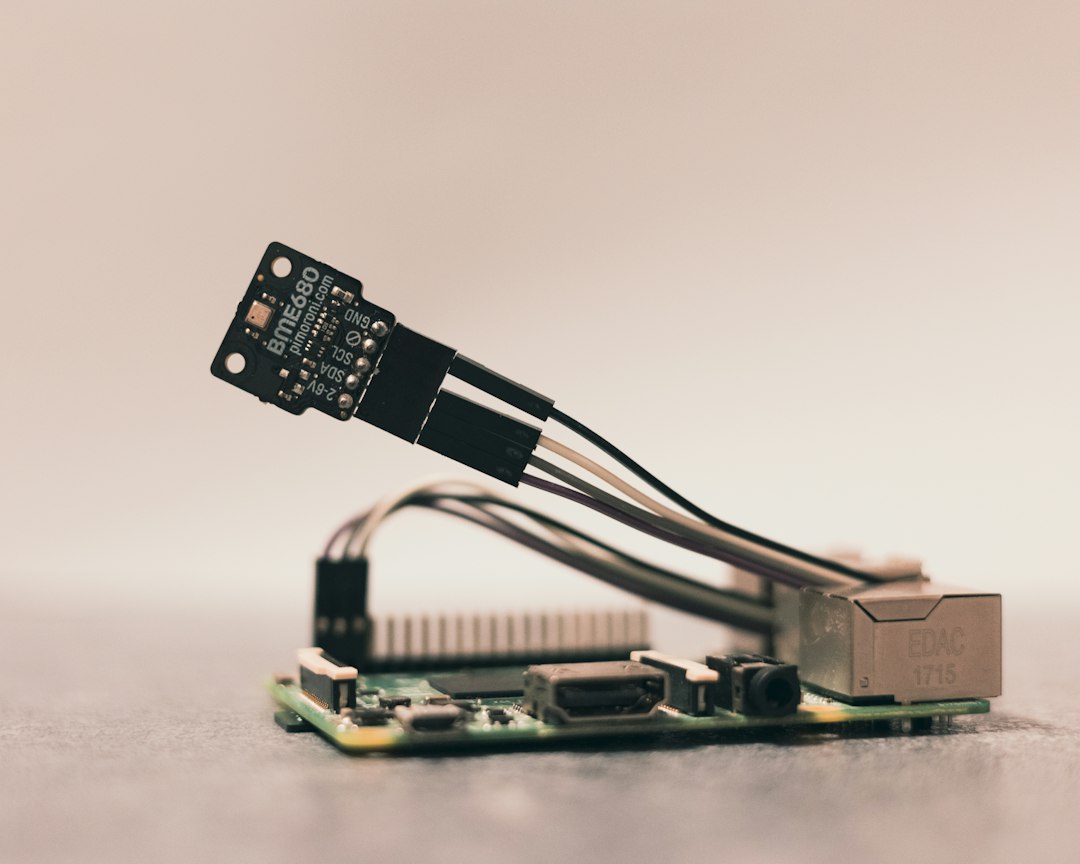
This is where the real-world data originates. These are your temperature, humidity, pressure, vibration, current, proximity, and countless other sensors. They need to be robust enough for their environment and capable of communicating their readings. Edge devices often sit between the sensors and the cloud, performing initial data processing, filtering, and aggregation to reduce the volume of data sent upstream and minimize latency. This could be a small industrial gateway or a more powerful edge computing unit.
Data Ingestion and Processing Platform
Once the sensor data leaves the edge device, it needs a place to go. This is typically a cloud-based platform or a robust on-premise system designed to ingest high volumes of time-series data. Think platforms like AWS IoT Core, Azure IoT Hub, Google Cloud IoT Core, or specialized industrial IoT platforms. These platforms handle data security, message routing, protocol translation (MQTT, HTTP, AMQP, etc.), and often provide initial data storage and stream processing capabilities.
Digital Twin Platform or 3D Engine
This is where the magic of visualization happens. It’s the software that renders your 3D model and allows for interaction. This could be a specialized Digital Twin platform (e.g., Siemens MindSphere, PTC ThingWorx), a general-purpose 3D game engine adapted for industrial use (e.g., Unity, Unreal Engine), or a web-based 3D visualization library (e.g., Three.js, Babylon.js). The crucial aspect here is its ability to import CAD/BIM models, render them efficiently, and provide APIs for data integration.
Collaborative Environment Layer
For multiple users to interact simultaneously, you need a collaborative layer. This could be built directly into the 3D engine (many game engines have networking capabilities) or integrated via a separate collaboration platform. This layer handles user presence, shared camera views, annotations, real-time communication (voice, text chat), and synchronized object manipulation, ensuring everyone sees the same thing at the same time.
APIs and Integration Connectors
The glue that holds everything together. APIs (Application Programming Interfaces) are what allow the data ingestion platform to talk to the 3D visualization platform. You’ll need APIs to push real-time sensor readings to specific elements within the 3D model and APIs to retrieve historical data for trend analysis. These connectors often involve RESTful APIs, WebSockets for real-time updates, or specialized SDKs provided by the platform vendors.
Designing the Data Flow Architecture
A well-thought-out data flow is critical for performance, reliability, and scalability. It’s not just about getting data from A to B; it’s about getting the right data, to the right place, at the right time, efficiently.
Sensor to Edge Communication
Sensors typically communicate with edge devices using various protocols depending on the industrial environment. Common ones include Modbus, OPC UA, BACnet, Zigbee, LoRaWAN, and Wi-Fi.
The edge device’s role is to collect this raw data, normalize it if necessary, and potentially apply local processing rules – like filtering out noise, calculating averages, or triggering local alerts – before sending it to the cloud. This reduces network traffic and latency for critical actions.
Edge to Cloud Ingestion
From the edge, data is usually sent to a cloud-based IoT platform using secure protocols like MQTT or HTTP/S. MQTT is often preferred for its lightweight nature and publish/subscribe model, making it efficient for transmitting small, frequent updates from many devices.
The cloud platform acts as a central hub, authenticating devices, ingesting messages, and routing them to appropriate services for storage and further processing.
Cloud Processing and Storage
Once ingested, the raw sensor data often goes through a processing pipeline. This might involve:
- Time-series database storage: For efficient storage and retrieval of historical data (e.g., InfluxDB, Azure Time Series Insights, AWS Timestream).
- Stream analytics: Real-time analysis of incoming data streams to detect anomalies, calculate aggregates, or trigger alerts (e.g., Azure Stream Analytics, AWS Kinesis Analytics).
- Rule engines: To define conditions that, when met, trigger specific actions, such as sending an alert to the 3D workspace or an external notification system.
- Data enrichment: Combining sensor data with contextual information from other enterprise systems (e.g., asset management, ERP).
Integration with the 3D Workspace
This is where the processed data meets the visualization. There are generally two main approaches:
Push-Based Updates
The most common and effective method for real-time integration is a push model, often using WebSockets.
When new data arrives for a specific asset and meets certain criteria (e.g., changed value, exceeds a threshold), the cloud platform pushes that updated value directly to the connected 3D workspace. The 3D application then updates the corresponding visual element (e.g., changes a color, updates a text label, animates a gauge). This provides immediate feedback.
Pull-Based Updates
Less common for truly real-time scenarios but still used for less critical or aggregate data.
The 3D workspace periodically queries the cloud platform or a dedicated API endpoint for updates. This can be suitable for refreshing dashboards within the 3D environment or fetching historical trends, but introduces latency for live feedback.
Representing Sensor Data in 3D
Simply showing a number floating next to a 3D model isn’t always the most intuitive or impactful way to visualize data. The power comes from how you embed that data visually into the spatial context.
Dynamic Overlays and Annotations
These are straightforward ways to display specific readings. Imagine a temperature gauge appearing right above a motor, or a text label showing its current RPM. These overlays can be static or appear on demand when a user hovers over an object. They are good for precise, numerical information.
Color-Coding and Heatmaps
This is where spatial understanding really shines. Instead of just a number, imagine a machine component changing from green to yellow to red as its temperature rises. Or a heatmap across an entire factory floor showing air quality variations. Color coding provides an immediate, intuitive understanding of status and intensity across multiple assets simultaneously.
Animated Visualizations
For dynamic data, animation can be incredibly powerful. A fan spinning at a speed proportional to its actual RPM, a valve opening or closing, fluid flowing through pipes (even if abstractly represented) – these animations give a sense of life and real-world behavior to your digital twin, making it easier to grasp operational states.
Graphing and Trend Lines on Demand
While the 3D environment excels at spatial representation, sometimes you need to dive deeper into historical data. Allowing users to select an object in 3D and then instantly pull up a 2D graph of its historical telemetry (temperature over the last 24 hours, for example) within the workspace itself, provides a seamless analytical experience without having to switch applications.
Augmented Reality (AR) Overlays
Taking the 3D workspace concept further, AR allows you to overlay digital information directly onto the physical world. Imagine using a tablet or AR headset to look at a physical pump and see its live temperature, pressure, and operational status floating directly above it, combined with maintenance history. This blends the digital twin with the physical asset, offering incredible benefits for field operations and maintenance.
In the realm of enhancing collaborative environments, the integration of real-time IoT sensor telemetry into 3D workspaces is a groundbreaking development. This approach not only streamlines communication but also enriches the user experience by providing instant data insights. For those interested in exploring how advanced technology can transform everyday tasks, a related article discusses the innovative features of the Samsung Galaxy Chromebook 2 360, which exemplifies the potential of modern devices in facilitating such integrations. You can read more about it here.
Practical Integration Challenges and Considerations
| Metric | Description | Typical Value / Range | Unit | Importance |
|---|---|---|---|---|
| Data Latency | Time delay between sensor data capture and visualization in 3D workspace | 10 – 100 | milliseconds | Critical for real-time collaboration |
| Sensor Update Rate | Frequency at which IoT sensors send telemetry data | 1 – 1000 | Hz | High update rates improve accuracy |
| Data Throughput | Amount of data transmitted from sensors to workspace per second | 10 – 5000 | kbps | Impacts network and processing load |
| 3D Rendering Frame Rate | Frames per second for rendering the collaborative workspace | 30 – 90 | fps | Ensures smooth visualization |
| Concurrent Users | Number of users simultaneously interacting in the 3D workspace | 5 – 50 | users | Affects system scalability |
| Data Accuracy | Precision of sensor telemetry integrated into the workspace | ±0.1 – ±5 | units (sensor dependent) | Critical for decision making |
| Network Reliability | Percentage uptime of network connectivity for data transmission | 99.9 – 99.999 | % | Ensures continuous data flow |
| Data Storage Capacity | Amount of telemetry data stored for historical analysis | 100 – 10000 | GB | Supports long-term analytics |
While the benefits are clear, actually making this happen involves navigating a few technical hurdles.
It’s rarely a simple plug-and-play scenario.
Data Latency and Synchronization
For truly real-time applications, latency is critical. Every millisecond added to the data pipeline from sensor to screen can impact decision-making. Optimizing edge processing, using efficient communication protocols (like MQTT), and carefully designing cloud pipelines are crucial. Furthermore, ensuring that all users in a collaborative session see updates at roughly the same time requires robust synchronization mechanisms.
Scalability of Data and Users
As you add more sensors and more users, the system needs to scale. Your data ingestion platform must handle increasing data volumes, and your 3D platform needs to render complex models efficiently for many simultaneous users. This often involves cloud-native architectures, load balancing, and efficient asset streaming within the 3D environment.
Security and Data Privacy
IoT data often contains sensitive operational information. Securing the entire data pipeline, from device authentication to encrypted communication, data storage, and user access control, is paramount. Adhering to relevant data privacy regulations (e.g., GDPR) is also crucial, especially if human-related data is involved.
Model Complexity and Performance
Industrial assets can have incredibly detailed CAD models. Importing and rendering these efficiently in a real-time 3D environment, especially on lower-end devices or web browsers, is a significant challenge. Techniques like model optimization, level-of-detail (LOD) management, and selective loading are essential to maintain smooth performance and acceptable frame rates.
Interoperability and Standards
There’s no single universal standard for IoT data or 3D models. Integrating devices from different vendors and platforms can be challenging. Adopting open standards where possible (e.g., OPC UA for industrial data, glTF for 3D models) can help, but often custom connectors and data transformations are required.
User Interface and Experience (UI/UX)
A powerful system is useless if users can’t figure out how to use it.
The UI/UX of the collaborative 3D workspace needs to be intuitive, allowing users to easily navigate the environment, select assets, view data, and interact with collaborative tools.
Overloading the screen with too much information can be counterproductive.
In the realm of enhancing collaborative 3D workspaces, the integration of real-time IoT sensor telemetry plays a crucial role in improving efficiency and communication among team members. A related article discusses the importance of choosing the right technology for remote work, which can significantly impact how teams interact in these innovative environments. For more insights on optimizing your remote work setup, you can read about it here. This connection between technology and collaboration underscores the need for effective tools in today’s digital workspace.
Use Cases and Real-World Applications
This technology isn’t just theoretical; it’s being deployed across various industries, transforming how businesses operate and make decisions.
Manufacturing and Industrial Operations
Imagine a factory where every machine is modeled in 3D, and its live operational data (temperature, pressure, vibration, throughput) is visualized directly on the digital twin. Operators can monitor the entire production line from a control room, identify bottlenecks by seeing conveyor belt speeds, or proactively address machine health issues indicated by rising temperatures on specific components. Collaboration becomes seamless for troubleshooting complex equipment across geographically dispersed teams.
Smart Buildings and Infrastructure
For a smart building, a 3D model can represent every floor, room, and system. Live data from HVAC sensors (temperature, humidity, CO2 levels), occupancy sensors, lighting controls, and energy meters can be integrated. Facility managers can visualize energy consumption hotspots, optimize environmental controls in real-time based on occupancy, or quickly locate and diagnose issues with specific building systems, improving occupant comfort and energy efficiency.
Construction and Project Management
On a construction site, a 3D BIM (Building Information Model) can be enhanced with real-time data from site sensors. This might include progress tracking from LiDAR scans, environmental conditions (wind, temperature) affecting material curing, equipment utilization data (e.g., crane telemetry), or even safety zone monitoring. Project managers can get an immediate, visual understanding of site status, potential delays, and safety compliance, leading to better decision-making and risk mitigation.
Remote Monitoring and Field Service
For assets in remote locations, such as wind turbines, oil rigs, or agricultural equipment, real-time 3D telemetry allows experts to monitor their health and performance without physically being on-site. When a problem arises, a field technician can use an AR headset to overlay diagnostic information and step-by-step repair instructions onto the physical machine, guided by a remote expert viewing the same data in the collaborative 3D workspace. This drastically reduces travel time and improves first-time fix rates.
Energy Management and Utilities
Utility companies can integrate sensor data from power grids, pipelines, or renewable energy installations into 3D models of their infrastructure. This enables real-time monitoring of energy flow, pressure levels, and equipment status. Anomalies can be instantly visualized on the grid model, allowing for faster fault detection, predictive maintenance of critical assets like transformers, and optimized resource allocation to maintain service reliability.
The journey to fully integrating real-time IoT sensor telemetry into collaborative 3D workspaces is ongoing, but the foundation is solid, and the benefits are already being realized. It’s about moving from abstract data points to tangible, contextualized insights, empowering teams to work smarter, not just harder.
FAQs
What is IoT sensor telemetry?
IoT sensor telemetry refers to the data collected by sensors in real-time, such as temperature, humidity, motion, or light levels, which is then transmitted over a network for monitoring and analysis.
How can real-time IoT sensor telemetry be integrated into collaborative 3D workspaces?
Real-time IoT sensor telemetry can be integrated into collaborative 3D workspaces by connecting the sensor data to the virtual environment, allowing users to visualize and interact with the data in real-time within the 3D workspace.
What are the benefits of integrating IoT sensor telemetry into collaborative 3D workspaces?
Integrating IoT sensor telemetry into collaborative 3D workspaces allows for enhanced data visualization, real-time monitoring, improved decision-making, and increased collaboration among team members working within the virtual environment.
Which industries can benefit from integrating real-time IoT sensor telemetry into collaborative 3D workspaces?
Various industries such as manufacturing, construction, healthcare, agriculture, and smart cities can benefit from integrating real-time IoT sensor telemetry into collaborative 3D workspaces to improve efficiency, productivity, and decision-making processes.
What are some examples of how real-time IoT sensor telemetry can enhance collaborative 3D workspaces?
Examples of how real-time IoT sensor telemetry can enhance collaborative 3D workspaces include monitoring equipment performance, tracking environmental conditions, optimizing energy usage, improving safety protocols, and enabling remote collaboration among team members.
Enjoying our content? Make us a preferred source on Google:
Add us as a Preferred Source on Google