

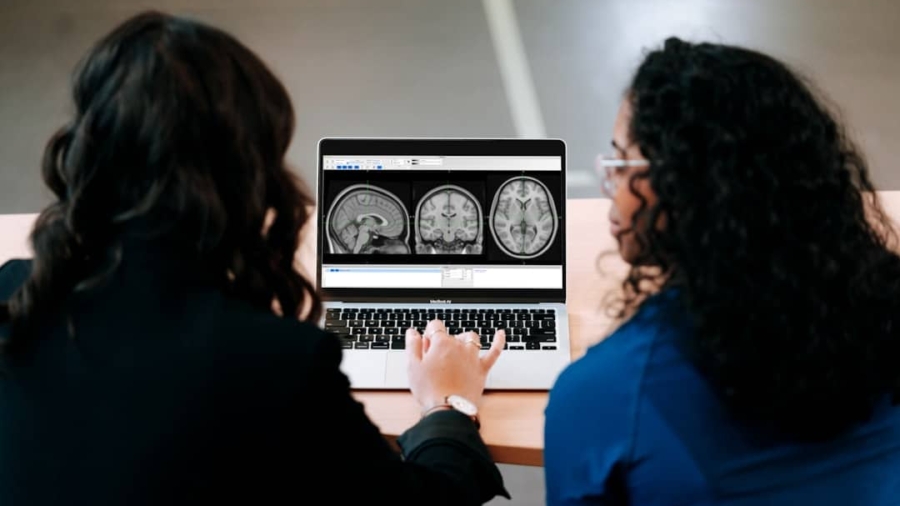
Brain-computer interfaces (BCIs) are no longer just science fiction; they’re increasingly becoming a practical tool for improving workplace accessibility. Essentially, BCIs allow us to bypass the traditional input methods (like keyboards and mice) and control computers or other devices directly with our thoughts. For individuals with physical disabilities that limit their mobility, this opens up a whole new world of possibilities for engagement and productivity in the workplace.
The integration of BCIs isn’t about replacing human interaction, but about providing powerful new avenues for individuals to contribute their skills and talents without facing unnecessary barriers.
Beyond Standard Accommodations
For a long time, workplace accessibility has focused on physical modifications to buildings and the provision of assistive devices like specialized keyboards or voice control software. These are incredibly important and have made a significant difference. However, for some individuals, even these advancements might not be enough. Think about someone with severe paralysis or conditions like ALS, where muscle control is drastically reduced. For these individuals, reaching a keyboard, operating a mouse, or even effectively using voice commands can be challenging or impossible. BCIs offer a fundamental shift, allowing interaction to originate from the very source of intent – the brain. This isn’t about a “nice to have”; it’s about ensuring that cognitive abilities and professional expertise aren’t sidelined due to physical limitations.
Unlocking Untapped Potential
The modern workforce thrives on diverse perspectives and a wide range of skills. However, if a significant portion of the population is excluded from actively participating due to accessibility hurdles, we’re missing out on that potential. BCIs act as a key, unlocking the ability for individuals with significant physical impairments to contribute fully. This means not just filling roles, but bringing unique problem-solving approaches, lived experiences, and innovative ideas that can benefit the entire organization. It’s about building more inclusive teams where everyone has the opportunity to be an active contributor, not just an observer.
Boosting Productivity and Independence
When someone can directly control their work environment using their thoughts, they gain a significant degree of autonomy and productivity. Instead of relying on others for every digital task, they can operate independently, significantly reducing their reliance on personal assistants for day-to-day computer use. This not only streamlines their workflow but also boosts their confidence and sense of self-efficacy. For employers, this translates to a more engaged and productive employee who can focus their energy on their core responsibilities.
In exploring the potential of brain-computer interfaces (BCIs) for enhancing workplace accessibility, it is essential to consider related advancements in technology that support this integration. A pertinent article discussing the implications of ERP systems on workplace efficiency and accessibility can be found at this link. This resource highlights how ERP solutions can complement BCI technology by streamlining operations and improving user experience, ultimately fostering a more inclusive work environment for individuals with disabilities.
Key Takeaways
- Clear communication is essential for effective teamwork
- Active listening is crucial for understanding team members’ perspectives
- Setting clear goals and expectations helps to keep the team focused
- Regular feedback and open communication can help address any issues early on
- Celebrating achievements and milestones can boost team morale and motivation
The “How”: Core BCI Technologies in the Workplace
EEG: The Accessible Entry Point
Electroencephalography (EEG) is the most common and accessible BCI technology today. It works by placing sensors on the scalp to detect electrical activity in the brain. Think of it like putting a microphone near your brain to pick up its subtle electrical “buzz.”
Non-Invasive and User-Friendly
The beauty of EEG is that it’s entirely non-invasive. There’s no surgery involved, making it a comfortable and generally risk-free option. Setting up an EEG headset is similar to putting on a cap with electrodes. While some training might be needed for the user to learn how to generate specific brain patterns (like imagining a movement or focusing intently on a specific symbol), the technology itself is becoming increasingly user-friendly.
Applications in Basic Control
For workplace applications, EEG can be used for a variety of foundational tasks. This includes:
- Navigation: Moving a cursor on a screen, selecting menus, or scrolling through documents.
- Typing: Using virtual keyboards where selecting letters is achieved by focusing on them or imagining pressing a key.
- Basic Commands: Initiating specific software functions or giving simple instructions to a digital assistant.
The accuracy and speed of EEG are constantly improving. While it might not be as fast as a reflex-action with a mouse for everyone, it can be significantly faster and more direct than relying on a human assistant for every single click or keystroke.
ECoG and Implanted BCIs: The Cutting Edge
For individuals requiring higher precision and faster control, more invasive BCI technologies exist. These are often referred to as Electrocorticography (ECoG) or implanted BCIs, which involve placing electrodes directly on or within the brain’s surface.
Enhanced Signal Quality and Speed
By bypassing the skull, ECoG and implanted BCIs can capture much cleaner and stronger brain signals. This directly translates to:
- Higher Bandwidth: More data can be processed, allowing for faster and more complex commands.
- Greater Accuracy: Reduced noise in the signal leads to fewer errors.
- Potentially Faster Control: The direct neural connection can enable near real-time interaction.
Advanced Tasks and Control
These advanced BCIs are capable of supporting more sophisticated tasks, such as:
- High-Speed Typing: Enabling users to type at speeds closer to that of able-bodied individuals.
- Robotic Limb Control: For individuals with amputations or paralysis, these systems can allow for intuitive control of advanced prosthetic limbs.
- Complex Software Manipulation: Performing intricate actions within design software, coding environments, or other demanding applications.
It’s important to note that these technologies are still largely in clinical trials or specialized applications, but advancements are happening rapidly, and their potential for fully enabling participation in complex roles is immense.
Practical Integration Strategies for the Workplace

Assessing Individual Needs and Capabilities
The first and most crucial step in integrating BCIs is a thorough assessment of the individual’s specific needs, abilities, and goals. This isn’t a one-size-fits-all situation.
Working with Medical Professionals and Therapists
Collaboration with neurologists, occupational therapists, and other medical professionals is essential. They can help determine:
- The most appropriate BCI technology: Based on the individual’s neurological condition and physical capabilities.
- Training requirements: What kind of cognitive training is needed to effectively operate the BCI.
- Potential challenges: Identifying any specific sensitivities or difficulties the individual might encounter.
Understanding Job Role Demands
Simultaneously, understanding the specific demands of the job role is critical.
- What are the primary digital tasks? Is it writing reports, coding, graphic design, data analysis, or communication?
- What level of speed and precision is required?
- What software and hardware are currently in use?
This ensures that the BCI solution is tailored not just to the individual, but also to the practicalities of their work.
Choosing the Right BCI System and Software
Once needs are understood, selecting the appropriate BCI hardware and the associated software becomes the next priority.
Hardware Considerations
- Type of BCI: EEG-based systems are generally more accessible for initial implementation, while ECoG or implanted systems are for more severe cases requiring advanced control.
- Comfort and Durability: For all-day use, the hardware needs to be comfortable, lightweight, and robust enough for a typical workplace environment.
- Ease of Setup and Calibration: A system that can be quickly set up and recalibrated by the user or a designated assistant will save valuable time.
Software and Customization
- User Interface: The software interface needs to be intuitive and adaptable to the user’s capabilities.
- Customization Options: The ability to customize control schemes, virtual keyboards, and command shortcuts is vital for maximizing efficiency.
- Integration with Existing Software: Seamless integration with common operating systems and productivity applications (e.g., Microsoft Office, Adobe Suite, email clients) is paramount.
Many BCI systems offer APIs or specific integrations to achieve this.
Training and Ongoing Support
Implementing a BCI isn’t just about plugging in a device; it requires a commitment to training and ongoing support.
User Training Programs
- Initial Skill Development: Users will likely need training to learn how to generate the specific brain signals that the BCI interprets. This can involve mental exercises, visualization techniques, or focused attention drills.
- Task-Specific Training: Once basic control is established, training should focus on applying the BCI to the specific tasks required for their job. This might involve learning to navigate complex menus, efficiently type lengthy documents, or operate specialized software.
- Progressive Learning: Training should be progressive, building from simpler tasks to more complex ones as the user gains confidence and proficiency.
Workplace Support Structures
- Technical Support: Having readily available technical support is crucial for troubleshooting any hardware or software issues that may arise.
This could be an internal IT resource or a third-party vendor.
- Ergonomic Adjustments: While BCIs bypass traditional ergonomics, ensuring a comfortable physical setup for the user is still important. This includes proper seating, monitor placement, and minimizing any physical strain.
- Peer Support and Mentorship: Connecting individuals using BCIs with others who have similar experiences can provide invaluable emotional support and practical advice. This can foster a sense of community and shared learning.
Overcoming Challenges and Ensuring Ethical Implementation

Addressing the “Learning Curve”
It’s important to be realistic about the learning curve associated with BCIs. While the goal is to empower, it’s not always an instant solution.
Patience and Realistic Expectations
Users and employers need to have patience. Learning to control a computer with one’s thoughts takes time, practice, and consistent effort. Setting realistic expectations about the speed of initial progress is key to preventing frustration.
Iterative Refinement and Customization
BCI systems are not static. They often require iterative refinement and customization as the user’s skills develop or their needs change. Regular check-ins and adjustments to the system’s parameters can significantly improve performance and user satisfaction.
Privacy and Data Security Concerns
As BCIs involve direct interaction with brain signals, robust privacy and data security measures are non-negotiable.
Understanding Data Collection and Usage
It’s crucial to be transparent with employees about what brain data is being collected, how it’s being used, and who has access to it. This data is highly personal and should be treated with the utmost confidentiality.
Secure Systems and Protocols
- Encryption: All data transmitted and stored by the BCI system should be heavily encrypted.
- Access Control: Strict access controls should be in place to prevent unauthorized access to the collected brain data.
- Anonymization and Aggregation: Where possible, data should be anonymized or aggregated to protect individual privacy, especially for research or generalized system improvement purposes.
- Clear Data Retention Policies: Companies should have clear policies on how long brain data is stored and when it is securely deleted.
Ethical Considerations and User Autonomy
Beyond data security, ethical considerations are paramount in ensuring BCIs are used responsibly and to the benefit of the individual.
Informed Consent and Voluntary Participation
- Full Understanding: Individuals must provide informed consent, meaning they fully understand the risks, benefits, and limitations of using a BCI. This consent should be voluntary, with no coercion.
- Right to Discontinue: Users must always have the right to discontinue using the BCI at any time without penalty.
Preventing Misuse and Ensuring Dignity
- Focus on Empowerment: The primary goal should always be to empower the individual, not to create a system of surveillance or control.
- Avoiding “Mind Reading”: It’s critical to differentiate between controlling devices with intentional thought patterns and the fictional idea of reading every thought. BCIs work by detecting specific, trained neural signals for communication.
- Maintaining Human Dignity: The integration of BCIs should always uphold the dignity and autonomy of the individual. They are tools to enhance capabilities, not to define or limit a person.
Integrating Brain-Computer Interfaces for Advanced Workplace Accessibility is a fascinating topic that explores the intersection of technology and inclusivity. A related article discusses the potential of leveraging digital platforms for marketing, which can also enhance accessibility in various fields. For those interested in how innovative approaches can transform industries, this article on the best niche for affiliate marketing on YouTube provides valuable insights. You can read more about it