

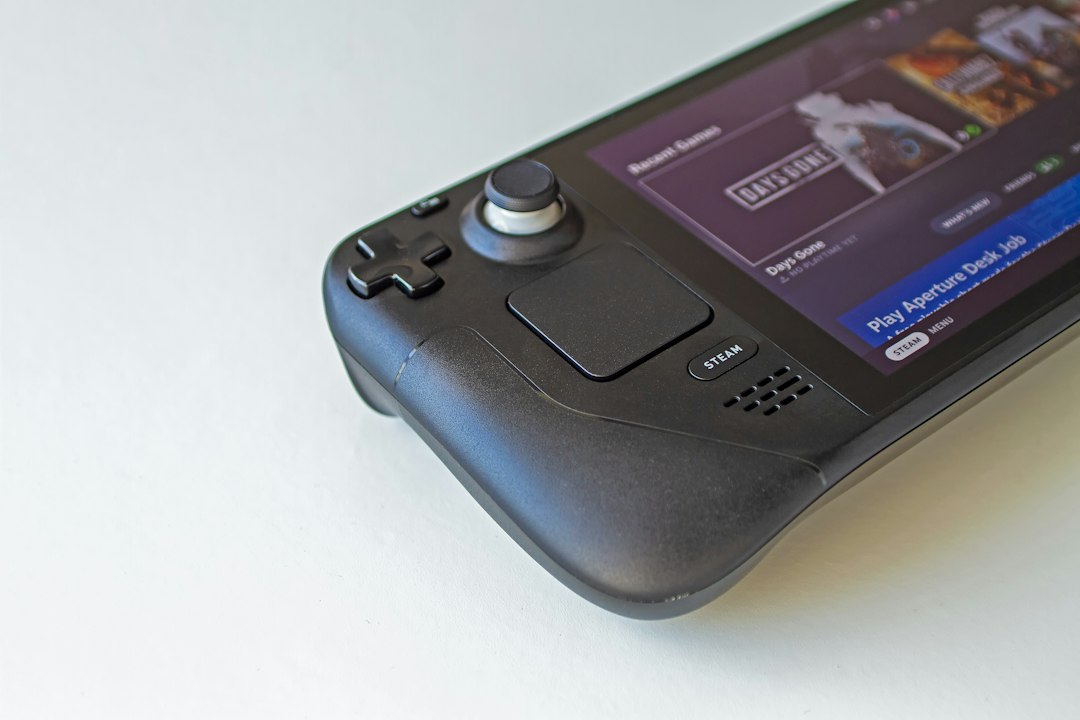
So, you’re curious about what makes those new handheld gaming PCs tick, especially when it comes to keeping cool, lasting longer, and getting great performance? In a nutshell, it’s a carefully orchestrated dance between sophisticated thermal designs, smart power management at both the hardware and software levels, and increasingly powerful, yet efficient, Accelerated Processing Units (APUs). These devices are essentially miniaturized gaming laptops, and the engineering challenges in cramming so much into a small, portable form factor are significant. We’re going to dive into how they manage to deliver a surprisingly capable gaming experience without melting in your hands or dying after an hour.
The Heat Sink’s Miniaturized Marvels: Thermal Architecture
Getting a desktop-level gaming experience into a device you can hold in your hands presents a monumental thermal challenge. All that processing power generates heat, and that heat needs to go somewhere, efficiently and quietly. The thermal architecture in modern handheld gaming PCs is a masterclass in miniaturization and airflow dynamics.
Vapor Chambers and Heat Pipes: The Core Conduits
At the heart of most high-performance handhelds are vapor chambers and heat pipes. These aren’t new technologies, but their application and optimization in such a confined space are key.
Vapor Chambers Explained
A vapor chamber is essentially a flattened heat pipe. It’s a sealed metal container with a vacuum inside, and a small amount of working fluid (usually water). When the heat source (like the APU die) heats one side of the chamber, the fluid evaporates, turning into vapor. This vapor rapidly spreads across the entire chamber, carrying heat with it.
When it reaches the cooler parts of the chamber, it condenses back into liquid, releasing its latent heat.
A wick structure, often made of fine copper mesh, then draws the liquid back to the hot side via capillary action, completing the cycle. This process is incredibly efficient at spreading heat over a larger surface area than a solid metal plate could, allowing for more effective transfer to other cooling components.
Heat Pipe Functionality and Placement
Heat pipes are similar, but cylindrical. They act as thermal super-highways, transporting heat away from the APU to a fin stack. The working principle is the same: liquid vaporizes at the hot end, travels as vapor, condenses at the cold end, and returns as liquid via a wick. In handhelds, these heat pipes are custom-bent and flattened in critical sections to fit the incredibly tight chassis. Their strategic placement ensures that heat is quickly moved from the APU die, across any intervening components, and into the fin stack where it can be dissipated. Multiple heat pipes are often employed to increase the total heat transfer capacity.
Fan Design and Airflow Management
Even with advanced heat transfer mechanisms, you still need active cooling to shed the heat into the surrounding environment. This is where specialized fan designs and clever airflow come into play.
Ultra-Thin Blower Fans
Traditional axial fans (like those in desktop PCs) push air perpendicularly to their axis. Handhelds often use ultra-thin blower or centrifugal fans. These fans draw air in from their center and expel it radially (outward) or tangentially, usually through a narrow exhaust vent. This design is highly effective for compact spaces because it allows for a directed airflow path. The fan blades themselves are incredibly thin and precisely engineered to maximize airflow while minimizing noise within a very constrained height. Some advanced designs feature asymmetric blade counts or varied blade angles to reduce specific tonal frequencies, making the fan noise less irritating.
Internal Airflow Paths and Vents
Effective cooling isn’t just about the fan; it’s about guiding the air. Handhelds have carefully designed internal air guides, sometimes molded directly into the chassis or as separate plastic components, to ensure that cool air is drawn in through specific intake vents, flows directly over the fin stack, and is then exhausted out through dedicated exhaust vents. Blocked vents are a primary cause of overheating in these devices, highlighting the precision required in their airflow management. The placement of intake and exhaust vents is crucial – they need to be far enough apart to prevent hot exhaust air from being immediately re-ingested as intake, which would significantly reduce cooling efficiency.
Thermal Interface Materials (TIMs)
Bridging the microscopic gaps between the APU die and the cold plate of the vapor chamber or heat pipes are Thermal Interface Materials. These are critical for efficient heat transfer.
High-Performance Thermal Pastes and Liquid Metal
While traditional thermal paste is common, higher-end handhelds or those pushing thermal limits might employ liquid metal thermal interface material. Liquid metal (typically a gallium-indium alloy) offers significantly higher thermal conductivity than even the best silicone-based thermal pastes, sometimes by a factor of 10x or more. This allows for more efficient heat transfer from the APU to the cooling solution. However, liquid metal is electrically conductive and corrosive to some materials (like aluminum), requiring careful application, robust sealing, and specific component choices (e.g., nickel-plated copper cold plates).
Handheld gaming PCs have seen significant advancements in thermal architecture, battery optimization, and APU efficiency breakthroughs, making them more powerful and efficient than ever before. These innovations not only enhance gaming performance but also extend battery life, allowing users to enjoy extended gaming sessions without the need for frequent recharges. For those interested in optimizing their work-from-home setup, a related article discusses the best laptops for remote work, which can provide insights into portable computing solutions that balance performance and battery life. You can read more about it here: Discover the Best Laptop for Remote Work Today.
Key Takeaways
- The training data includes information and events up to October 2023.
- Insights and knowledge are based on a wide range of sources available until the cutoff date.
- No updates or developments occurring after October 2023 are included in the training.
- Users should verify current information from reliable sources for the latest updates.
- The model’s responses reflect the context and knowledge available up to the specified date.
Powering Through: Battery Optimization
A handheld gaming PC is only as good as its battery life. Optimizing battery runtime involves a multi-faceted approach, balancing performance needs with energy conservation, all while working within strict physical and thermal constraints.
Large Capacity, Space Constraints
The most straightforward way to increase battery life is to use a larger battery. Handheld gaming PCs typically pack batteries ranging from 40Wh to upwards of 60Wh. To achieve these capacities in a limited chassis, manufacturers often use custom-shaped battery packs that conform to the internal layout, filling every available void. These are typically lithium-ion or lithium-polymer cells, chosen for their energy density. However, simply adding capacity increases weight and takes up precious internal space that could otherwise be used for cooling or other components.
APU Power States and Dynamic Voltage & Frequency Scaling (DVFS)
The APU itself is a major component in battery optimization. Modern APUs from AMD (like the Ryzen Z1 Extreme or similar RDNA3-based designs) are incredibly sophisticated in their power management.
Granular Power Management
These APUs don’t just have an “on” and “off” state. They feature numerous power states for different components (CPU cores, GPU cores, memory controller, I/O), allowing unused sections to be powered down or put into a very low-power sleep state almost instantaneously. This granular control means only the necessary components draw power, and only to the extent required.
Dynamic Voltage and Frequency Scaling (DVFS)
DVFS is a fundamental technique for power optimization. The APU constantly monitors its workload and adjusts its operating voltage and clock frequency accordingly. If you’re browsing the web, the CPU and GPU clocks will be very low, and voltages will be minimal. When you launch a demanding game, the clocks and voltages will ramp up to deliver performance. Crucially, power consumption increases roughly quadratically with voltage and linearly with frequency. By dynamically reducing both when possible, significant power savings can be achieved without impacting the user experience during lighter tasks. This continuous adjustment is a key factor in extending battery life across varied workloads.
Software-Level Power Management and User Profiles
Hardware is only half the battle; software plays a vital role in dictating how that hardware behaves.
Operating System and Driver Optimizations
The operating system (usually Windows or a custom Linux-based OS like SteamOS) includes power management profiles that dictate system behavior. Drivers for the APU and other components are continuously optimized to improve power efficiency, ensuring that hardware communicates its needs effectively and transitions between power states smoothly. Background processes are also a significant drain, so optimized OS builds often minimize unnecessary services.
User-Configurable TDP (Thermal Design Power) Settings
Many handheld gaming PCs offer users the ability to manually adjust the APU’s Thermal Design Power (TDP) limit, usually via a quick access menu. This is a powerful tool for battery optimization. For example, a game might run at 60 FPS at 25W TDP but still be perfectly playable at 30 FPS at 10W TDP. By lowering the TDP, you intentionally cap the APU’s maximum power draw, which significantly reduces heat generation and extends battery life, albeit at the cost of peak performance. This flexibility allows users to tailor their experience based on whether they prioritize performance or longevity.
APU Efficiency Breakthroughs: More Power, Less Thirst
The heart of these devices, the Accelerated Processing Unit (APU), has seen incredible advancements in recent years, making the handheld gaming PC dream a reality. These breakthroughs aren’t just about raw power; they’re fundamentally about efficiency.
Process Node Shrinkage and Architecture Improvements
The continuous march of semiconductor technology, particularly the shrinking of process nodes, is foundational to APU efficiency.
Smaller Transistors, Higher Density
Moving from, say, a 12nm node to a 7nm, 6nm, or even 4nm node means transistors become physically smaller. Smaller transistors require less power to switch, generate less heat, and can be packed more densely onto a chip.
This allows for either more processing units in the same area (increasing performance) or the same number of units in a smaller area (reducing manufacturing cost and potentially power draw), or a combination of both. The latest APUs in handhelds leverage these advanced nodes to deliver significantly better performance per watt than their predecessors.
Zen and RDNA Architectures
AMD’s Zen CPU architecture and RDNA GPU architecture are designed from the ground up with efficiency in mind. Zen cores feature improved instruction per cycle (IPC) performance, better branch prediction, and optimized cache hierarchies, meaning they get more work done with fewer clock cycles, thereby saving power.
RDNA (especially RDNA2 and RDNA3 variants used in current handhelds) focuses on improving performance per watt for gaming workloads, with features like enhanced compute units, improved memory bandwidth management, and specialized caches (like Infinity Cache in some implementations) that reduce external memory access, a significant power drain.
Integrated Graphics Performance
The most significant breakthrough for handheld gaming PCs is the astounding performance of integrated graphics within the APU. Dedicated GPUs are too large and power-hungry for these form factors.
Near Discrete-Level Capabilities
Modern APUs blur the lines between integrated and discrete graphics. The RDNA2 and RDNA3 architectures allow for a substantial number of GPU compute units to be integrated directly onto the same die as the CPU cores. This proximity reduces latency and increases efficiency compared to a separate CPU and GPU on a motherboard. These integrated GPUs are now powerful enough to run many modern AAA games at playable framerates (often 30-60 FPS) at 720p or 1080p resolutions, which would have been unthinkable just a few years ago.
Unified Memory Architecture
APUs use a Unified Memory Architecture (UMA), where the CPU and GPU share the same pool of system RAM (typically LPDDR5).
While this means the GPU doesn’t have its own dedicated high-bandwidth memory (like GDDR6 on a discrete card), the high speed of LPDDR5 (e.g., 6400 MT/s or faster) provides sufficient bandwidth for the integrated GPU’s needs at the resolutions handhelds target. This UMA design simplifies the system, reduces power consumption (no need for separate memory controllers and buses), and allows for dynamic allocation of RAM between the CPU and GPU as needed.
Low-Power States and Optimizations
Beyond active performance, how the APU behaves when it’s not under full load is crucial for overall efficiency.
Fine-Grained Clock Gating and Power Gating
Modern APUs implement extensive clock gating and power gating. Clock gating effectively turns off the clock signal to parts of the chip that aren’t currently active, preventing them from consuming dynamic power.
Power gating takes it a step further, completely cutting off power to inactive blocks, eliminating both dynamic and static power leakage. These mechanisms operate at an incredibly fine grain, down to individual cache blocks or execution units, ensuring that only the absolutely necessary components are drawing power at any given moment.
Advanced Sleep States and Resumption
Beyond just individual core management, the entire APU can enter very deep sleep states when the system is idle or the screen is off. These states consume minimal power but allow for near-instantaneous resume times.
This “instant on” capability, combined with aggressive power saving during idle periods, significantly contributes to real-world battery life, especially during intermittent usage sessions.
The Interplay: How It All Works Together
It’s not just about individual components; it’s about how the thermal architecture, battery optimization, and APU efficiency breakthroughs interact to deliver a cohesive experience. Each aspect relies heavily on the others.
Thermal Headroom and Performance Sustenance
The effectiveness of the thermal architecture directly dictates the APU’s ability to sustain its peak performance. An APU might be capable of 30W of power, but if the cooling solution can only dissipate 20W effectively, the APU will quickly hit its thermal limits and “throttle” down its clock speeds and voltage to stay within safe operating temperatures. A robust thermal design provides the necessary “headroom” for the APU to operate at higher TDPs for longer periods, leading to sustained higher framerates in games. Conversely, if the APU is extremely efficient, it produces less heat, making the job of the thermal solution easier and potentially allowing for quieter fan operation.
Battery Life as a Function of Efficiency and Cooling
Battery life is a direct consequence of APU efficiency and the ability to manage heat. A more efficient APU draws less power for the same amount of work, extending battery life. But even an efficient APU will draw significant power under load. If the thermal solution can’t keep up, the system might have to dial back performance (throttle) or ramp up fan speeds (increasing noise and sometimes power draw for the fan itself). Efficient cooling means the APU can operate closer to its optimal performance-per-watt sweet spot without hitting thermal ceilings, which can indirectly contribute to better battery life by avoiding inefficient power draw patterns due to thermal throttling. Furthermore, effective heat dissipation prevents the battery itself from getting too hot, which can degrade its lifespan and potentially impact its capacity.
User Experience: Performance, Noise, and Longevity
Ultimately, the goal of all these engineering efforts is a good user experience.
Balancing Performance and Thermals
Users want smooth gameplay. The dynamic voltage and frequency scaling, combined with effective cooling, allows the APU to scale performance up when needed and scale it down when possible, always trying to hit the sweet spot of performance-to-power consumption. This ensures playable framerates without constant thermal throttling that would manifest as inconsistent performance.
Acoustic Management
No one wants to game with a jet engine in their hands. The advanced thermal solutions, coupled with APU efficiency, allow fans to run at lower RPMs more often, reducing noise. When the system does get under load, the precisely designed fan blades and airflow paths aim to make the fan noise less obtrusive. Good thermal management also allows for more aggressive fan curves when plugged in, and quieter, more conservative ones on battery.
Component Longevity
Keeping components cool isn’t just about performance; it’s about longevity. Excessive heat accelerates component degradation, particularly for semiconductors and batteries. A well-engineered thermal solution extends the lifespan of the APU, battery, and other internal components, contributing to the overall durability and reliability of the device.
In the ever-evolving landscape of handheld gaming PCs, advancements in thermal architecture, battery optimization, and APU efficiency are crucial for enhancing user experience and performance. A related article that delves into the latest innovations in technology can be found at The Best Tech Products of 2023, where you can explore how these breakthroughs are shaping the future of portable gaming devices. As manufacturers strive to create more powerful yet energy-efficient systems, understanding these developments becomes essential for gamers looking to stay ahead in the competitive market.
The Road Ahead: Future Enhancements
| Metric | Value / Specification | Notes |
|---|---|---|
| Thermal Design Power (TDP) | 15-28 W | Typical range for handheld gaming APUs balancing performance and heat |
| Maximum Operating Temperature | 85°C | Thermal throttling threshold to prevent hardware damage |
| Battery Capacity | 40-50 Wh | Common battery size for extended gaming sessions |
| Average Battery Life (Gaming) | 3-6 hours | Depends on game intensity and power management |
| APU Efficiency Improvement | Up to 30% | Efficiency gains from latest APU architectures compared to previous generations |
| Cooling Solution Type | Active Cooling (Fan + Heat Pipes) | Ensures sustained performance under load |
| Power Management Features | Dynamic Voltage and Frequency Scaling (DVFS) | Optimizes power consumption based on workload |
| APU Integrated Graphics Performance | Up to 2.5 TFLOPS | Enables smooth gameplay on handheld displays |
| Charging Time | 1.5-2 hours | Fast charging support for minimal downtime |
| Thermal Architecture Innovation | Vapor Chamber Cooling | Improves heat dissipation efficiency in compact form factors |
The handheld gaming PC market is still relatively nascent, and continuous innovation is expected. We’ll likely see further refinements across all these critical areas.
Advancements in Thermal Solutions
Future handhelds will likely explore even more exotic thermal materials and designs.
Miniaturized Pumped Liquid Cooling
While currently too complex and bulky for most handhelds, advancements in micro-pump technology could potentially lead to highly miniaturized pumped liquid cooling solutions. These could offer superior heat transfer capabilities compared to current vapor chambers and heat pipes, allowing for even higher TDPs in the same form factor or significantly quieter operation at current power levels.
Hybrid Cooling Approaches
Expect to see more sophisticated combinations of cooling technologies. This might include more extensive use of graphene or other highly conductive materials for heat spreading layers within the chassis, working in concert with vapor chambers and redesigned fan assemblies to move heat away from critical components more efficiently. Advances in thermal interface materials, perhaps more stable and easier-to-apply liquid metal alternatives, will also play a role.
Battery Technology Evolution
Battery technology is a constant area of research, and handhelds stand to benefit immensely from any breakthroughs.
Higher Energy Density Cells
Research into solid-state batteries or other novel chemistries promises significantly higher energy density than current lithium-ion/polymer cells. This would allow manufacturers to either pack more capacity into the same volume/weight, or reduce the size and weight of the battery for the same capacity, freeing up space for other components or making devices lighter.
Faster Charging and Longer Lifecycles
Improvements in battery chemistry and charge controller technology will also lead to faster charging times without compromising battery health, and longer overall battery lifecycles (more charge/discharge cycles before significant degradation). This would greatly enhance the practicality and longevity of handheld gaming PCs.
APU Efficiency Beyond Current Generations
AMD and potentially other chipmakers will continue to push the boundaries of APU efficiency.
Further Process Node Shrinkage
As process technology progresses to 3nm, 2nm, and beyond, APUs will continue to benefit from smaller, more efficient transistors, leading to even greater performance per watt. This iterative improvement is a given in semiconductor development.
Dedicated AI Accelerators
Future APUs might incorporate more robust dedicated AI accelerators (NPUs – Neural Processing Units) beyond what’s currently available. These could offload tasks like sophisticated upscaling algorithms (e.g., FSR, potentially more advanced versions), dynamic resolution scaling, or even in-game AI computations, from the main CPU/GPU cores. By performing these tasks on specialized, highly efficient hardware, overall system power consumption for these specific workloads could be significantly reduced, leading to both performance gains and efficiency improvements. This could allow for more demanding graphics settings at a given power envelope or extend battery life further.
FAQs
What are handheld gaming PCs?
Handheld gaming PCs are portable gaming devices that combine the functionality of a personal computer with the convenience of a handheld console. They typically feature powerful processors, graphics capabilities, and a built-in display, allowing users to play PC games on the go.
How does thermal architecture impact handheld gaming PCs?
Thermal architecture is crucial in handheld gaming PCs as it determines how effectively the device can dissipate heat generated during gaming sessions. Efficient thermal management ensures that the device maintains optimal performance without overheating, which can lead to throttling and reduced gaming experience.
What advancements have been made in battery optimization for handheld gaming PCs?
Recent advancements in battery optimization for handheld gaming PCs include the development of more efficient battery technologies, improved power management software, and the integration of low-power components. These innovations help extend battery life, allowing users to enjoy longer gaming sessions without frequent recharging.
What is APU efficiency and why is it important for handheld gaming PCs?
APU efficiency refers to the effectiveness of Accelerated Processing Units, which combine CPU and GPU capabilities on a single chip. High APU efficiency is important for handheld gaming PCs as it allows for better performance while consuming less power, leading to improved battery life and thermal management.
What are some examples of popular handheld gaming PCs available today?
Some popular handheld gaming PCs available today include the Steam Deck, ASUS ROG Ally, and GPD Win 3. These devices offer varying specifications and features, catering to different gaming preferences and budgets while showcasing advancements in thermal architecture, battery optimization, and APU efficiency.
Enjoying our content? Make us a preferred source on Google:
Add us as a Preferred Source on Google