

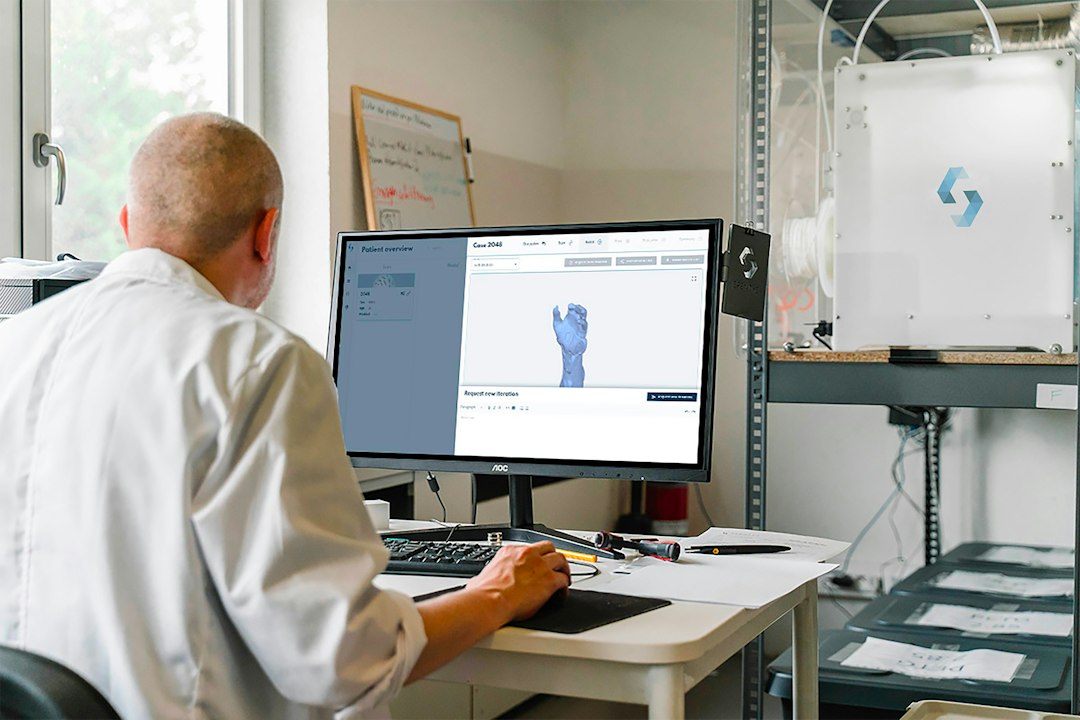
Alright, let’s talk about making extended reality (XR) interfaces genuinely comfortable and effective for folks who spend a lot of time in them. The core idea behind designing ergonomic spatial interfaces for long-session XR wearers is to minimize physical and cognitive strain, ensuring sustained productivity and comfort. This isn’t just about cool tech; it’s about making sure your neck doesn’t ache after an hour and your brain isn’t fried from trying to find a virtual button. We’re looking at specific usability standards that prioritize the human experience when interacting with digital content in a physical space for hours on end, not just minutes.
Understanding the Unique Challenges of Long-Session XR
Spending extended periods in XR environments brings a distinct set of hurdles that short, snappy demos rarely expose. Think about a CAD engineer working on a complex 3D model for an entire workday, a surgeon practicing intricate procedures, or even someone attending virtual meetings for hours. These aren’t quick interactions; they’re deep dives that demand a different approach to interface design.
Cognitive Load and Mental Fatigue
When you’re constantly processing virtual information layered onto or replacing your physical surroundings, your brain is working overtime. This cognitive load can lead to significant mental fatigue, making it harder to focus, recall information, and make decisions over time. An ergonomic spatial interface aims to reduce this by simplifying interactions and presenting information intuitively. We’re talking about minimizing the mental gymnastics required to understand what you’re seeing and how to interact with it. If a user has to constantly “figure out” the interface, they’ll burn out quickly.
Physical Strain and Discomfort
This is probably the most immediate concern for many. Wearing a headset for hours, making repetitive gestures, or holding a controller in an awkward position can quickly lead to physical discomfort. We’ve all heard stories of “gorilla arm” from early VR, and while controllers have improved, the risk of musculoskeletal strain remains. Designing ergonomic spatial interfaces means considering head-worn device weight distribution, natural body movements, and comfortable interaction zones. It’s about ensuring that the physical act of using the XR system doesn’t cause pain or long-term injury.
Simulator Sickness and Vestibular Discomfort
While not always present, simulator sickness can be a huge blocker for long-session use. It’s that unpleasant feeling of nausea, dizziness, or disorientation that arises when there’s a mismatch between what your eyes see in the virtual world and what your inner ear (vestibular system) senses in the physical world. For long sessions, even mild instances can become unbearable. An ergonomic spatial interface design must prioritize smooth locomotion, stable environments, and predictable interactions to minimize these effects, helping users maintain their bearings and avoid discomfort.
Immersion Breakdown and Presence Disruption
For long sessions, maintaining a sense of presence – feeling like you are genuinely “there” in the virtual environment – is crucial for engagement and productivity. Poorly designed interfaces, awkward interactions, or technical glitches can yank a user out of that immersive state, disrupting their workflow and reducing the effectiveness of the XR experience. An ergonomic design strives for seamless, intuitive interactions that support rather than detract from, the sense of presence.
In exploring the principles of ergonomic design for extended reality (XR) environments, the article “Designing Ergonomic Spatial Interfaces: Usability Standards for Long-Session XR Wearers” provides valuable insights into optimizing user experience. For those interested in further enhancing their understanding of usability standards in technology, I recommend checking out a related article on enterprise resource planning systems, which can be found at this link. This resource delves into how effective design can improve user interaction and efficiency in complex systems, paralleling the goals of ergonomic XR interface design.
Key Takeaways
- The training data includes information and events up to October 2023.
- Insights and knowledge are based on a wide range of sources available until the cutoff date.
- No updates or developments occurring after October 2023 are included in the training.
- Users should verify current information from reliable sources for the latest updates.
- The model’s responses reflect the context and knowledge available up to the specified date.
Core Usability Standards for Spatial Interactions

When we talk about designing ergonomic spatial interfaces, we’re building on established usability principles but tailoring them specifically for the unique demands of XR, especially for those extended use cases. These standards are about making interactions natural, efficient, and comfortable.
Natural and Intuitive Interaction Paradigms
This is about making the virtual world feel as responsive and understandable as the real one. Users shouldn’t have to learn a complex new language of gestures or button presses.
Direct Manipulation and Affordance
Users should be able to directly interact with virtual objects in a way that feels familiar. If you want to move a virtual box, you should be able to “grab” it and move it, much like you would a physical box. The objects themselves should “afford” certain interactions – their appearance should suggest how they can be used. A virtual button should look clickable, a virtual lever should look pullable. This reduces cognitive load because users don’t have to guess or remember abstract commands. For long sessions, consistency in these affordances is paramount.
Gesture and Voice Modalities
While controllers have their place, relying solely on them for hours can be fatiguing. Integrating natural gesture recognition (e.g., pinching to select, pointing to activate) and robust voice commands can significantly reduce physical strain and speed up interactions. However, these modalities must be reliable and clearly communicated. Ambiguous gestures or misunderstood voice commands can be more frustrating than helpful over a long workday. We need systems that understand intent, not just raw input.
Spatialized Audio Feedback
Audio cues are often overlooked but are incredibly powerful in spatial interfaces. Sound can provide crucial feedback about interactions (e.g., a click sound when a button is pressed, a subtle hum when an object is being manipulated), indicate the location of off-screen elements, and enhance the sense of presence. Spatialized audio – where the sound appears to come from a specific location in the virtual environment – is essential for intuitive navigation and information delivery, especially when visual attention is focused elsewhere.
Optimized Information Presentation and Readability
Information overload or poorly displayed text can quickly lead to eye strain and frustration. For long sessions, clarity and minimal distraction are key.
Legibility and Contrast of Text and Icons
This seems obvious, but it’s often poorly executed. Text in XR needs to be large enough to read comfortably without straining, have sufficient contrast against its background, and use fonts that are clear even at a distance or when slightly out of focus. Icons should be universally understandable and distinct. Remember, a user’s eyes might be focusing at an “infinite” virtual distance while their physical eye muscles are working on a display just inches away. This can cause fatigue if elements aren’t designed for optimal comfort.
Clutter Reduction and Progressive Disclosure
Just like a good physical workspace, a good spatial interface should minimize clutter. Only present information when it’s needed. Use progressive disclosure – revealing more detail as the user expresses interest or dives deeper – to avoid overwhelming the user with too much information at once. This reduces cognitive load and allows users to focus on the task at hand without constant visual noise. For long work sessions, a clean, uncluttered interface maintains focus and reduces mental fatigue.
Contextual and Adaptive Displays
Interfaces should adapt to the user’s current task and context. If a user is working on a specific part of a 3D model, the relevant tools and information should automatically become more prominent, while unrelated elements can fade into the background or be hidden. This dynamic adaptation ensures that the most pertinent information is always readily available without the user having to actively search for it, greatly improving efficiency and reducing frustration over extended periods.
Comfortable and Efficient Navigation and Manipulation
Moving around and interacting with virtual objects should feel fluid and effortless, not like a chore.
Teleportation and Smooth Locomotion Options
Offering both teleportation and smooth locomotion options is critical. Teleportation (instantly jumping to a new location) is excellent for reducing simulator sickness and quick navigation but can break immersion. Smooth locomotion (continuous movement like walking) offers greater immersion but can induce sickness for some. Allowing users to choose, and even switch between, these modes based on their comfort and the task at hand, is paramount for long-session usability. Controls for these movements must be intuitive and responsive.
Spatial Anchoring and Object Persistence
When objects are placed in the virtual environment, they should ideally remain where the user left them, even if the user leaves and returns later. This spatial anchoring helps build a stable and predictable workspace. If virtual tools or documents constantly reset or float away, it creates unnecessary frustration and cognitive overhead. Object persistence ensures that the user’s workspace is consistent and reliable, much like a physical desk, which is crucial for sustained productivity.
Manipulable and Resizable Workspaces
Users should be able to customize their virtual workspace to suit their needs. This includes being able to resize virtual windows, move them around in their physical space, and even arrange multiple virtual displays. The ability to quickly and easily reconfigure their working environment allows users to optimize it for different tasks and personal preferences, significantly improving comfort and efficiency over long work sessions. Think of it like arranging your physical desk exactly how you like it.
Ergonomic Design Principles for Physical Interaction
Beyond what’s on screen, how users physically interact with the XR system significantly impacts long-term comfort and usability. This is where the “ergonomic” in “ergonomic spatial interfaces” truly shines.
Minimizing Repetitive Strain
Repetitive motions, even small ones, can lead to significant discomfort and injury over time.
Neutral Posture and Natural Movement Zones
Interfaces should encourage users to maintain neutral postures (head upright, shoulders relaxed, arms at comfortable angles) and use natural, unforced movements. This means placing interactive elements within comfortable reach – not too high, not too low, and not requiring awkward twisting or stretching.
Interaction zones should be designed around typical arm’s length or field of view, minimizing the need for extended reaches or uncomfortable angles. Consider the sustained usage; a slight stretch that’s fine for five minutes becomes agonizing after five hours.
Reduced Force and Precision Requirements
Interactions should require minimal physical force. Clicking buttons, grabbing objects, or making gestures shouldn’t feel like a workout.
Similarly, while precision is sometimes needed, the interface should tolerate slight inaccuracies where possible, reducing the cognitive and physical effort required to hit a tiny target perfectly every single time. Fitts’s Law still applies in 3D, perhaps even more critically.
Larger, more forgiving targets are always better for sustained interaction.
Alternate Input Methods and Modalities
Providing multiple ways to achieve the same interaction can significantly reduce strain. If a user is experiencing arm fatigue from gesturing, they might switch to voice commands or eye-tracking for certain actions.
If a controller hand becomes tired, perhaps a foot pedal or a different hand gesture can temporarily take over. Flexibility in input modalities is a cornerstone of true long-session ergonomic design.
Mitigating Headset Discomfort
The headset itself is a major factor in user comfort, especially over hours of wear.
Weight Distribution and Balance
A heavy or poorly balanced headset can cause neck strain and headaches. Designers of ergonomic spatial interfaces should push for headsets with optimized weight distribution, ensuring that the pressure is evenly spread across the head rather than concentrated in one area.
Even subtle improvements in balance can make a huge difference over an eight-hour workday. Think about how a well-designed backpack distributes weight versus a poorly designed one.
Field of View (FOV) and Visual Artifacts
While a wide FOV is desirable for immersion, it must not come at the cost of visual comfort. Distortions, chromatic aberration, or “screen door effect” can cause eye strain and simulator sickness, especially during prolonged use.
The visual quality needs to be consistent and clear across the entire display to prevent fatigue and maintain presence. Blurry edges or flickering visuals are simply not acceptable for long-session use.
Ventilation and Thermal Management
Wearing a device pressed against your face for hours can get hot and sweaty, leading to discomfort and potentially even skin irritation. Effective ventilation and thermal management within the headset are crucial to keep the user cool and comfortable.
Materials that wick away moisture and allow for airflow are also important considerations. No one wants to feel like they’re wearing a mini-sauna on their head.
Accessibility and Inclusivity in XR Ergonomics
Designing ergonomic spatial interfaces isn’t just about the “average” user; it’s about making XR usable for as many people as possible, which inherently improves the experience for everyone.
Accommodating Diverse Physical Abilities
Not everyone has the same range of motion or physical strength, and good ergonomic design accounts for this.
Adjustable Reach and Scaling of UI Elements
Users should be able to adjust the “reach” for interactions, perhaps by scaling their virtual arms or bringing distant objects closer with a gaze gesture. Similarly, UI elements should be scalable, allowing users to make buttons larger or text bigger if they have visual impairments or difficulty with fine motor control. This adaptability means the interface conforms to the user, not the other way around.
Customizable Input Mapping
Allowing users to remap controller buttons, gesture triggers, or voice commands is crucial.
A button that’s easy for one person to press might be awkward for another due to hand size, grip strength, or a specific disability.
Customizable input mapping empowers users to configure the system in a way that is most comfortable and efficient for them, particularly important for those with limited mobility or dexterity.
Support for Assistive Technologies
XR systems should strive to be compatible with existing assistive technologies where possible, or integrate similar functionalities. This could include compatibility with external haptic devices, specialized controllers, or even brain-computer interfaces as they mature. The goal is to ensure that XR doesn’t create new barriers but instead opens up new possibilities for those with diverse needs.
Cognitive and Sensory Considerations
Beyond physical aspects, cognitive processing and sensory inputs vary greatly among users.
Clear and Redundant Feedback
Relying on a single mode of feedback (e.g., only visual, only audio) can exclude users. Providing redundant feedback – visual, audio, and even haptic cues for critical interactions – ensures that information is conveyed effectively, even if one sensory channel is impaired or otherwise occupied. For instance, a button press could have a visual highlight, an audible click, and a subtle haptic vibration.
Adjustable Speed and Complexity
Allowing users to slow down interface animations, extend interaction timers, or simplify menu structures can be incredibly beneficial for individuals with cognitive processing differences or those who are new to XR. The interface should offer “easy modes” that reduce complexity without sacrificing functionality, allowing users to ramp up complexity as they become more comfortable.
Minimizing Sensory Overload
While immersion is good, sensory overload is not. Excessive flashing lights, jarring sounds, or rapid changes in the virtual environment can be disorienting and uncomfortable, especially for individuals with sensory sensitivities. Ergonomic spatial interfaces should offer options to reduce visual clutter, mute specific sounds, or adjust the intensity of visual effects, providing a more comfortable experience for everyone, particularly for extended use.
In the realm of designing ergonomic spatial interfaces, understanding the impact of usability standards on long-session XR wearers is crucial. A related article that explores the latest advancements in technology and user experience is available at the best HP laptop for 2023, which highlights devices that can enhance the overall experience for users engaged in extended virtual reality sessions. By examining such resources, designers can better appreciate the importance of creating comfortable and efficient interfaces that cater to the needs of XR users.
The Future of Ergonomic Spatial Interfaces and XR Standards
| Metric | Recommended Standard | Measurement Method | Notes |
|---|---|---|---|
| Comfort Duration | Minimum 2 hours continuous wear without discomfort | User self-reporting and physiological monitoring | Includes breaks and adjustment periods |
| Weight Distribution | Less than 300 grams on front face, balanced overall weight | Physical measurement and pressure sensors | Reduces neck strain and pressure points |
| Field of View (FOV) | At least 100 degrees horizontal | Optical measurement and user feedback | Enhances spatial awareness and immersion |
| Latency | Less than 20 milliseconds | System performance testing | Prevents motion sickness and disorientation |
| Adjustability | Multiple points of adjustment (head strap, interpupillary distance) | Design specification and user testing | Accommodates diverse user anatomies |
| Thermal Comfort | Surface temperature below 35°C during use | Infrared thermography | Prevents overheating and skin irritation |
| Visual Acuity | Minimum 20/40 equivalent clarity | Visual tests within XR environment | Ensures clear and sharp imagery |
| Audio Quality | Frequency response 20Hz-20kHz with minimal distortion | Acoustic testing and user feedback | Supports clear communication and immersion |
As XR technology continues to evolve, our understanding of ergonomic design must also mature. The current landscape in 2026 shows rapid advancements in hardware and software, pushing the boundaries of what’s possible, but human comfort remains the bottleneck for widespread long-session adoption.
Emerging Technologies and Their Impact
New hardware and software capabilities are constantly reshaping the possibilities for ergonomic design.
Eye-Tracking and Gaze-Based Interaction
Advanced eye-tracking is becoming more common and can revolutionize how we interact. Instead of reaching or pointing, simply looking at an object could select it, or gazing at a menu item could activate it. This dramatically reduces physical input and can significantly improve efficiency and comfort, especially when hands are busy or fatigued. Gaze-based interaction offers a natural and low-effort input method that is ideal for long-session use, provided it’s implemented reliably and doesn’t cause eye strain.
Haptic Feedback Systems
Beyond simple vibrations, sophisticated haptic feedback can provide a much richer sense of touch and texture, allowing users to “feel” virtual objects. This adds another layer of intuitive interaction, providing confirmation of actions and enhancing immersion without requiring complex visual cues. As haptic technology becomes more subtle and integrated into wearables (e.g., gloves, full-body suits), it will further reduce the reliance on purely visual or auditory feedback, leading to more natural and less fatiguing interactions.
Brain-Computer Interfaces (BCI)
While still largely experimental for practical XR, the long-term potential of BCIs is immense. Imagine simply thinking a command to open a menu or select an item. This would represent the ultimate in low-effort interaction, completely bypassing physical movements. While widespread, reliable BCI for complex interactions is still some years away, its development points towards a future where cognitive effort is minimized in new and profound ways, which is the ultimate goal of ergonomic design.
Evolving Industry Standards and Best Practices
The XR industry is still relatively young, and while best practices are emerging, formal standards are crucial for consistent ergonomic design.
Cross-Platform Design Guidelines
As XR platforms proliferate, there’s a growing need for consistent design guidelines that transcend specific hardware. A user learning an interaction paradigm on one headset shouldn’t have to completely relearn it on another. Establishing cross-platform usability standards for common interactions (navigation, object manipulation, menu interaction) will accelerate user adoption and reduce cognitive load across different systems, which is vital for users who might switch between devices or ecosystems during their long work sessions.
Benchmarking Cognitive and Physical Load
Developing standardized metrics and tools to objectively measure cognitive load, physical strain, and simulator sickness will be essential. This allows designers to quantify the ergonomic impact of their choices and compare different interface designs against established benchmarks. Robust scientific measurement, rather than subjective feedback alone, will drive the development of truly ergonomic spatial interfaces.
Long-Term User Studies and Health Monitoring
The current focus is often on short-term comfort. For long-session XR use, longitudinal studies are absolutely critical. We need to understand the long-term effects of daily XR use on eye health, musculoskeletal systems, cognitive function, and mental well-being. This will necessitate integrated health monitoring within XR systems and close collaboration with medical professionals to ensure that XR technology is not just innovative but also safe and sustainable for prolonged engagement. This long-term data will inform future design standards, ensuring that we’re not just solving today’s problems but anticipating tomorrow’s as well.
FAQs
What are ergonomic spatial interfaces?
Ergonomic spatial interfaces are design frameworks that prioritize user comfort and efficiency in virtual and augmented reality environments. They focus on minimizing physical strain and cognitive load, ensuring that users can interact with digital content seamlessly and intuitively, especially during prolonged use.
Why are usability standards important for XR wearers?
Usability standards are crucial for XR wearers as they help ensure that the interfaces are accessible, comfortable, and effective for extended sessions. These standards guide designers in creating experiences that reduce fatigue, enhance user satisfaction, and improve overall performance, which is particularly important in immersive environments.
What factors should be considered when designing for long-session XR use?
When designing for long-session XR use, factors such as weight distribution of the headset, adjustable fit, visual clarity, and user interface layout should be considered. Additionally, designers should account for the potential for motion sickness, the need for breaks, and the overall user experience to maintain engagement without discomfort.
How can developers test the usability of their XR interfaces?
Developers can test the usability of their XR interfaces through user testing sessions, where participants interact with the interface for extended periods. Feedback can be gathered through surveys, interviews, and observational studies to identify pain points and areas for improvement. Iterative testing and refinement based on user input are essential for optimizing the design.
What role does user feedback play in designing ergonomic spatial interfaces?
User feedback is vital in designing ergonomic spatial interfaces as it provides insights into real-world usage and user preferences. By incorporating feedback, designers can identify specific issues related to comfort, usability, and functionality, allowing them to make informed adjustments that enhance the overall user experience in XR environments.
Enjoying our content? Make us a preferred source on Google:
Add us as a Preferred Source on Google