


User interface (UI) design in 3D spatial environments has emerged as a critical area of focus in the development of interactive systems. As technology advances, the demand for immersive experiences has increased, leading to the integration of three-dimensional elements in various applications, including video games, virtual reality (VR), and augmented reality (AR). The design of user interfaces in these environments requires a unique approach that differs significantly from traditional 2D interfaces. Designers must consider not only the aesthetic aspects but also how users will navigate and interact within a three-dimensional space.
The complexity of 3D environments presents both opportunities and challenges for UI designers. Unlike flat screens, 3D spaces allow for a more intuitive representation of real-world objects and interactions. However, this added dimension complicates the design process, as it necessitates a deeper understanding of spatial relationships and user behavior. Effective UI design in 3D environments must prioritize usability while also enhancing the overall experience, ensuring that users can easily access information and perform tasks without feeling overwhelmed by the intricacies of the space.
User Interface Design (UI) challenges in 3D spatial environments are becoming increasingly relevant as virtual and augmented reality technologies evolve. A related article that explores the intersection of digital art and technology can be found at this link: CryptoPunks NFT Bundle Goes for $17 Million in Christie’s Auction. This piece highlights the significance of user experience in navigating complex digital landscapes, which is essential for enhancing engagement in 3D environments.
Key Takeaways
- Designing user interfaces in 3D spatial environments requires addressing unique navigational and interaction challenges.
- Effective visual hierarchy and information display are crucial for user orientation and comprehension in 3D spaces.
- Overcoming depth perception and scale issues is essential to enhance usability and reduce user confusion.
- Incorporating clear user feedback and intuitive input methods improves interaction within complex 3D environments.
- Balancing realism with usability and embracing future innovations are key to advancing UI design in 3D spatial contexts.
Navigational Challenges in 3D Spatial Environments
Navigating through 3D spatial environments poses significant challenges for users, primarily due to the complexity of movement and orientation. Unlike traditional 2D interfaces, where navigation is often linear and straightforward, 3D environments require users to understand depth, perspective, and spatial relationships. This complexity can lead to disorientation, making it difficult for users to locate objects or understand their position within the environment. Designers must create intuitive navigation systems that help users orient themselves and move seamlessly through the space.
To address these navigational challenges, designers often employ various techniques such as wayfinding cues, landmarks, and visual indicators. These elements can guide users through the environment, providing context and reference points that enhance spatial awareness. Additionally, incorporating familiar navigation metaphors—such as maps or compasses—can help bridge the gap between users’ expectations and the realities of navigating a 3D space.
Ultimately, effective navigation design is crucial for ensuring that users can explore and interact with the environment without frustration.
Interaction Design Challenges in 3D Spatial Environments
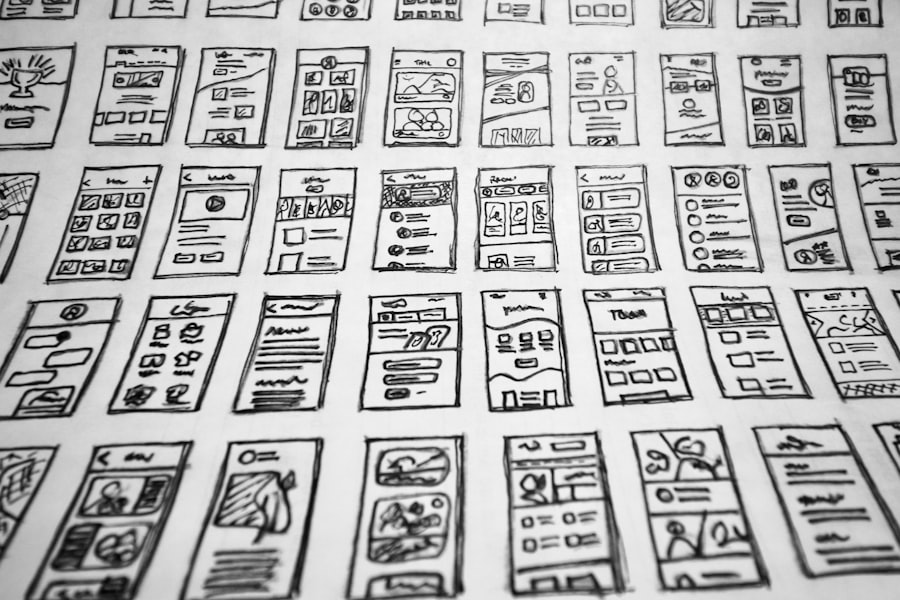
Interaction design in 3D spatial environments introduces a range of challenges that differ from those encountered in 2D interfaces. Users must engage with objects and elements in a three-dimensional space, which requires a different set of skills and understanding. The interaction methods available—such as gestures, voice commands, or traditional input devices—can significantly impact how users experience the environment. Designers must carefully consider these methods to create interactions that feel natural and intuitive.
One major challenge is ensuring that users can easily manipulate objects within the 3D space. This involves designing controls that are responsive and provide clear feedback when actions are performed. For instance, when a user picks up an object or interacts with a control panel, they should receive immediate visual or auditory feedback to confirm their actions. Additionally, designers must account for varying user abilities and preferences, ensuring that interaction methods are accessible to a diverse audience. By addressing these challenges, designers can create more engaging and effective interaction experiences in 3D environments.
Visual Hierarchy and Information Display in 3D Spatial Environments

Establishing a clear visual hierarchy is essential in 3D spatial environments to ensure that users can easily process information and understand the relationships between different elements. In a three-dimensional space, visual clutter can quickly become overwhelming, making it difficult for users to discern important information from secondary details. Designers must prioritize clarity and organization when displaying information, using techniques such as size, color contrast, and positioning to guide users’ attention.
Incorporating depth cues can also enhance visual hierarchy in 3D environments. By utilizing techniques such as layering or occlusion, designers can create a sense of depth that helps users distinguish between foreground and background elements. Additionally, employing consistent visual styles and thematic elements can aid in creating a cohesive experience that reinforces the intended message. Ultimately, effective visual hierarchy not only improves usability but also enhances the overall aesthetic appeal of the environment.
User Interface Design (UI) challenges in 3D spatial environments are becoming increasingly relevant as technology advances. One insightful article that delves into this topic is available at Discover the Best Tablet for On-Stage Lyrics Today, which explores how effective UI can enhance user experience in dynamic settings. By understanding the complexities of spatial interactions, designers can create more intuitive interfaces that cater to the unique demands of 3D environments.
Overcoming Depth Perception and Scale Issues in 3D Spatial Environments
| UI Challenge | Description | Impact on User Experience | Common Solutions | Metrics to Measure |
|---|---|---|---|---|
| Depth Perception | Difficulty in accurately judging distances and spatial relationships in 3D space. | Can cause user disorientation and errors in interaction. | Use of shadows, occlusion, stereoscopic displays, and depth cues. | User accuracy in object selection, error rate, task completion time. |
| Navigation Complexity | Challenges in moving and orienting within a 3D environment. | Users may feel lost or overwhelmed, reducing engagement. | Intuitive controls, minimaps, teleportation, guided paths. | Navigation efficiency, user satisfaction, number of navigation errors. |
| Input Device Limitations | Constraints of controllers, gloves, or hand tracking in 3D interaction. | Reduced precision and increased fatigue. | Ergonomic design, multimodal input, haptic feedback. | Input accuracy, user comfort ratings, interaction speed. |
| Visual Clutter | Overcrowding of UI elements in 3D space leading to confusion. | Decreases usability and increases cognitive load. | Contextual menus, progressive disclosure, layering UI elements. | Task completion time, error rate, cognitive load assessments. |
| Spatial Audio Integration | Incorporating directional sound cues to enhance spatial awareness. | Improves immersion but can be distracting if poorly implemented. | 3D audio rendering, volume balancing, user customization. | User immersion scores, error rate in locating objects, user feedback. |
| Latency and Performance | Delays in rendering or input response affecting real-time interaction. | Can cause motion sickness and reduce usability. | Optimized rendering, predictive tracking, hardware acceleration. | Frame rate, input lag, user comfort ratings. |
Depth perception and scale are critical factors in 3D spatial environments that can significantly impact user experience. Users often struggle to accurately judge distances and sizes of objects within a virtual space, which can lead to confusion or frustration during interactions. Designers must implement strategies to enhance depth perception and provide clear scale references to help users navigate effectively.
One common approach is to use familiar objects or human figures as reference points for scale. By incorporating real-world items or avatars into the environment, designers can provide users with context that aids in understanding size relationships. Additionally, employing visual techniques such as shading, lighting, and perspective can enhance depth perception by creating realistic representations of space. By addressing these issues, designers can create more immersive experiences that allow users to engage confidently with their surroundings.
User Interface Design (UI) challenges in 3D spatial environments are becoming increasingly relevant as technology advances. One insightful article that explores various aspects of user experience in different contexts is available at The Best Tablets for Business in 2023.
This resource discusses how the choice of devices can impact user interaction and design considerations, particularly in immersive environments where spatial awareness is crucial.
Understanding these challenges can help designers create more intuitive and engaging interfaces.
Addressing User Feedback and Input in 3D Spatial Environments
User feedback is an essential component of interaction design in 3D spatial environments. Providing clear feedback helps users understand the consequences of their actions and reinforces their sense of agency within the space. In three-dimensional settings, feedback mechanisms must be carefully designed to ensure they are both effective and unobtrusive. This includes visual cues such as animations or color changes, as well as auditory signals that confirm actions or alert users to errors.
Moreover, gathering user input is crucial for refining designs and improving overall usability. Designers should consider implementing user testing sessions to observe how individuals interact with the environment and identify areas for improvement. This iterative process allows designers to make informed decisions based on real user experiences rather than assumptions. By prioritizing user feedback and input, designers can create more intuitive interfaces that cater to the needs of their audience.
Balancing Realism and Usability in 3D Spatial Environments
Striking a balance between realism and usability is a significant challenge in 3D spatial UI design. While realistic representations can enhance immersion and engagement, they may also complicate interactions if not executed thoughtfully. Designers must consider how realistic elements impact usability and whether they contribute positively to the user experience or create unnecessary obstacles.
To achieve this balance, designers often employ stylization techniques that maintain an engaging aesthetic while simplifying interactions. For example, using abstract representations of objects can reduce complexity without sacrificing visual appeal. Additionally, designers should prioritize functionality over hyper-realism by ensuring that interactive elements are easily identifiable and accessible. By focusing on usability while incorporating realistic elements judiciously, designers can create environments that are both immersive and user-friendly.
Future Trends and Innovations in UI Design for 3D Spatial Environments
As technology continues to evolve, new trends and innovations are emerging in UI design for 3D spatial environments. One notable trend is the increasing use of artificial intelligence (AI) to enhance user interactions. AI can analyze user behavior patterns to provide personalized experiences or adapt interfaces based on individual preferences. This level of customization has the potential to significantly improve usability by tailoring interactions to meet specific user needs.
Another area of innovation is the integration of haptic feedback technology into 3D environments. By providing tactile sensations during interactions, haptic feedback can enhance immersion and create a more engaging experience for users. This technology allows users to “feel” virtual objects or actions, bridging the gap between physical and digital interactions.
Furthermore, advancements in hardware capabilities are enabling more sophisticated graphics and processing power in 3D applications. This progress allows designers to create more complex environments with greater detail while maintaining performance efficiency. As these trends continue to develop, they will shape the future landscape of UI design in 3D spatial environments, offering new opportunities for creativity and user engagement.
In conclusion, user interface design in 3D spatial environments presents unique challenges and opportunities that require careful consideration from designers. By addressing navigational difficulties, interaction complexities, visual hierarchy issues, depth perception concerns, user feedback mechanisms, realism versus usability dilemmas, and embracing future innovations, designers can create effective interfaces that enhance user experiences in immersive environments. As technology continues to advance, the potential for innovative UI design will only expand, paving the way for more engaging and intuitive interactions within three-dimensional spaces.
FAQs
What are the main challenges in designing user interfaces for 3D spatial environments?
Designing user interfaces for 3D spatial environments involves challenges such as spatial navigation, depth perception, user orientation, interaction complexity, and ensuring intuitive controls that accommodate three-dimensional movement and manipulation.
How does depth perception affect UI design in 3D environments?
Depth perception is critical in 3D UI design because users must accurately judge distances and spatial relationships. Poor depth cues can lead to confusion, misinterpretation of object positions, and difficulty interacting with elements in the environment.
What role does user orientation play in 3D spatial UI design?
User orientation is essential to help users understand their position and direction within a 3D space. Effective UI design includes visual or auditory cues to prevent disorientation and to assist users in navigating complex spatial layouts.
Why is interaction complexity a concern in 3D UI design?
Interaction complexity arises because users must perform actions in three dimensions, which can be more demanding than 2D interfaces. Designers must create intuitive gestures, controls, and feedback mechanisms to simplify interactions and reduce cognitive load.
How can designers improve usability in 3D spatial user interfaces?
Designers can improve usability by incorporating clear visual cues, consistent interaction patterns, adaptive controls, and providing tutorials or guidance. Testing with real users to identify pain points and iterating on design also enhances overall user experience in 3D environments.