


In an increasingly digital world, the significance of privacy in productivity software cannot be overstated. As individuals and organizations rely on various applications to manage tasks, communicate, and store sensitive information, the potential for data breaches and unauthorized access grows. Productivity software often contains personal and confidential data, including financial records, client information, and proprietary business strategies. Therefore, ensuring that this data remains private is crucial for maintaining trust and integrity in both personal and professional environments.
Moreover, the implications of privacy breaches extend beyond immediate data loss. They can lead to long-term reputational damage, legal consequences, and financial losses. For businesses, a breach can erode customer confidence and result in a decline in market share. For individuals, the exposure of personal information can lead to identity theft and other forms of cybercrime. Thus, understanding the importance of privacy in productivity software is essential for safeguarding not only individual interests but also broader organizational goals.
In addition to the tips for protecting your privacy while using productivity software, you may find it helpful to explore the article on the best music production software. This comprehensive guide not only highlights various software options but also discusses the importance of data security and privacy in the creative process. To read more, visit this article.
Key Takeaways
- Prioritize privacy to enhance security in productivity software use.
- Secure accounts with strong passwords, encryption, and two-factor authentication.
- Carefully manage app permissions to control data access.
- Limit sharing and monitor software updates to prevent unauthorized access.
- Stay informed and educate others about privacy risks and protective measures.
Best Practices for Securing Your Accounts
Securing accounts associated with productivity software is a fundamental step in protecting sensitive information. One of the most effective practices is to create strong, unique passwords for each account. A strong password typically includes a mix of uppercase and lowercase letters, numbers, and special characters. Additionally, it is advisable to avoid using easily guessable information such as birthdays or common words. Utilizing a password manager can help users generate and store complex passwords securely, reducing the risk of password fatigue and reuse.
Another best practice involves regularly updating passwords and enabling account recovery options. Users should change their passwords periodically and ensure that recovery methods—such as email or phone verification—are up to date. This proactive approach can mitigate the risk of unauthorized access due to compromised credentials. Furthermore, being vigilant about phishing attempts is crucial; users should be cautious when clicking on links or downloading attachments from unknown sources, as these can be vehicles for malware or credential theft.
Understanding and Managing App Permissions

Productivity software often requires various permissions to function effectively, but users must understand what these permissions entail. Many applications request access to contacts, calendars, location data, and other sensitive information. It is essential to evaluate whether these permissions are necessary for the app’s core functionality. Users should regularly review the permissions granted to each application and revoke any that seem excessive or unnecessary.
Managing app permissions also involves being aware of how data is shared between applications. Some productivity tools integrate with third-party services, which can lead to unintended data exposure. Users should familiarize themselves with the privacy policies of the applications they use to understand how their data is handled and shared. By taking control of app permissions, users can significantly reduce their vulnerability to data breaches and maintain greater control over their personal information.
Utilizing Encryption and Two-Factor Authentication
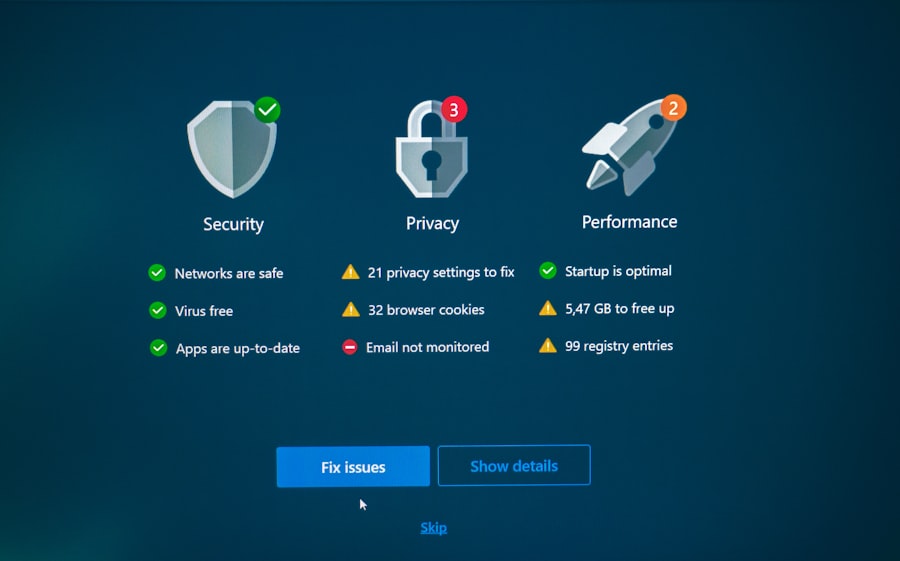
Encryption serves as a critical layer of security for protecting sensitive data within productivity software. By converting information into a coded format that can only be read by authorized users, encryption helps safeguard data from unauthorized access during transmission and storage. Many productivity applications now offer built-in encryption features, making it easier for users to secure their files and communications. It is advisable to enable these features whenever possible to enhance data protection.
In addition to encryption, implementing two-factor authentication (2FA) adds an extra layer of security to user accounts. 2FA requires users to provide two forms of identification before accessing their accounts—typically something they know (like a password) and something they have (like a mobile device). This additional step significantly reduces the likelihood of unauthorized access, even if a password is compromised. Users should take advantage of 2FA wherever it is available, as it is one of the most effective methods for enhancing account security.
When considering ways to enhance your productivity while safeguarding your personal information, it’s essential to explore various resources that provide insights into secure software usage. A related article that delves into effective strategies for maximizing efficiency without compromising privacy can be found here: best software for online arbitrage. This resource offers valuable tips that complement the advice on protecting your privacy while using productivity tools, ensuring a more secure and efficient work environment.
Safeguarding Your Data from Third-Party Access
| Tip | Description | Privacy Impact | Implementation Difficulty |
|---|---|---|---|
| Use Strong, Unique Passwords | Create complex passwords for each productivity app to prevent unauthorized access. | High – reduces risk of account breaches. | Low – requires password manager or manual effort. |
| Enable Two-Factor Authentication (2FA) | Adds an extra layer of security by requiring a second verification step. | High – significantly improves account security. | Medium – setup required but usually straightforward. |
| Review App Permissions | Regularly check and limit app access to only necessary data and features. | Medium – minimizes data exposure. | Medium – requires periodic review. |
| Use Encrypted Storage | Store sensitive documents in encrypted folders or drives. | High – protects data from unauthorized access. | Medium – may require additional software. |
| Keep Software Updated | Install updates promptly to patch security vulnerabilities. | High – prevents exploitation of known flaws. | Low – often automatic or simple to do. |
| Limit Cloud Syncing | Disable or restrict syncing of sensitive files to cloud services. | Medium – reduces risk of data leaks. | Medium – requires configuration changes. |
| Use Privacy-Focused Alternatives | Choose productivity tools that prioritize user privacy and data protection. | High – inherently better privacy controls. | Medium – may require switching apps. |
| Regularly Clear Cache and History | Remove stored data that could reveal personal information. | Low – limits data footprint. | Low – simple maintenance task. |
The risk of third-party access to sensitive data is a significant concern for users of productivity software.
Many applications rely on cloud storage solutions that may involve multiple stakeholders in data management.
To safeguard against unauthorized access, users should carefully select reputable service providers with strong privacy policies and security measures in place. Researching a provider’s track record regarding data breaches and compliance with regulations such as GDPR can help users make informed decisions.
Additionally, users should be cautious about sharing sensitive information through productivity software that may not have robust security features. When collaborating with others or sharing files, it is essential to use secure methods such as encrypted email or secure file-sharing services. By being mindful of how data is shared and stored, users can better protect themselves from potential breaches and maintain control over their information.
When considering ways to enhance your productivity while ensuring your privacy, it’s essential to explore various tools and resources available. One insightful article that delves into the features of modern devices is found here: Exploring the Features of the Samsung Galaxy Chromebook 2. This resource highlights how certain productivity software can be utilized effectively without compromising your personal information, making it a valuable read for anyone looking to balance efficiency and security in their digital workspace.
Limiting Sharing and Access Permissions
Limiting sharing and access permissions is a proactive strategy for enhancing privacy in productivity software. Users should adopt a principle of least privilege when granting access to documents or projects—only providing permissions necessary for collaborators to perform their tasks. This approach minimizes the risk of accidental data exposure or misuse by restricting access to sensitive information.
Furthermore, users should regularly audit shared documents and projects to ensure that only authorized individuals have access. This practice is particularly important in collaborative environments where team members may change frequently. By routinely reviewing access permissions and removing those that are no longer needed, users can maintain tighter control over their data and reduce the likelihood of unauthorized access.
Regularly Updating and Monitoring Your Software
Keeping productivity software up to date is essential for maintaining security and privacy. Software developers frequently release updates that address vulnerabilities, fix bugs, and enhance features. Users should enable automatic updates whenever possible to ensure they are using the latest version of their applications. Failing to update software can leave systems exposed to known security threats that could be exploited by malicious actors.
In addition to updating software, monitoring its performance and security settings is crucial. Users should regularly check for any unusual activity within their accounts or applications, such as unauthorized logins or unexpected changes to settings. Implementing monitoring tools can help detect potential breaches early on, allowing users to take swift action to mitigate risks.
Educating Yourself and Others on Privacy Risks and Solutions
Education plays a vital role in fostering a culture of privacy awareness among users of productivity software. Individuals should take the initiative to learn about common privacy risks associated with digital tools and stay informed about emerging threats in the cybersecurity landscape. Resources such as online courses, webinars, and articles can provide valuable insights into best practices for protecting personal information.
Moreover, sharing knowledge with colleagues or peers can amplify the impact of privacy education. Organizations can benefit from conducting training sessions on privacy best practices, ensuring that all team members understand their responsibilities regarding data protection. By fostering an environment where privacy is prioritized, individuals and organizations can collectively enhance their resilience against potential threats while promoting a culture of accountability in handling sensitive information.
FAQs
1. How can I protect my privacy when using cloud-based productivity software?
To protect your privacy with cloud-based productivity software, use strong, unique passwords and enable two-factor authentication. Regularly review and adjust privacy settings, avoid sharing sensitive information unnecessarily, and ensure the software provider uses encryption for data storage and transmission.
2. What are the risks of using productivity software without proper privacy measures?
Without proper privacy measures, your personal and professional data may be exposed to unauthorized access, data breaches, or misuse. This can lead to identity theft, loss of confidential information, and potential financial or reputational damage.
3. Should I be concerned about data collection by productivity software providers?
Yes, many productivity software providers collect user data to improve services or for advertising purposes. It is important to read their privacy policies, understand what data is collected, and opt out of data sharing when possible to maintain your privacy.
4. How often should I update my productivity software to maintain privacy?
You should update your productivity software regularly, ideally as soon as updates or patches are released. Updates often include security improvements that protect against new vulnerabilities and help safeguard your privacy.
5. Can using offline productivity software improve my privacy?
Using offline productivity software can enhance privacy by limiting data exposure to the internet and cloud services. However, it is still important to secure your device with strong passwords, encryption, and regular software updates to protect your data locally.