


In today’s digital landscape, providing a guest Wi-Fi network has become a common practice for businesses, hotels, and even private residences. However, the convenience of offering internet access to visitors comes with significant security risks. A poorly secured guest network can serve as an entry point for cybercriminals, allowing them to infiltrate the main network and access sensitive data. Understanding the importance of securing a guest Wi-Fi network is crucial for protecting both the host’s and guests’ information.
The risks associated with unsecured guest networks are multifaceted. Cyber attackers can exploit vulnerabilities to launch attacks, steal personal information, or distribute malware. Additionally, if a guest connects to an unsecured network, they may inadvertently expose their own devices to threats. Therefore, implementing robust security measures is essential not only for safeguarding the host’s infrastructure but also for ensuring a safe browsing experience for guests.
When setting up a guest Wi-Fi network for enhanced security, it’s essential to consider various aspects of network management and online safety. For those interested in exploring additional strategies for maximizing online presence and security, a related article titled “Best Niche for Affiliate Marketing in YouTube” can provide valuable insights. You can read it here: Best Niche for Affiliate Marketing in YouTube. This resource can help you understand how to effectively promote your network security measures while engaging with a broader audience.
Key Takeaways
- Securing guest Wi-Fi networks is crucial to protect your main network and sensitive data.
- Selecting appropriate hardware and configuring settings properly enhances guest network security.
- Implementing strong encryption and authentication safeguards guest access from unauthorized users.
- Isolating the guest network prevents guests from accessing your primary network resources.
- Continuous monitoring, maintenance, and educating guests help maintain a secure and reliable guest Wi-Fi environment.
Choosing the Right Equipment for Setting Up a Guest Wi-Fi Network
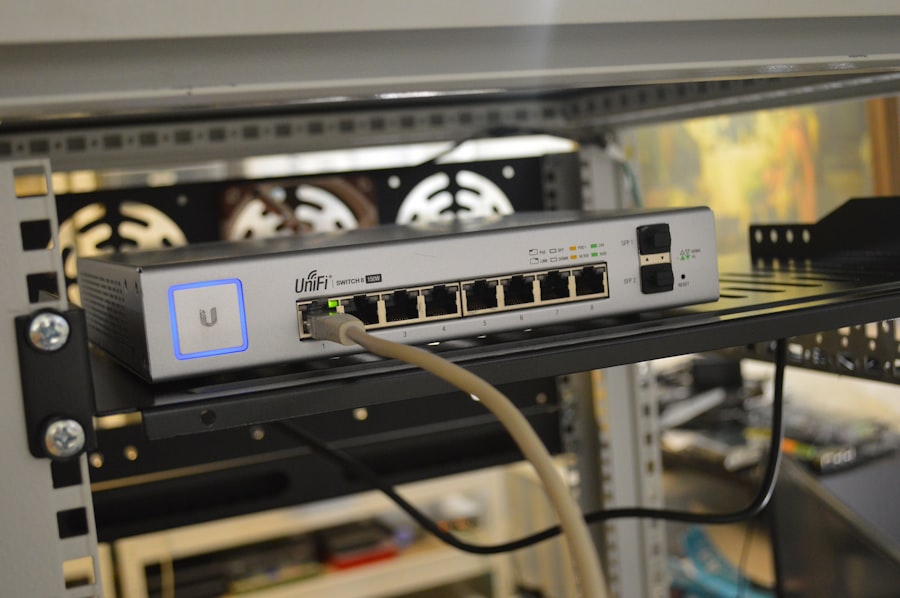
Selecting appropriate equipment is a foundational step in establishing a secure guest Wi-Fi network. The choice of router or access point can significantly influence the network’s performance and security capabilities. It is advisable to invest in devices that support the latest Wi-Fi standards, such as Wi-Fi 6, which offers improved speed and efficiency. Furthermore, routers with advanced security features, such as built-in firewalls and intrusion detection systems, can provide an additional layer of protection.
In addition to the router, other equipment such as switches and access points should be considered. For larger venues, deploying multiple access points can help ensure adequate coverage and performance. It is also important to choose equipment that allows for easy configuration of guest networks, enabling administrators to set up separate SSIDs (Service Set Identifiers) for guests. This separation is vital for maintaining security and managing bandwidth effectively.
Configuring Guest Wi-Fi Network Settings for Security

Once the appropriate equipment is in place, configuring the guest Wi-Fi network settings is the next critical step. This process involves creating a distinct SSID specifically for guests, which helps to isolate their traffic from that of the main network. It is essential to ensure that this guest SSID does not share any credentials or access with the primary network, thereby minimizing the risk of unauthorized access.
In addition to creating a separate SSID, network administrators should consider implementing bandwidth limitations on the guest network. This measure can prevent guests from consuming excessive resources, which could impact the performance of the main network. Furthermore, setting a time limit on guest access can enhance security by ensuring that users are only connected for a predetermined duration, reducing the window of opportunity for potential threats.
Implementing Encryption and Authentication Measures
Encryption and authentication are fundamental components of a secure guest Wi-Fi network. Utilizing WPA3 (Wi-Fi Protected Access 3) encryption is highly recommended, as it provides enhanced security features compared to its predecessors. WPA3 employs stronger encryption protocols that make it more difficult for unauthorized users to intercept data transmitted over the network.
In addition to encryption, implementing robust authentication measures is crucial. This can include requiring guests to enter a password or using a captive portal that prompts users to agree to terms of service before accessing the internet. Such measures not only enhance security but also provide an opportunity to educate guests about acceptable use policies and potential risks associated with public Wi-Fi networks.
When considering the importance of setting up a guest Wi-Fi network for security, it’s also beneficial to explore how modern devices can enhance your connectivity experience. For instance, the Samsung Galaxy S22 offers advanced features that can help you manage your network settings more effectively. To learn more about the capabilities of this smartphone, you can check out this informative article on the Samsung Galaxy S22. By understanding the tools at your disposal, you can ensure a safer and more efficient online environment for your guests.
Setting Up Guest Network Isolation to Protect Your Main Network
| Metric | Description | Recommended Value/Setting | Purpose |
|---|---|---|---|
| SSID Name | Name of the guest Wi-Fi network | Guest_Network | Identify the guest network separately from the main network |
| Network Isolation | Prevents guests from accessing internal network devices | Enabled | Enhances security by isolating guest traffic |
| Encryption Type | Security protocol used to protect Wi-Fi traffic | WPA3 or WPA2 | Ensures secure communication over the wireless network |
| Password Complexity | Strength of the guest Wi-Fi password | At least 12 characters, mix of letters, numbers, symbols | Prevents unauthorized access |
| Bandwidth Limit | Maximum data rate allowed for guest users | 5-10 Mbps per user | Prevents guests from consuming excessive network resources |
| Access Duration | Time period guest access is valid | 24-48 hours or session-based | Limits exposure by restricting access time |
| Firewall Rules | Restrictions on guest network traffic | Block access to internal IP ranges | Protects internal network from guest devices |
| Logging and Monitoring | Tracking guest network activity | Enabled with periodic review | Detects suspicious activity and aids troubleshooting |
Network isolation is a critical strategy for protecting the main network from potential threats posed by guest devices. By configuring guest network isolation, administrators can ensure that devices connected to the guest network cannot communicate with those on the primary network. This separation minimizes the risk of malware spreading from guest devices to more sensitive systems.
To implement network isolation effectively, administrators can utilize features such as VLANs (Virtual Local Area Networks) or subnetting. These techniques allow for the segmentation of network traffic, ensuring that guests remain isolated while still having access to necessary internet resources. Additionally, enabling features like client isolation on access points can further enhance security by preventing guests from accessing each other’s devices.
Monitoring and Managing Guest Wi-Fi Network Traffic
Ongoing monitoring and management of guest Wi-Fi network traffic are essential for maintaining security and performance. Network administrators should regularly review logs and analytics to identify unusual patterns or potential security threats. Many modern routers come equipped with built-in monitoring tools that provide insights into connected devices and their bandwidth usage.
In addition to monitoring traffic, it is important to manage user access effectively. This can involve periodically changing passwords for the guest network or implementing time-based access controls that limit connectivity during certain hours. By actively managing guest access and monitoring traffic patterns, administrators can quickly respond to any suspicious activity and take appropriate action.
Educating Guests on Best Practices for Using the Guest Wi-Fi Network
Educating guests about best practices when using the guest Wi-Fi network is an often-overlooked aspect of network security. Providing clear guidelines can help users understand how to protect their devices while connected to public networks. For instance, guests should be encouraged to avoid accessing sensitive information, such as online banking or personal email accounts, while using public Wi-Fi.
Additionally, informing guests about potential risks associated with public networks can foster a culture of awareness and caution. Simple measures such as using a VPN (Virtual Private Network) for secure browsing or ensuring that their devices have up-to-date antivirus software can significantly reduce vulnerabilities.
By promoting these best practices, hosts can contribute to a safer online environment for their guests.
Regularly Updating and Maintaining Guest Wi-Fi Network Security Measures
The final component of securing a guest Wi-Fi network involves regular updates and maintenance of security measures.
Cyber threats are constantly evolving, making it essential for network administrators to stay informed about the latest vulnerabilities and patches.
Regularly updating router firmware and security protocols ensures that the network remains resilient against emerging threats.
In addition to software updates, conducting periodic security audits can help identify potential weaknesses in the guest network setup. These audits may involve testing encryption methods, reviewing access controls, and assessing overall network performance. By committing to ongoing maintenance and improvement of security measures, hosts can ensure that their guest Wi-Fi networks remain secure and reliable over time.
In conclusion, establishing a secure guest Wi-Fi network requires careful planning and implementation of various security measures. From choosing the right equipment to educating guests on safe practices, each step plays a vital role in protecting both the host’s infrastructure and the users’ data. By prioritizing security in every aspect of the guest Wi-Fi experience, hosts can provide a valuable service while minimizing risks associated with public internet access.
FAQs
What is a guest Wi-Fi network?
A guest Wi-Fi network is a separate wireless network set up specifically for visitors to use. It is isolated from the main network to protect sensitive data and devices from unauthorized access.
Why should I set up a guest Wi-Fi network?
Setting up a guest Wi-Fi network enhances security by preventing guests from accessing your primary network and its connected devices. It also helps manage bandwidth and keeps your main network more stable.
How do I create a guest Wi-Fi network?
Most modern routers have a built-in option to enable a guest network. You can access your router’s settings through its web interface or app, then configure the guest network by setting a unique name (SSID) and password.
What security measures should I use for a guest Wi-Fi network?
Use strong WPA3 or WPA2 encryption, set a unique and strong password, and consider limiting the guest network’s bandwidth or access time. Avoid using an open network without a password to prevent unauthorized use.
Can guests access my main network devices through the guest Wi-Fi?
No, a properly configured guest Wi-Fi network is isolated from the main network, so guests cannot access devices like printers, shared files, or other connected equipment on your primary network.